

- Monthly visits
- 0
- Pricing
- Free & Paid
- Listed
- 2026-01-12
- Updated
- 2026-08-25
01Product Positioning
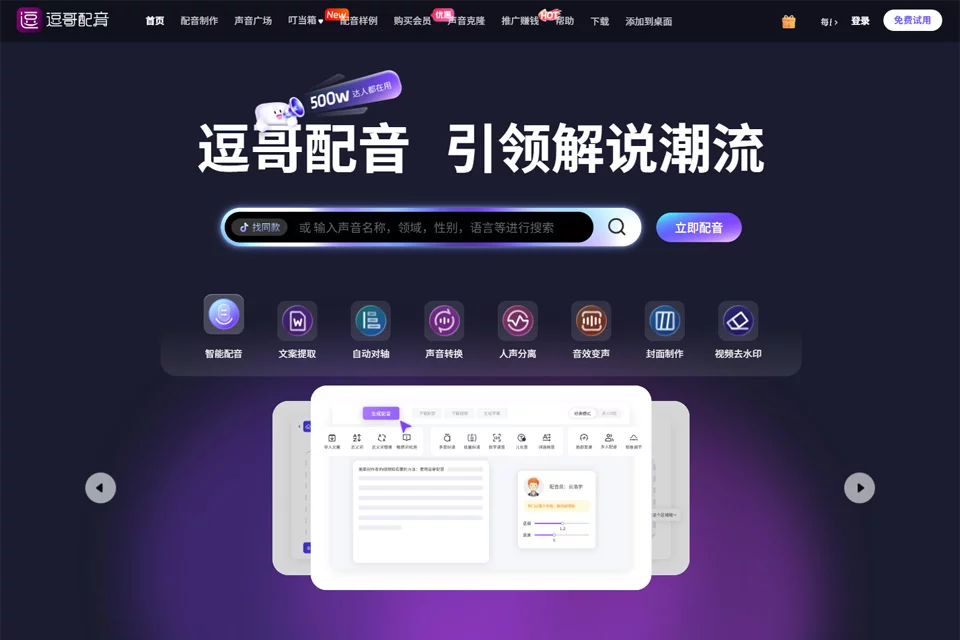
Dou Ge Voiceover is positioned as an AI audio tool for short-form video creators. Its core task is converting written scripts into voiceovers while handling parts of the audio production workflow in the same process.
It suits individual creators, merchants, teachers, and content teams that need to quickly generate commentary, voiceovers, or character dialogue. The platform offers both free and paid options, with the actual available scope subject to the current product pages.
02Key Features
The tool supports text-to-speech and allows users to adjust speaking rate, pitch, and emotional intensity. Its voice library includes broadcast-style voices, dialects, child voices, and other style options. The multi-character dialogue feature assigns different roles to the same text, making it suitable for dialogue or radio drama clips.
The platform also provides voice separation, intelligent script extraction, polyphonic character correction, background music addition, automatic timing alignment, subtitle generation, and video watermark removal. These features cover parts of the workflow from script preparation through audio and video organization.
03Use Cases
Story commentary and film or television content can use different male, female, or suspense-style voices. Emotional quotes, advertising voiceovers, and e-commerce promotions are better suited to combining adjustments to speaking rate, pitch, and emotion during final production.
Distinctive dialects, child voices, and multi-character dialogue work well for comedy sketches, radio dramas, and audiobook clips. Teachers and training institutions can use the tool for micro-lessons, reading course materials aloud, and creating instructional content. Physical stores can also use it for promotional announcements and sales calls.
04Usage Notes
Before generating audio, check proper nouns, polyphonic characters, numbers, and punctuation in the script. After generation, listen again to confirm that pauses, emphasis, tone, and character changes fit the content. Emotional controls and voice selection affect the final listening experience, so complex text should not skip manual proofreading entirely.
Voice separation, subtitles, and video processing are supporting steps. Before publishing the finished content, users should independently confirm the source and permitted use of the materials, as well as the synchronization between audio and visuals.
© Disclaimer: domains and linked content may change over time. AIEZZ does not control third-party websites. Review external content and risks independently.
User reviews0