

- Monthly visits
- 0
- Pricing
- Free & Paid
- Listed
- 2026-06-15
- Updated
- 2026-08-25
01About ImagineArt
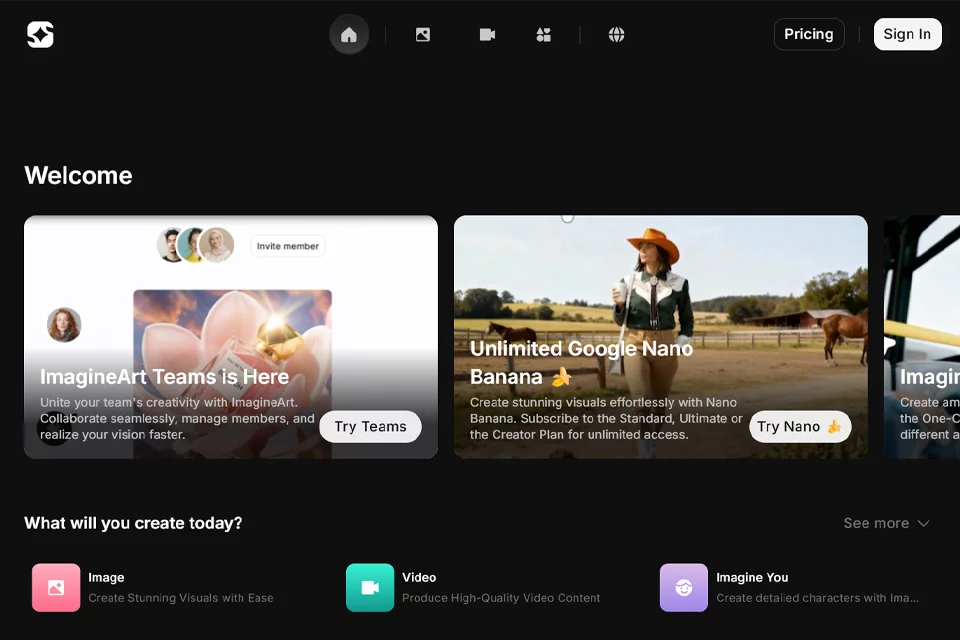
ImagineArt brings image, video, audio, advertising, and film creation tools together on one platform. Users can start with text prompts or reference images to generate and edit visual content, or use dedicated entry points such as Film Studio, Ad Studio, Audio Studio, and Workflows for more specific creative tasks. The platform also provides a community, team collaboration, and a generation API for developers.
02Who Is ImagineArt For?
Visual creators
Generate illustrations, concept art, product visuals, and other image content from prompts or reference images, then continue editing or upscaling the results.
Video and film production professionals
Use video generation, Film Studio, storyboards, and shot controls to create multi-shot or longer-form video content.
Marketing teams and advertising agencies
Enter a product link and select a format in Ad Studio to create advertising videos and motion design content featuring elements such as avatars.
Creative teams and businesses
Collaborate on content production through shared workspaces, member invitations, permission management, brand kits, and shared workflows.
Developers
Call image, video, and audio models through the Generation API to integrate ImagineArt's generative capabilities into products, applications, or content workflows.
03Key Features of ImagineArt
Text and reference-image generation
Enter prompts on the Image or Video page and optionally add reference images to generate images or videos, or control composition, style, and color.
Image editing and upscaling
Adjust images with tools for inpainting, outpainting, background processing, text editing, and style transfer, then upscale finished work to a higher resolution.
Image-to-video
Add images generated in ImagineArt or your own images to video projects and create video content with motion effects.
Film Studio
Plan and produce multi-shot, long-form film content with storyboards, start- and end-frame controls, and cinematic shot configurations.
Ad Studio
Paste a product link, select an advertising format, and generate advertising videos featuring elements such as avatars for product promotion.
Audio Studio
Generate and adjust voiceovers, clone voices, and create original music from text prompts in the same workspace.
Node-based workflows
Connect models and steps on a visual node canvas to build repeatable, shareable creative processes and share them with your team or community.
Team collaboration
Create or join teams, invite members, and manage permissions such as viewing and editing in a shared workspace for generating and managing creative assets.
04What Makes ImagineArt Stand Out
Unified workspace for multiple media types
It brings image, video, audio, music, advertising, and film production tools together on one platform and supports continuous processing from concept to finished work.
Centralized access to multiple models
The platform provides both ImagineArt's proprietary models and third-party models, covering different creative tasks across images, video, and audio.
Reusable node-based workflows
Combine models and steps on a node-based canvas, then save multi-step creative processes as repeatable, shareable workflows or apps.
MCP connections for creative tools
Imagine MCP connects ImagineArt's creative tools to Claude, Cursor, and MCP-compatible clients, using an existing account and credits without requiring an API key.
05Sources
- Official homepage: ImagineArt - AI Creative Suite | Images, Videos, Voice
- Official documentation: Getting Started Guide | ImagineArt Help Documentation - User Guide, Tutorials & Quickstart
- Official overview: About ImagineArt | One Platform for Every Kind of Creative Work
- Official pricing page: ImagineArt - AI Creative Suite | Free Images, Videos, Voice
© Disclaimer: domains and linked content may change over time. AIEZZ does not control third-party websites. Review external content and risks independently.
User reviews0