

- Monthly visits
- 0
- Pricing
- Free & Paid
- Listed
- 2026-07-18
- Updated
- 2026-08-25
01Introduction to HeyVid AI
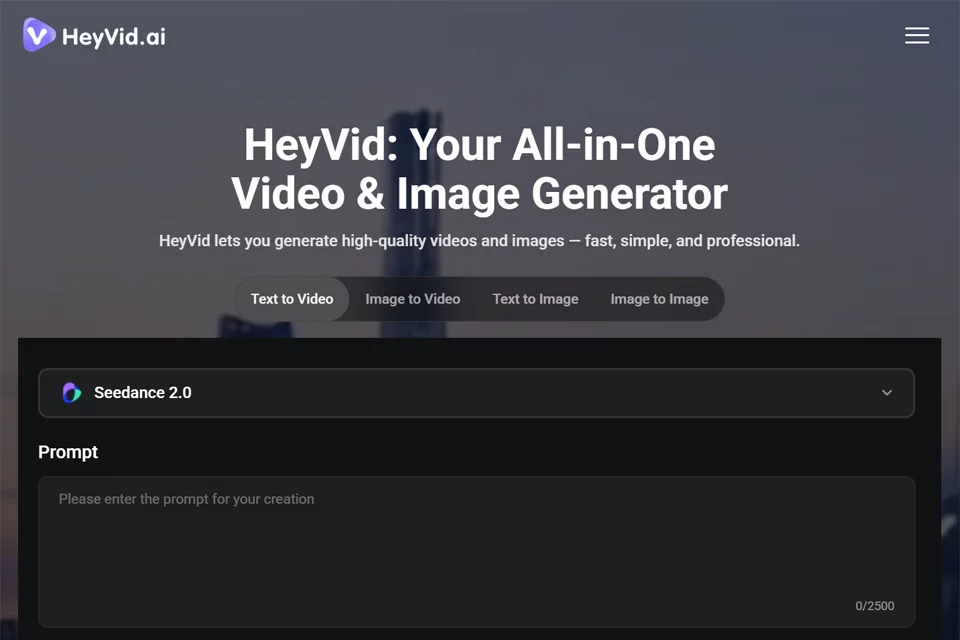
HeyVid AI brings video generation, image generation, voice synthesis, and music creation tools together on one platform. Users can select different models, enter text, upload images, and adjust settings to generate video or image content. The platform also provides image-to-video, text-to-video, video-to-video, AI avatar, lip sync, text-to-speech, and noise reduction tools, supporting a continuous workflow from ideation to content production.
02Who Is HeyVid AI For?
Content Creators
Create social media content, animated images, and short videos while reducing the need to switch between multiple creative tools.
Digital Marketing Agencies
Generate brand stories, product launch materials, marketing campaign visuals, and promotional content with dynamic effects.
Online Educators
Create course content by turning written ideas, images, and sound into more visually engaging educational materials.
Tech Entrepreneurs
Create pitch deck visuals and presentation materials for startup pitches aimed at investors and stakeholders.
Developers and Business Teams
Explore API and workflow-related applications while centrally managing video, image, and audio creation for business content production.
03Key Features of HeyVid AI
AI Video Generation
Generate videos from text or images, with creative workflows for image-to-video, text-to-video, video-to-video, and video transitions.
AI Image Creation
Generate images from text descriptions or use image-related tools to create visual content for marketing, social media, and concept design.
Multiple Model Options
Users can choose from different video and image models based on project requirements, compare them, and complete generation tasks in the same workspace.
AI Avatars and Lip Sync
AI avatar and lip sync tools help create visual content with character performance and synchronized mouth movements.
Voice and Music Tools
Text-to-speech, voice cloning, and AI music creation tools help users add voice and music assets to their content.
Text-Driven Creation
Users only need to describe a scene, mood, or style and upload any necessary images. The platform generates corresponding visual content based on natural language input.
Creative Workspace
Content generation, image creation, audio tools, project management, and workflows from scripting to post-production are brought together on one platform.
04What Sets HeyVid AI Apart
Unified Access to Multiple Models
The platform brings more than 18 video and image models together in one service, so users can select tools without visiting multiple model platforms separately.
Support for Multiple Media Types
In addition to video and image tools, the official website clearly provides voice synthesis, voice cloning, and AI music tools, creating a more complete creative media workspace.
From Text to Production
The platform combines written ideation, storyboarding, content generation, and post-production-related steps in one creative workflow, making it suitable for completing projects continuously.
For Different Skill Levels
The official website offers both intuitive basic operations and more detailed advanced settings, serving beginners as well as professional users who need precise control.
05Sources
© Disclaimer: domains and linked content may change over time. AIEZZ does not control third-party websites. Review external content and risks independently.
User reviews0