

- Monthly visits
- 0
- Pricing
- Free
- Listed
- 2025-09-03
- Updated
- 2026-08-25
01Product Positioning
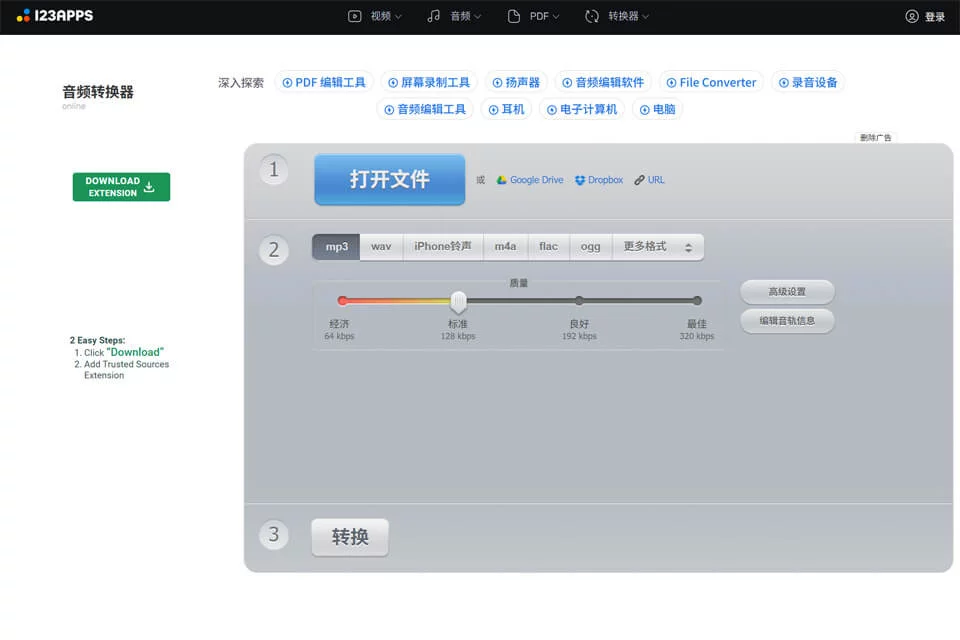
Online Audio performs audio format conversion in the browser without requiring a desktop client. It is designed for music enthusiasts, content creators, users who need batch processing, and office users who occasionally encounter file format compatibility issues.
The basic workflow is to upload files, select an output format, adjust parameters as needed, and download the results. It is suitable for everyday format conversion and video audio track extraction.
02Key Features
The tool supports more than 300 audio and video file formats. It can convert files to common audio formats such as MP3, WAV, M4A, and FLAC, and can also separate audio tracks from video files.
Multiple files can be uploaded and converted in batches, with results available as a ZIP download. During conversion, users can edit metadata such as song title, artist, album, and year, adjust bitrate, sample rate, and channels, and add fade-in, fade-out, or reverse playback effects. Vocal removal is an experimental feature.
03Use Cases
When organizing music, users can convert incompatible audio files to formats required by their devices or software and complete song tags. Content creators can extract audio from video clips for subsequent editing or media organization.
Users such as podcast producers, librarians, and archivists who need to process multiple files can use batch conversion and ZIP packaging. Office users can use it to quickly resolve occasional audio format compatibility issues.
04Usage Considerations
Online Audio depends on a browser and network connection. Files must be uploaded through the web page for processing, and conversion and downloading may take longer for large files or unstable networks. Before use, confirm that the target format, audio parameters, and output file meet the requirements of the intended device or editing software.
Experimental processing such as vocal removal should not be treated as a consistently reliable result. Important media should be kept in its original form, and the audio quality, tags, and integrity of converted files should be checked before use.
© Disclaimer: domains and linked content may change over time. AIEZZ does not control third-party websites. Review external content and risks independently.
User reviews0