

- Monthly visits
- 0
- Pricing
- Free & Paid
- Listed
- 2025-08-29
- Updated
- 2026-08-25
01Product Positioning
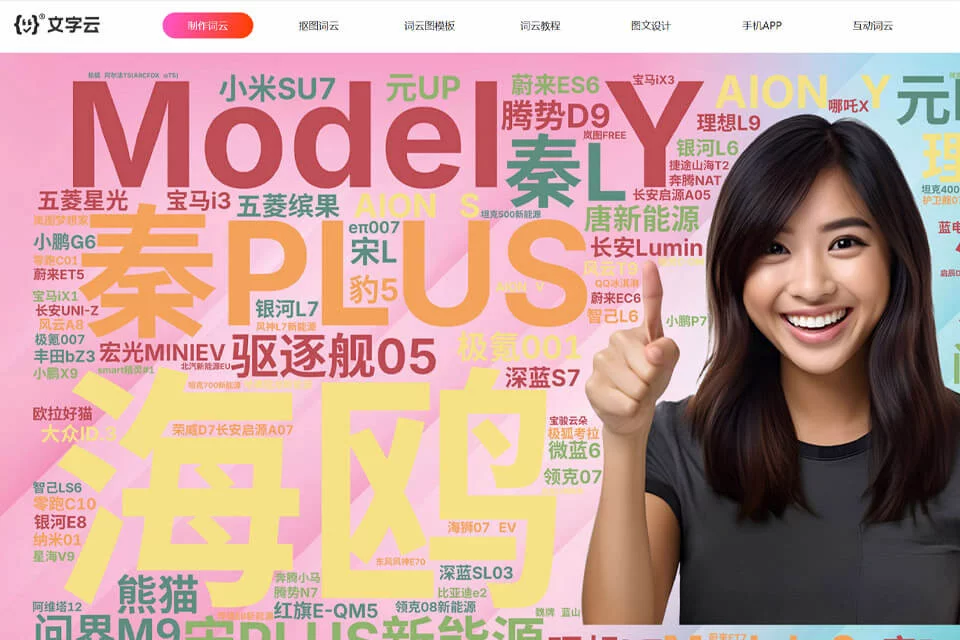
TextCloud turns text data into word cloud creations with graphical structure. By combining word frequency analysis with visual layout, it suits users who need to quickly present keyword distribution, key themes, or an overall impression of a text.
The tool works online, allowing users to start by entering text, analyze word frequency, choose a shape, and adjust styles to create static or animated word clouds.
02Key Features
The tool analyzes the frequency of words in entered text and generates a word cloud based on how often each word appears. Users can choose from ready-made graphic templates or upload an image as a custom word cloud outline.
During editing, users can adjust fonts, colors, and word layout directions. The AI background removal feature identifies and separates the main subject of an image, allowing text to fill the subject area or appear around it. Finished designs can be exported as high-resolution images, SVG vector graphics, or video files.
03Use Cases
In market research and data reporting, word clouds can summarize high-frequency themes in user feedback, interview records, or survey responses. In business presentations, they can serve as a visualized keyword page or content overview.
For social media content creation, article themes can be turned into static covers or animated backgrounds. Teachers, students, and researchers can use word clouds to organize course highlights, paper keywords, or complex concepts.
04Usage Considerations
Word clouds primarily reflect how often words appear and do not constitute a complete data analysis. Repeated words, meaningless terms, and formatting issues in the input text may affect the final layout and interpretation of key points, so the text should be cleaned before design begins.
Templates and custom outlines are suitable for getting started quickly, but complex images or longer texts may still require repeated adjustments to fonts, colors, layout, and word selection. Animated videos are better suited to presentations and content publishing; when used in formal reports, they should be accompanied by specific data explanations.
© Disclaimer: domains and linked content may change over time. AIEZZ does not control third-party websites. Review external content and risks independently.
User reviews0