
- Monthly visits
- 0
- Pricing
- Free
- Listed
- 2025-06-30
- Updated
- 2026-02-23
01Product Positioning
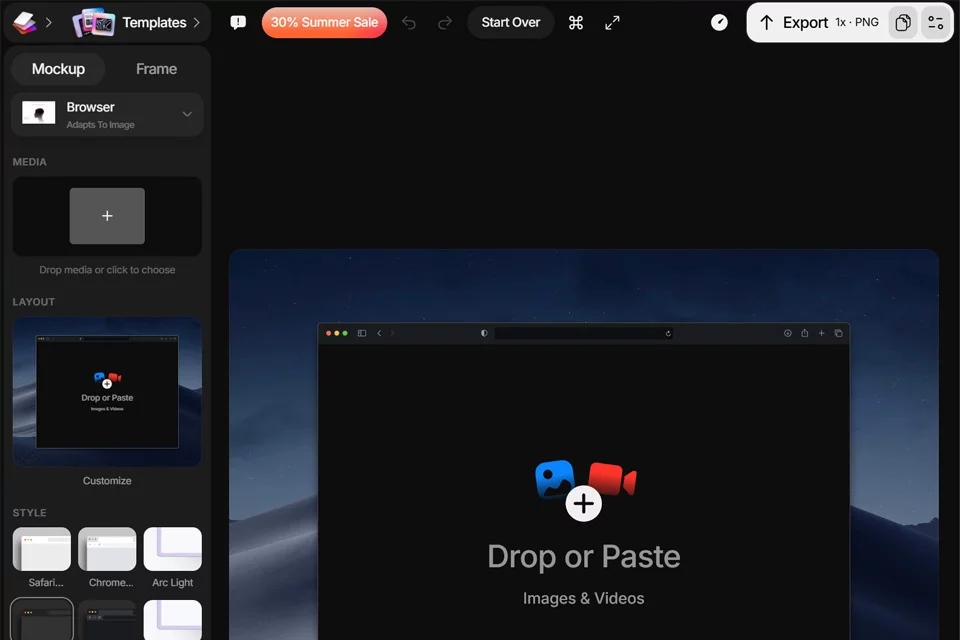
Shots is a browser-based online mockup tool for placing designs or product screenshots into device presentation templates. It is intended for designers, developers, marketers, and other creative professionals who need to create visual assets without installing specialized software.
After uploading an image, users can preview its presentation in a template and continue making adjustments. The workflow focuses on quickly presenting one or more design assets.
02Key Features
The tool provides device templates for phones, tablets, laptops, and more, with controls for frame styles, corner radii, shadows, and lighting angles. Backgrounds can use solid colors, gradients, textures, or AI-generated effects. Users can also hide the device model and retain only the design and background.
Shots supports automatic image-size fitting, separate processing for individual screenshots, multi-image layout presets, real-time previews, and PNG and JPG exports. Users can also set the resolution and quality and generate image sizes suited to social media publishing.
03Use Cases
UI/UX designers can use it to showcase interface concepts and their visual appearance across different devices. Developers can create app store screenshots or product demonstration assets. Marketers can use it to produce promotional graphics and social media content.
For portfolios, personal projects, e-commerce banners, and multi-screen presentations, device templates and layout presets reduce post-production layout work. Built-in scene features can also place designs in indoor environments such as living rooms and studios to create a stronger sense of context.
04Usage Considerations
Shots is suitable for quickly creating presentation images, but its templates are not a substitute for complete professional post-production. The source image's aspect ratio, clarity, and content boundaries affect the final appearance after embedding, and complex compositions may require manual parameter adjustments.
AI-generated backgrounds should be reviewed against the uploaded content and intended style, as the results may require further editing. Before exporting, confirm that the resolution, quality, layout, and platform dimensions meet publishing requirements. If you only need to display the original image, hide the device model to reduce visual distractions.
© Disclaimer: domains and linked content may change over time. AIEZZ does not control third-party websites. Review external content and risks independently.
User reviews0