

- Monthly visits
- 0
- Pricing
- Free & Paid
- Listed
- 2026-07-20
- Updated
- 2026-08-25
01About Photolaria
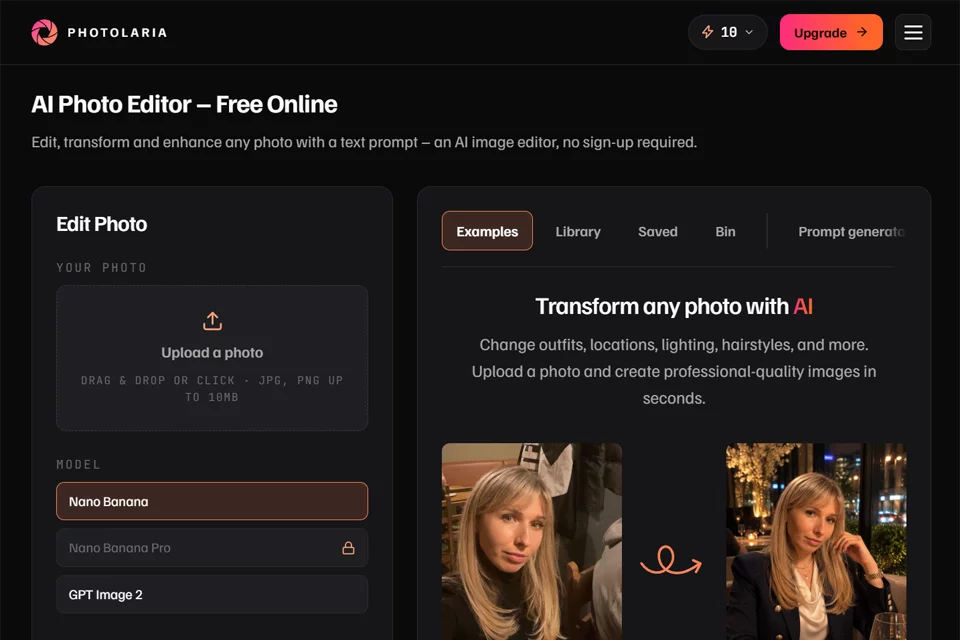
Photolaria transforms photo editing from manual tools and sliders into text instructions. After uploading one or more photos, users can describe the changes they want, such as removing a person, replacing a background, or changing clothing, and the system generates an edited result. It supports direct guest access as well as free accounts and paid credits, making it suitable for quickly processing personal photos and creative images.
02Who Photolaria Is For
Personal Photo Users
Improve selfies, adjust hairstyles and clothing, replace backgrounds, or remove people and objects from photos with text, without learning complex editing tools.
Content Creators
Use natural language to make a range of visual modifications while creating images, and compare results across different models and generations.
Professional Profile and Job Seekers
Turn everyday selfies into professional headshots and clean-background photos suitable for LinkedIn, resumes, or team pages.
Old Photo Archivists
Upload damaged, faded, or black-and-white family photos to try removing scratches, restoring color, rebuilding details, or colorizing them.
03Key Photolaria Features
Text-Based Editing
Describe the changes you want in natural language, and the system edits the photo accordingly. This is suitable for modifying clothing, scenes, lighting, hairstyles, and more.
Multi-Image Composition
Upload multiple photos and refer to them with labels such as image 1 and image 2 to place a person from one image into the scene of another.
Object Removal
Describe the people, vehicles, cables, or other distractions to remove from a photo, and the system reconstructs the background in the removed area.
One-Click Background Removal
Use the Remove Background feature to automatically remove the background and generate an image with a transparent background, without writing a text prompt.
Photo Enhancement and Expansion
Improve detail, color, and lighting, or extend the image in any direction to add scenery beyond the original photo's frame.
Old Photo Restoration
Process old photos with scratches, fading, and missing details, with support for restoring color to black-and-white photos.
Result Library Management
After signing in to a free account, users can use the private Library to save images and generation history with cross-device synchronization. Individual images or all data can also be deleted.
04What Makes Photolaria Stand Out
Natural Language First
The main editing workflow starts with a text description, so users do not need to rely on fixed filters, complex menus, or traditional sliders for common image modifications.
Multiple Models
The same editor integrates multiple image generation models. Users can choose a different model for each task and compare results and generation costs.
Guest Access Without Registration
Users can enter the web editor without an account or credit card. Guests receive a daily free allowance, while registration provides a higher allowance and cross-device image history.
Free and Paid Options
In addition to free allowances and subscription plans, Photolaria offers one-time credit packs without a subscription. Purchased credits do not expire, making them suitable for different usage frequencies.
05Sources
© Disclaimer: domains and linked content may change over time. AIEZZ does not control third-party websites. Review external content and risks independently.
User reviews0