
All AI tools
AI Image Processing
You are browsing popular AI-powered products in the AI image processing space. Carefully tailored through optimized matching, these products provide outstanding solutions for the industry.
 FocoClippingAI Image ProcessingFocoClipping is an online AI tool for image background processing. It primarily identifies the subject and removes the background, helping users reduce repetitive manual cutout work. After uploading an image, users can generate a transparent background and replace it with a solid-color or custom background as needed. The tool also provides auxiliary features such as batch processing, edge refinement, and manual correction. It is suitable for e-commerce sellers, designers, photographers, and content creators producing social media materials, helping them quickly prepare product images, portraits, and basic compositing assets. Images with complex hair, transparent objects, or inaccurate subject recognition may still require manual inspection and correction.068
 Loti AIAI Image ProcessingLoti AI is an AI-powered image processing tool designed to help users identify suspected infringing content online, including faces, voices, deepfake videos, and stolen images. Users can submit or link the personal likeness and voice information they want to monitor. The platform then tracks related content and assists with follow-up through legal document generation and complaint workflows. It is suitable for film and television professionals, corporate executives, original content creators, and others concerned about how their digital likeness is used. In practice, content identified by the platform still requires manual verification, and whether a complaint is accepted or content is ultimately removed depends on the relevant platform and the available evidence.077.9
 Expression Editor AIAI Image ProcessingExpression Editor AI, developed by Aivio Studio, LLC, is an online AI portrait and photo editing tool. It supports adjusting facial expressions, eyes, mouth, and head movements, as well as generating animated videos and replacing clothing and scenes. Users can upload images through the website and create content with controls or text prompts.038.5
 PhotolariaAI Photo EditingPhotolaria is an online AI photo editor that can be used without registration. Users can modify people, clothing, backgrounds, lighting, and objects in photos using natural language, as well as enhance photos, expand images, and restore old photographs. The product offers guest access, free accounts, subscription plans, and one-time credit packs, with the web editor as its primary entry point.098
 PicWishAI Image ProcessingPicWish is an AI image processing and photo editing platform developed by PicWish, designed to simplify tasks such as background removal, watermark removal, image enhancement, upscaling, compression, and product photo retouching. Users can access its tools through the web, desktop, and mobile apps, or integrate image processing capabilities through the API.028.8
 MejorarImagenAI Image ProcessingMejorarImagen is an online AI image enhancement tool that supports enlarging images by up to 10x, with maximum output of 12000×12000 pixels, while improving image clarity. Users can upload images directly on the website, select an enhancement level, download the processed results, and process images within PDFs.048.1
 Color Picker from ImageAI Color MatchingColor Picker from Image is a free web-based image color picker that requires no registration. Upload an image, paste an image, or enter an image URL to extract color information and view color values in HEX, RGB, HSL, HSV, and other formats.077.8
 ImageGoodAI Image ProcessingImageGood is an online AI image creation and processing platform offering photo editing, text-to-image generation, intelligent background removal, product image generation, and cover poster creation. Users can start by uploading an image or entering text, then use batch generation, history, and the product image studio to produce content.127.8
 Reversely.aiAI Image ProcessingReversely.ai is an online platform offering image search and recognition features. Users can search by image or image URL to find similar images, duplicate content, people, and related sources. The platform also provides AI image detection, face search, and face shape detection tools for content verification, image tracing, creative work monitoring, and everyday visual search.077.7
 RecraftAI Image ProcessingRecraft is an AI design tool from Recraft, Inc. for professional designers, illustrators, marketers, and creative teams to generate and edit images, vector graphics, illustrations, icons, and 3D graphics. Users can access multiple models and editing tools through Recraft Studio, or build automated visual workflows with the API.038.5
 EvotoAI Image ProcessingEvoto, developed by Truesight Technology Inc., is designed for professional photographers, photography studios, and creative teams. It covers photo culling, color grading, portrait retouching, background adjustments, batch processing, delivery, and more, with access through desktop, web, mobile, and iPad products.058.5
 PNGMakerAI Image ProcessingPNGMaker is an online graphics tool whose primary purpose is to turn user-entered text into PNG images with transparent backgrounds. Users enter text, choose or adjust basic styles such as the font, color, and size, check the result in the preview, and then download the image. It is suitable for web and UI design, marketing and operations, content creation, and office scenarios that require simple transparent text assets. The tool runs in a browser, and its basic features are free. It is primarily intended for generating text assets; complex typesetting, image compositing, or more detailed design control still require professional image software. Generated results should also be checked independently in the actual project.037.8
 ShakkerAI Image ProcessingShakker is an AI-powered image generation platform that lets users enter text descriptions or provide reference images to create images for creative expression. The platform offers a variety of open-source models and exclusive AI models covering areas such as art and design, along with online tools including Shakker Generator, Online A1111 WebUI, Online ComfyUI, and Online Training. Designers, game developers, illustrators, photographers, and other users with image creation needs can use it for ideation, visual exploration, and asset production. The platform supports infinite-canvas creation, but generated results still need to be selected, adjusted, and further processed for their intended use.068.9
 RealorAIAI Image ProcessingRealorAI is a web-based interactive tool for training image authenticity judgment. By asking users to identify real photos and AI-generated images, it helps them notice clues such as lighting, texture, edge blending, and background logic. Users can start an image test as soon as they open the webpage and receive immediate feedback after each decision. It is suitable for content creators, educators, students, photographers, designers, and AI image enthusiasts. It is best used as an entry point for practicing visual literacy and observation skills, rather than as an independent image-authentication system. Test results reflect only the judgment made for the current question and cannot replace further verification of the source, context, and original file.078
 PhotoroomAI Image ProcessingPhotoroom is an AI image processing tool for e-commerce businesses, content creators, and small businesses, primarily used to edit product photos and social media visuals. Users can import images, remove or replace backgrounds, resize images, add text, and enhance visuals. The tool also supports batch processing for multiple images. It offers free and paid plans, making it suitable for individuals and teams that regularly create product images, promotional graphics, or social media content. For complex visuals or content subject to specific brand guidelines, manually reviewing and refining the results after automated processing is still recommended.028.2
 Hypic AIAI Image ProcessingHypic AI is a mobile AI image processing tool for general users, social media creators, e-commerce sellers, and photography beginners who want to edit images quickly. Users can import photos into the app and use features such as smart portrait retouching, generative image expansion, AI object removal and repainting, filters, and artistic style processing, then adjust and export the image based on the preview. It is suitable for portrait enhancement, composition completion, and background cleanup, reducing reliance on complex professional software. Note that generative processing and portrait adjustments may still cause detail distortions, so users should check faces, text, and background content before publishing.027.7
 AirBrushAI Image ProcessingAirBrush is an AI-powered graphics processing tool focused on portrait retouching and photo quality enhancement, available on the web, mobile apps, and desktop clients. Users can import photos, apply AI portrait retouching, smart removal and replacement, filters and effects, or quality enhancement, then export the edited results. Batch processing and cloud syncing support users who need to process images regularly. It is designed for social media content creators, e-commerce marketers, photographers, designers, and people who enhance everyday photos. The product offers free and paid plans, and available features may vary by version or plan. AI-generated retouching, removal, and enhancement results still require manual review, and the quality of the original material also affects the final result.138.2
 iFotoAI Image ProcessingiFoto is an AI image editing tool for e-commerce, marketing, and creative design. It supports image workflows ranging from product image uploads to background processing, image refinement, and effect generation. Users can create AI model visuals, replace or generate backgrounds, enhance and restore images, clean up scenes, adjust product colors, and preview virtual hairstyles. It is suitable for merchants, marketers, designers, and users who process personal photos or need to produce product visuals in batches. The product is available on web and mobile, with free and paid pricing options. Generated results may still require manual review, and the usage rights for images involving portraits, trademarks, or other protected materials should be confirmed separately.048.6
 Linghui AIAI Image ProcessingLinghui AI is a cloud-based AI graphics processing tool for producing short comic dramas. Its primary workflow starts with a written script, after which the system handles storyboard analysis, character design, voice synthesis, and video rendering. The product supports visual styles including Chinese animation, Japanese animation, Studio Ghibli, watercolor, and pixel art, as well as genres such as urban, period, and science fiction. It also provides capabilities related to character consistency and lip synchronization. It is suitable for social media creators, web fiction authors, and short-drama studios seeking to quickly turn written content into publishable video material. According to available information, it can generate a finished video in as little as three minutes, though the actual result still requires review and adjustment based on the script’s complexity and the generated content.0127.9
 VisionatiAI Image ProcessingVisionati is a computer vision AI tool for image and video analysis. It brings multiple vision models together in a unified workspace and provides access through an API, browser extension, content analyzer, and Figma plugin. Users can upload images or videos to obtain image descriptions, tags, text recognition, color extraction, face detection, and content moderation results. Videos are analyzed by extracting frames. It is suitable for individual users, content creators, e-commerce and media professionals, as well as developers and product teams integrating content organization, moderation, and automation workflows. In practice, model outputs still require human review against business requirements, and the service uses a paid model.088
 LetsEnhanceAI Image ProcessingLetsEnhance is an online AI image processing tool primarily designed to upscale images and improve their clarity, color, and lighting. After uploading an image, users can choose options such as upscaling, deblurring, JPEG artifact removal, color correction, or lighting optimization, and can also perform batch editing. It is suitable for photographers, designers, e-commerce and marketing professionals, print professionals, and content creators who need to organize low-resolution assets, create images for websites, or prepare files for printing. The platform uses cloud-based processing and offers both free and paid plans. Note that upscaling and restoration involve image reconstruction and cannot guarantee recovery of original details; important final outputs should still be reviewed manually.028.2
 OopsBustedAI Image ProcessingOopsBusted is an AI-assisted search tool for verifying dating app profiles, primarily covering Tinder, Bumble, and Hinge. Users can submit search leads about a specific person and optionally use photo matching and expanded geographic searches. The system organizes results with screenshots, profile details, summaries, and confidence notes. It is intended for users who have concerns about a partner’s or date’s online activity, want to verify someone before dating, or need to initially identify suspicious profiles. The product uses one-time payments for single-platform or multi-platform searches. Photo matching and search results are investigative signals only and cannot replace identity verification, legal determinations, or a final judgment about the facts.057.9
 Dog Breed AIAI Image ProcessingDog Breed AI is an online dog breed identification tool that primarily uses image analysis to suggest possible breeds. After users upload a photo, the system examines visual features such as ear shape, muzzle, coat, coloring, body type, facial structure, and body proportions, then matches them against a database containing more than 100 dog breeds. It is suitable for first-time pet owners, adopting families, dog enthusiasts, and pet content creators who want preliminary information about purebred, mixed-breed, or rescue dogs. The tool is free to use, and the process typically involves uploading a photo and waiting for the analysis. Results are for reference only. Identification may be less accurate for mixed-breed dogs or when the dog is obstructed, lighting is poor, or the photo is unclear. It cannot replace DNA testing or professional advice.078
 logoscAI Image Processinglogosc is an online AI image editing platform developed by 标小智 (Logosc), designed to bring basic photo editing, format conversion, and selected intelligent image-processing tools together in the browser. Users can upload images or design files and choose tools based on their needs, including resizing, color adjustment, compression, background removal, watermark removal, background blurring, and format conversion, then export the results. The platform serves designers, e-commerce professionals, content creators, and general users, and supports professional formats such as PSD, AI, EPS, and SVG, as well as common formats such as JPG, PNG, and GIF. It runs in the cloud and requires no installation, but results from complex edge processing, watermark removal, and image enhancement should still be reviewed manually.018.1
 UpsamplerAI Image ProcessingUpsampler is an AI graphics processing tool for image upscaling and quality enhancement. It offers intelligent ultra-clear upscaling, dynamic detail enhancement, precise fidelity upscaling, and old photo restoration, along with generative fill and image and video generation. Users can upload assets, select the appropriate enhancement or generation capability, and export the processed results. It is suitable for e-commerce design, AIGC creation, photography retouching, anime and illustration work, and media organization. The platform uses a credit-based pricing model with free and paid plans. Note that upscaling and generative restoration may alter details in the original image, so manual review is still recommended for text, people, and complex textures.187.4
 DeepSwapperAI Image ProcessingDeepSwapper is an online AI graphics tool for entertainment and creative projects, primarily used to replace faces in photos, videos, and GIFs. Users can upload media, select the face to process and the target appearance, and then generate a face-swapped result. It is suitable for social content creators, fans, and anyone who wants to quickly make fun images and animated content. The tool supports common media formats, including still images, videos, and GIFs, and can be used for memes, personal creations, and lightweight content editing. Actual results may be affected by the quality of the original media, face angle, obstruction, and lighting conditions. When another person’s likeness is involved, obtain the necessary authorization first.058.2
 Jiaotu AIAI Image ProcessingJiaotu AI is an AI image editing tool designed for Chinese users. It primarily processes images through natural-language instructions in Chinese. Users can upload an image and describe their requirements to beautify images, replace backgrounds, retouch portraits, process e-commerce images, generate posters, create composites, and more. They can also continue making adjustments through multi-turn conversations. The platform integrates multiple image models and intelligently selects them based on the task type. It is suitable for e-commerce sellers, new media creators, designers, and individuals with everyday photo-editing needs. It can reduce repetitive parameter adjustments and basic processing work, but tasks involving complex compositions or demanding details may still require multiple revisions and manual review.0138.1
 FaceAge AIAI Image ProcessingFaceAge AI is an AI image-processing tool for personal appearance reference. It primarily estimates the visual age shown in a photo from a clear uploaded selfie and provides personal color analysis. Users generally only need to submit a photo and wait for processing to view the age estimate and color-related results. The color analysis may cover cool or warm undertones, seasonal classification, and suitable neutral and accent colors for outfit, makeup, accessories, or content creation reference. It is suitable for selfie comparisons, skincare tracking, makeup and outfit inspiration, and light interactive content creation. It can also serve as an initial communication tool for image consultations. Note that visual age and color assessments are photo-based reference results affected by lighting, facial expression, image clarity, and shooting angle, and cannot replace professional evaluation.058.2
 VeriffAI Image ProcessingVeriff is an AI-powered identity verification tool for businesses across finance, e-commerce, the sharing economy, cryptocurrency, and digital entertainment. Businesses can integrate its verification flows through an API or software development kit, allowing users to submit identity documents, selfies, or proof of address. The system then analyzes documents and biometric features, combining database, device, and behavioral information to assess risk. According to available information, Veriff supports 12000 identity documents across more than 230 countries and regions, as well as 48 languages and dialects. It is suitable for platforms that require remote account opening, age verification, or fraud screening, although actual verification speed and approval outcomes depend on document quality, user actions, and business rules.028.5
 KouKouTuAI Image ProcessingKouKouTu is an online AI image processing tool primarily used to separate people, products, and other subjects from images to create transparent-background assets. Users can upload images through the website, remove backgrounds automatically, process images in batches, edit images with text prompts, and replace backgrounds before downloading the results. It is suitable for e-commerce professionals, new media operators, graphic designers, personal users, and developers who need to integrate image processing capabilities. The product offers both free and paid plans. Recognition results may vary for hair, translucent areas, complex edges, and similar details, so finished images should be reviewed before professional use.1158.2
 PicMagicAI Image ProcessingPicMagic is an AI graphics processing tool designed for image editing. Users can describe their editing needs by voice or text, and the system processes uploaded images accordingly. It supports image uploads from local devices or the cloud and works online, so no software installation is required. Users can make natural-language requests such as replacing backgrounds, removing passersby, or adjusting the mood of an image. It is suitable for social media content creation, e-commerce image processing, everyday photo editing, and users who are unfamiliar with professional image software. In practice, results depend on the original image and the clarity of the instructions. Complex requests may require additional descriptions or result checks.187.6
 UnlimitedBGAI Image ProcessingUnlimitedBG is an AI graphics tool for removing image backgrounds, offering both free and paid usage options. According to the available information, the product includes an online option and also supports processing on local devices. Users can import images, identify subjects, and export results with the background removed. It is suitable for e-commerce designers, event photographers, content creators, and individuals or teams concerned about uploading images. For work that involves repeatedly processing product images, portraits, or promotional materials, batch processing and offline use can reduce manual effort. Actual results may still be affected by hair, transparent objects, subject edges, and complex backgrounds, so the output should be checked manually.077.7
 AIEASEAI Image ProcessingAIEASE is an online AI graphics processing tool that offers free-use options for everyday users who are unfamiliar with professional image-editing software. After uploading an image, users can choose features such as background removal, bystander or object removal, photo enhancement, portrait retouching, and avatar generation to process product images, personal photos, and social media content. The platform also provides creative features including text-to-image generation, artistic filters, face swapping, hairstyle replacement, old photo colorization, and image expansion. It is suitable for e-commerce sellers, content creators, social media users, and individuals. Some AI-generated or restored results may contain inaccuracies in edges, details, or facial features, so manual review is still recommended before publication.178
 FlyPix AIAI Image ProcessingFlyPix AI is an AI platform for geospatial imagery analysis. It supports satellite, aerial, and drone imagery, transforming objects, outlines, and changes into locatable and quantifiable results. Users can create recognition workflows for specific objects or industry scenarios through image annotation and no-code model training, then perform object detection, segmentation, change monitoring, map sharing, and result export. It is suitable for GIS analysts, researchers, content creators, and teams working in urban management, agriculture, forestry, energy, ports, insurance risk management, and infrastructure inspection. In practice, custom models depend on representative annotated samples, and analysis results in complex scenes should still be reviewed manually.048.2
 FaceShapeDetectorAI Image ProcessingFaceShapeDetector is an online AI face shape analysis tool designed to identify facial contours and face shape categories from selfies or photos. After users upload an image, the system analyzes it and provides a face shape result, along with styling references for hairstyles, eyeglasses, sunglasses, and makeup. It is intended for everyday users who want to manage their personal appearance, and can also serve as a supplementary reference for beauty professionals and content creators. The product is available for free, and its current introduction states that no registration is required. Face shape identification and styling suggestions should be treated as preliminary references rather than a substitute for professional, personalized styling advice. Before uploading facial photos, users should also review the page's explanation of how images are processed.077.7
 ColourlabAI Image ProcessingColourlab is an AI graphics processing tool primarily designed to unify the colors of video footage and perform initial color grading. Users can select a reference frame, allowing the AI to analyze the image and match its color style to other shots on the timeline, while also applying basic exposure, contrast, and white balance corrections. The tool can be used as a standalone application or through plugins with post-production software such as DaVinci Resolve, Premiere Pro, and Final Cut Pro. It also provides film emulation and grain effects. It is suitable for professional colorists, editors, independent filmmakers, and content creators who need to process multicamera footage. Automatic matching is useful for improving initial grading efficiency, but complex shots and creative styles still require manual review and adjustment.068.5
 ColorizeAI Image ProcessingColorize is a cloud-based AI image processing tool designed primarily for coloring and restoring black-and-white, faded, or damaged old photos. After uploading an image, users can complete automatic colorization, scratch removal, image enhancement, and clarity improvement with minimal effort. It can also improve details in vintage portraits and remove unwanted objects from images. The tool is suitable for organizing family photos, processing vintage images, and handling image tasks for professional users, while remaining accessible to people with limited image-editing experience. Keep in mind that automated results are affected by the quality and extent of damage in the original image. Important photos should still be checked for color, facial details, and restoration edges before export.017.6
 PixlyzeAI Image ProcessingPixlyze is an image processing tool designed for AI-generated images. It analyzes images for signs of AI generation and provides features for processing those traces. Users can upload an image, receive detection results and a report, and then process it further as needed. It is suitable for news media, photographers, brand marketers, and others who need to review or organize visual assets. It can also support image workflows for individual creators. The product is currently offered free of charge. Note that AI trace detection results cannot, on their own, prove an image's true origin. For reporting, commercial publication, or dispute resolution, users should also consider source information and conduct manual verification.047.7
 Erase.bgAI Image ProcessingErase.bg is an online AI tool for processing image backgrounds. It is primarily used to identify subjects in photos of people, pets, and products and remove their original backgrounds. After users upload an image, the tool automatically extracts the subject and can output an image with a transparent background or apply a solid-color background. It is suitable for e-commerce sellers, designers, content creators, and individuals who need to organize image assets. Businesses can also use batch processing or API integration to handle larger numbers of images. Actual results may be affected by subject edges, hair, transparent objects, and the contrast between the foreground and background. Complex images may still require manual inspection or further refinement.018
 ImglargerAI Image ProcessingImglarger is an online AI graphics processing tool primarily used to upscale images, improve clarity, edit images, and convert file formats. After uploading an image, users can choose upscaling, enhancement, expansion, or editing features as needed, then export the result. According to available information, it supports 2x, 4x, and 8x upscaling, can process images up to 8K resolution, and provides cropping, brightness and contrast adjustments, filters, text addition, and format conversion. Photographers, designers, e-commerce professionals, social media managers, and everyday users who need to process old photos can all use it. Note that upscaling cannot truly restore details that were not captured in the original image, so complex images should still be reviewed manually.068.5
 Gigapixel AIAI Image ProcessingGigapixel AI is a cloud-based AI graphics processing tool focused on image and video upscaling and enhancement. It is designed for content creators, e-commerce design teams, game and film art departments, image restoration users, and other similar audiences. Users can upload images or videos, choose an upscaling factor, output resolution, or related creative function, and then retrieve the processed results online. In addition to image upscaling and video enhancement, the platform provides tools for image generation, localized editing, background removal, style transfer, and logo generation, making it suitable for upgrading assets and producing visual content. The platform uses a free and paid model; specific quotas and billing rules should be confirmed on the actual service pages. Cloud processing reduces the load on local devices, but requires users to upload their assets, and output quality is also affected by the quality of the original files.057.4
 ImgkitsAI Image ProcessingImgkits is an online AI graphics editing workspace for image and video processing. It handles image editing tasks through a web interface, with no desktop client installation required. Users can upload images, select processing features, adjust results, and export finished files using capabilities such as intelligent object removal, background removal and replacement, image quality restoration and enhancement, artistic filters, and batch processing. It is suitable for content creators, e-commerce sellers, photographers, visual designers, and imaging enthusiasts with everyday photo-editing needs. It can also be used to organize product images, restore old photos, and create social media content. The platform offers free and paid plans. Images with complex backgrounds, fine hair details, or severe damage may still require manual review and additional correction.087.9
 LightXAI Image ProcessingLightX is positioned as an all-in-one AI graphics processing and creative content creation tool, combining photo editing, video editing, AI image generation, and graphic design. Users can start with tasks such as image cutouts, background replacement, and avatar generation, or use templates to create social media content, advertisements, holiday cards, and product marketing materials. It is suitable for content creators, e-commerce sellers, creative agencies, and design beginners, with a drag-and-drop interface for basic editing and compositional design. The platform offers both free and paid plans with broad functionality. Users should still select the appropriate entry point for each task and review the results after AI generation or automated processing.028.1
 Mingxi AIAI Image ProcessingMingxi AI is an AI image processing tool focused on image enhancement. It is primarily used for upscaling low-resolution images, restoring blurry images, improving old photos, and optimizing portraits, product images, and artwork. After signing in, users can submit image tasks and view the results in their history when processing is complete. Tasks can continue processing even if the browser is closed. It is suitable for content creators, e-commerce operators, designers, photographers, students, office workers, and businesses and developers with batch-processing needs. The platform supports API access and enterprise customization services. Note that output specifications, processing speed, and task quotas depend on the selected plan, and some high-resolution or high-frequency use cases may require a paid subscription.067.8
 ImaggaAI Image ProcessingImagga is a toolkit that provides image and video recognition through APIs, helping turn visual content into structured data such as tags, categories, text, and moderation results. Developers and technical teams can connect images and videos to cloud services or choose on-premises deployment based on project requirements, then use recognition results for search, content management, or business workflows. Its capabilities include automatic tagging, classification, content moderation, visual search, color extraction, OCR text recognition, face detection and recognition, smart cropping, and background removal. It can serve e-commerce, content communities, media libraries, and digital asset management teams. Integration requires development work, and recognition and moderation results should still be validated against business rules.087.9
 SVG ConverterAI Image ProcessingSVG Converter is an online tool for image vectorization, primarily used to convert raster images such as PNG and JPG into vector files such as SVG. Users can upload images in their browser, select options for color, smoothing, transparent backgrounds, and layers, then view or make simple edits after conversion. It is suitable for designers, illustrators, printing and crafts professionals, and can also be used to process logos, sketches, signatures, charts, and other assets. The tool offers free and paid modes. Conversion results depend on the original image’s clarity, number of colors, and visual complexity. Photos and images with rich detail generally still require manual review and adjustment.098
 VSCOAI Image ProcessingVSCO is a creative tool that combines photo editing, film-style presets, and visual sharing. It is designed primarily for mobile photography enthusiasts, content creators, photography beginners, and professional photographers. Users can import photos, apply presets to establish a consistent style, then fine-tune details with tools such as exposure, contrast, HSL, and split toning. They can also publish work in the community or organize shared galleries. Professional users can manage client workflows with Workspace and showcase portfolios through VSCO Sites. The product offers both free and paid content, and the availability of certain editing resources and professional tools may vary, so users should confirm the specific plan before use.038.5
 PicitAI Image ProcessingPicit is an online AI graphics tool for individuals, content creators, e-commerce professionals, and business users. It provides image generation and intelligent editing features. Users can enter text or upload reference images in a web browser to generate artwork, or process existing images by removing or replacing backgrounds, removing watermarks, upscaling, and enhancing image quality. The platform also supports AI headshots, professional profile photos, and artistic-style portraits, making it suitable for creating social media visuals, product assets, and personal avatars. Its workflow is streamlined around uploading an image or entering a request, although AI-generated and edited results may still require manual review and adjustment.058
 Image to Image GeneratorAI Image ProcessingImage to Image Generator is an AI tool for image editing and generation. It primarily processes input images through neural networks and combines them with text prompts for visual adjustments. It can be used for style transfer, background or object removal, old photo restoration and colorization, and generating higher-resolution images. Content creators, photographers, designers, marketers, and e-commerce teams can upload an image, select a processing direction, adjust the prompt as needed, and export the result. The product offers both free and paid plans. Actual results depend on the quality of the original image, prompt wording, and processing objective. Details should still be reviewed manually before important commercial use or public release.047.2
 X-DesignAI Image ProcessingX-Design is an AI image-processing tool for e-commerce retailers, small business owners, content creators, and design and marketing service providers. It offers both free and paid usage options. After uploading a standard product image, users can process the background, generate virtual models, enhance the image, remove objects, and expand the canvas in sequence, then adapt the result to e-commerce, social media, or advertising dimensions using templates. The tool also supports turning static images into short videos and creating 3D product views, making it suitable for quickly organizing product visual assets. AI-generated backgrounds, models, and motion effects still require manual review, and complex products or images with many details may need further adjustment.068.7
 Car Part IdentifierAI Image ProcessingCar Part Identifier is an AI image tool for identifying automotive parts, designed for repair technicians, DIY enthusiasts, everyday vehicle owners, and automotive parts professionals. Users can take or upload a photo of a part, and, when needed, mark the target component with an arrow or circle. The system then returns the part name, description, use, and AI identification confidence. Results can also lead to parts purchasing or professional technician consultation, helping users move from identifying a component to repair and procurement. It is suitable for preliminary identification of unfamiliar parts, maintenance inspections, and parts classification, but results should be verified against the vehicle model, part number, and actual part condition.078
 ShrinkAI Image ProcessingShrink is an online image compression tool designed to balance file size and visual quality. Users can upload local images directly or paste image URLs for processing, with no registration required. The tool supports formats including PNG, JPG, JPEG, WebP, and HEIC, and allows users to adjust image quality and dimensions. It is suitable for website developers, content creators, mobile app developers, e-commerce merchants, and individual users. Compressed images can be used on websites, social platforms, in emails, or for form uploads. Compression may cause some changes in image quality, so important images should be checked after processing. Batch processing and API access are not the primary use cases of the current free web tool.068.2
 Pokecut AIAI Image ProcessingPokecut AI is an online image editing tool centered on AI-powered automatic background removal. It is designed for e-commerce sellers, content creators, designers, photographers, and users who handle images in everyday tasks. After uploading an image, users can process tasks such as subject isolation, background replacement, image enhancement, and object removal, with support for batch image processing. It is suitable for creating product images, social media assets, presentation graphics, and personal photos. The product offers free and paid plans. Note that images with hair, translucent objects, or complex subject edges may still require manual review and adjustment after processing.048.1
 360 ZhituAI Image Processing360 Zhitu is an AI graphics processing tool for visual content work, covering image search, image creation, and photo editing. Users can generate assets with text-to-image or image-to-image, or upload images for intelligent background removal, quality enhancement, content removal, and watermark removal. They can also use reverse image search to learn about an image’s source and related copyright information. It is suitable for social media operators, e-commerce designers, marketing professionals, designers, and administrative and HR staff, for creating supporting visuals, processing product images, organizing promotional assets, or restoring old photos. The product offers both free and paid plans. Note that AI-generated and edited results may still require manual review, and reverse image search cannot replace verification of specific licensing terms.057.9
 LensoFace DetectionLenso is an AI reverse image search tool for face detection and image provenance research. It helps users find related faces, landmarks, and object information from uploaded images. Users can upload images by dragging and dropping, then use crop detection to extract localized areas and view matching, duplicate, or related image leads. Filters can be used to narrow the results. It is suitable for users concerned about how their personal photos are distributed, copyright holders tracking image usage, marketers researching visual assets, and researchers organizing open-source web information. Lenso offers free and paid options, but results depend on image quality and the coverage of its web index, so it cannot replace manual verification.007.8
 InstaHeadshotsAI Image ProcessingInstaHeadshots is an AI headshot generator for professionals, job seekers, freelancers, and entrepreneurs. After users upload about ten personal photos from different angles, the system generates professional portraits with various styles, backgrounds, and poses based on their facial features. Each session produces approximately 50 to 100 images, with a stated output size of 1024x1024. It is suitable for professional networking profiles, resumes, and personal brand pages, and also supports batch processing for teams. The platform uses a paid model, and adjustments such as clothing, backgrounds, and resolution may incur additional fees. Results depend on the clarity, angles, and lighting of the input photos, so the final images still require manual review.067.7
 BGREMAI Image ProcessingBGREM is an AI graphics processing and media content creation platform offering image generation, video processing, creative filters and effects, and intelligent interior design. Users can generate images from text descriptions, choose from different artistic styles, stylize images and videos, or experiment with room layouts and style redesigns. It is suitable for content creators, illustrators, digital artists, interior designers, marketing professionals, and freelancers creating social media assets, exploring visual ideas, and streamlining early-stage design workflows. The platform offers both free and paid usage options, but generated results may still require manual adjustments, and its video and interior design outputs should not directly replace professional production or review.048
 Remove bgAI Image ProcessingRemove bg is an AI-powered online tool for image background removal. It automatically identifies the main subject in an image, removes the background, and outputs a PNG with a transparent background. Users typically only need to upload an image to receive the processed result. They can then replace the background with a solid color or custom image, and handle repetitive tasks through batch processing. It is suitable for e-commerce sellers, designers, photographers, content creators, developers, and individual users creating product images, profile pictures, promotional materials, and personal images. Images with complex edges, small subjects, or insufficient contrast between the subject and background may still require manual review and adjustment.058
 TinyEraserAI Image ProcessingTinyEraser is an AI-powered graphics tool for image background processing, offering background removal, background replacement, and batch processing. Users can upload images, automatically separate the subject, replace the background as needed, and export the results. It is suitable for e-commerce sellers, graphic designers, photographers, and others who need to process multiple images. Product materials indicate that it offers both free and paid plans and supports high-resolution image downloads. Automated processing can simplify routine background removal, but images with complex edges or unclear subject-background separation should still be reviewed before export and adjusted afterward when necessary.038.3
 FilterlyAI Image ProcessingFilterly is an AI image-editing app for selfies and creative photo processing. It is mainly used to try different hairstyles, preview age changes, enhance selfies, and replace photo backgrounds. Users can upload or take a photo, then select a hairstyle, age effect, beautification option, or background treatment to generate images suitable for sharing or personal preview. It is suitable for social media content creators, people exploring hairstyles, effects enthusiasts, selfie users, and professionals who need to create headshots. The product offers both free and paid modes; the availability of specific features should be confirmed in the actual interface.047.7
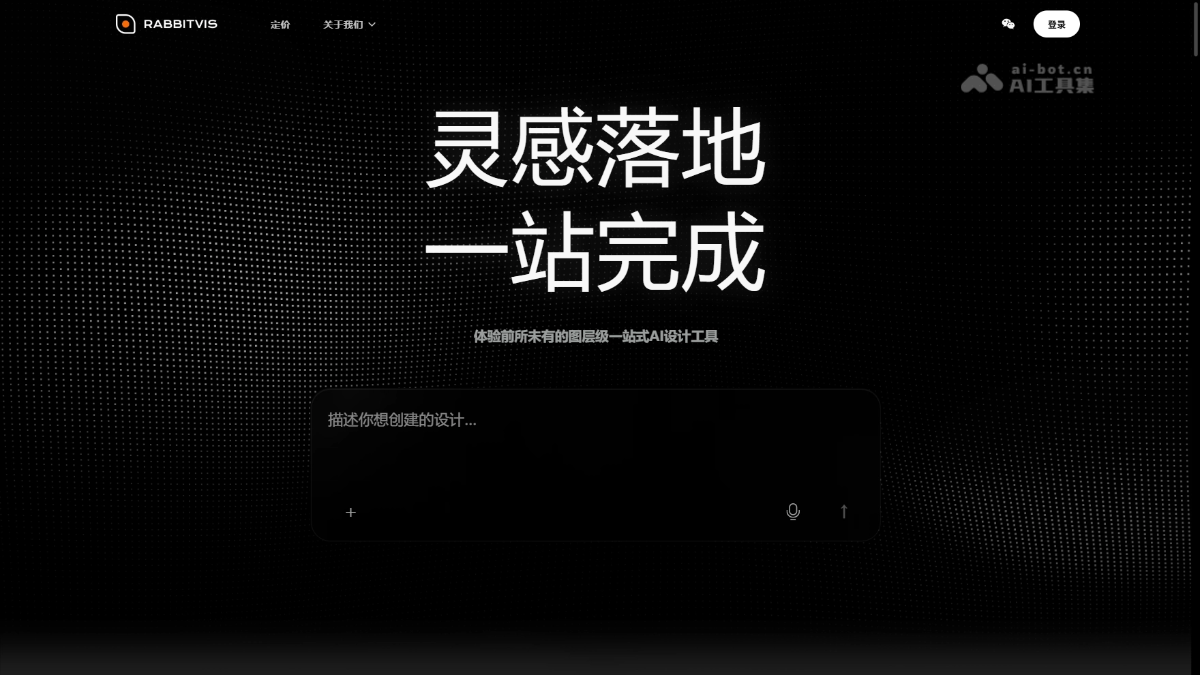 RabbitVis – RabbitPre Intelligence’s All-in-One AI Design and Production ToolImage EditingRabbitVis is a layer-based, all-in-one AI design and production tool launched by RabbitPre Intelligence. Based on its self-developed UniWorld-Design visual foundation model, it deeply integrates AI generation with layer editing. It supports generating professional design content such as posters, e-commerce product detail pages, and magazine spreads through natural language, along with ongoing layer-level editing, including background removal, text modification, element replacement, and transparent asset extraction. The tool is deeply optimized for Chinese-language scenarios and supports high-density layouts featuring complex artistic fonts, interleaved text and images, and infographics. Designed for e-commerce operations, social media operations, brand promotion, content creation, corporate work, and other users, it enables people with no design experience to produce professional-grade visual assets.00
 Wispr FlowImage EditingWispr Flow is a Mac dictation app that lets you use natural voice input and write in your personal style across all applications, at three times the speed of typing. Core features include automatic editing, AI commands, and support for over 100 languages. The tool instantly generates perfectly formatted text, significantly reducing the time you spend writing.00
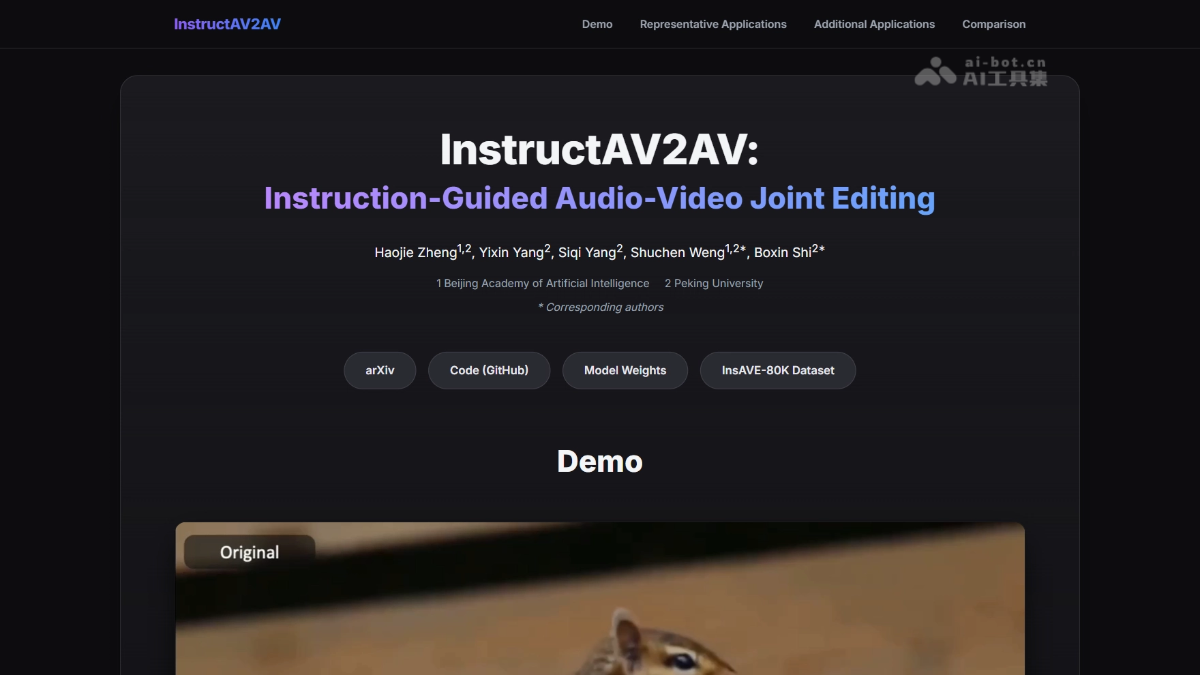 InstructAV2AV – BAAI and Peking University’s Open-Source Joint Audio-Video Editing ModelImage EditingInstructAV2AV – BAAI and Peking University’s Open-Source Joint Audio-Video Editing Model is a joint audio-video editing model released by the Beijing Academy of Artificial Intelligence and Peking University. With just one natural-language instruction, users can edit the video visuals and corresponding audio simultaneously during end-to-end generation, without manual masks or step-by-step processing. The model supports dialogue modification, character replacement, object insertion and removal, while preserving background and ambient sounds and maintaining audio-visual synchronization. Core capabilities include identity-preserving speech editing, audio-video instance replacement, instance insertion, instance removal, and compositional attribute editing. It is suitable for film and television post-production, short-video creation, virtual human operations, advertising ideation, and interactive content production.00
All tools in this category are shown.