

- Monthly visits
- 0
- Pricing
- Free
- Listed
- 2025-03-27
- Updated
- 2026-08-25
01Product Positioning
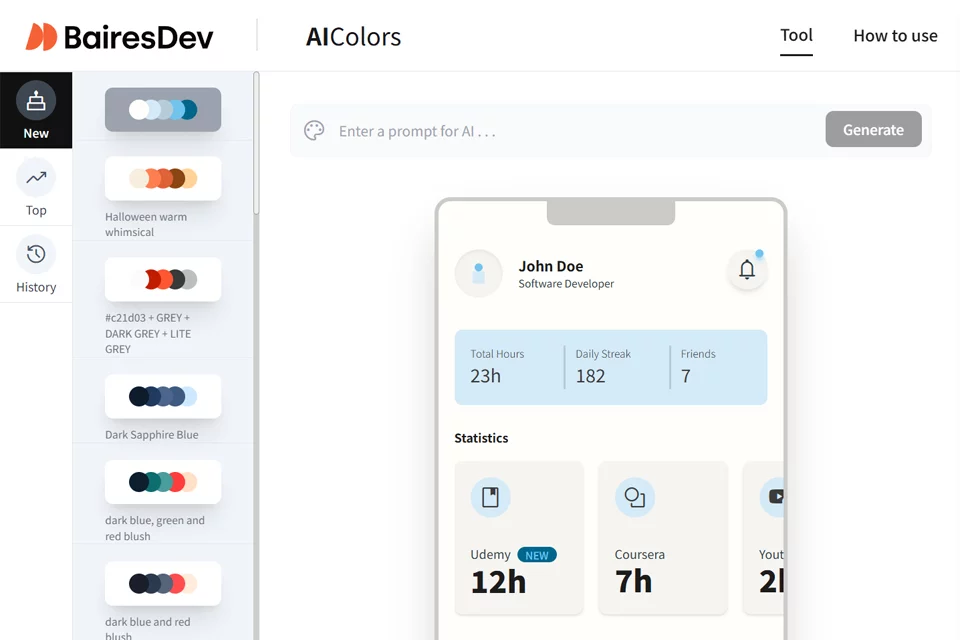
AI Colors combines text generation, palette editing, and color preview in one online tool. Users can describe a color mood or design direction to obtain an initial scheme, or browse pre-generated palettes for reference.
The tool supports Chinese keyword input and is suitable for designers, front-end developers, personal project creators, and creative professionals who need to explore color directions quickly. It works best as a tool for developing color ideas and organizing schemes; final selections should still be judged in the context of the specific design.
02Key Features
After users enter keywords such as “tech-inspired” or “warm,” AI Colors can generate matching palettes and display the corresponding color effects. Existing palettes can also be browsed directly to build a color reference library.
Editing features include changing colors, adding or removing swatches, reordering them, and previewing combinations in different design contexts. After adjustments are complete, users can export JPEG, PNG, or HEX code; color contrast information helps check palette readability.
03Use Cases
UI/UX and graphic designers can use it to explore initial color directions for interfaces, pages, or visual projects. In branding work, keyword-generated results can also serve as early sources of inspiration.
When they lack a ready-made palette, front-end developers can first generate color combinations for a website and then apply them during implementation using HEX codes. Individual users can use it to develop color ideas for personal projects or home decor, while illustrators and artists can use palettes to expand their creative direction.
04Usage Notes
The more specific the keywords, the more likely the generated results are to match expectations. However, text descriptions may still differ from the resulting colors, so generated schemes should be edited and previewed before use.
Color contrast information is only an aid for design checks and cannot replace a complete assessment of text readability, background changes, and the actual usage environment. Before exporting, also confirm that the number of colors, their order, and the file format meet the requirements of the subsequent design or development workflow.
© Disclaimer: domains and linked content may change over time. AIEZZ does not control third-party websites. Review external content and risks independently.
User reviews0