

What live-panel does
live-panel converts a single JSON system description into an animated architecture diagram. The layout stays fixed while packets travel along wires, logs scroll, counters change, bars switch state, and side triggers light up in sequence.
You can export the result as an H.264 MP4 for platforms such as X and Xiaohongshu, or keep it as a self-contained live webpage. The repository also works as a Claude Code-style skill through its SKILL.md file.
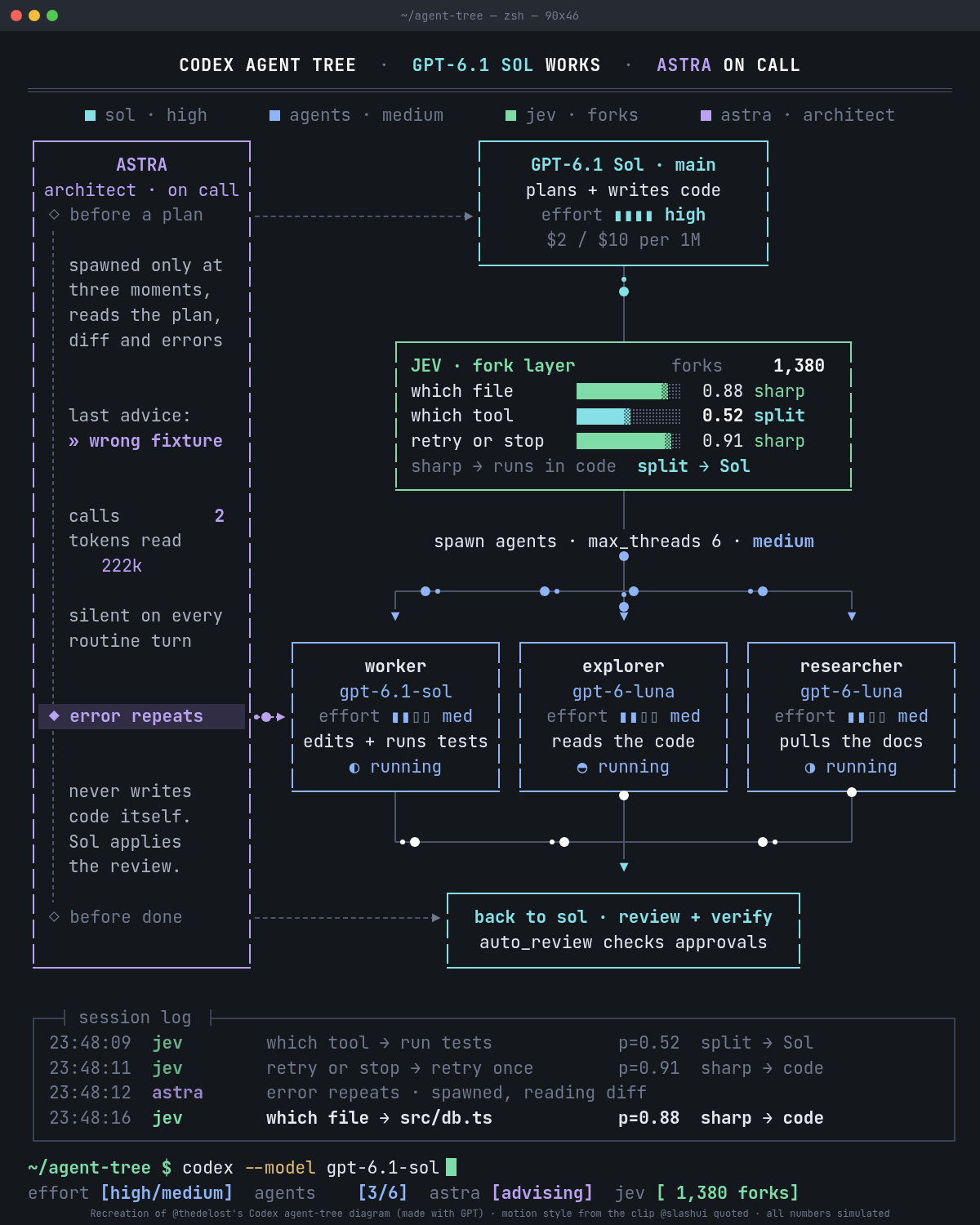
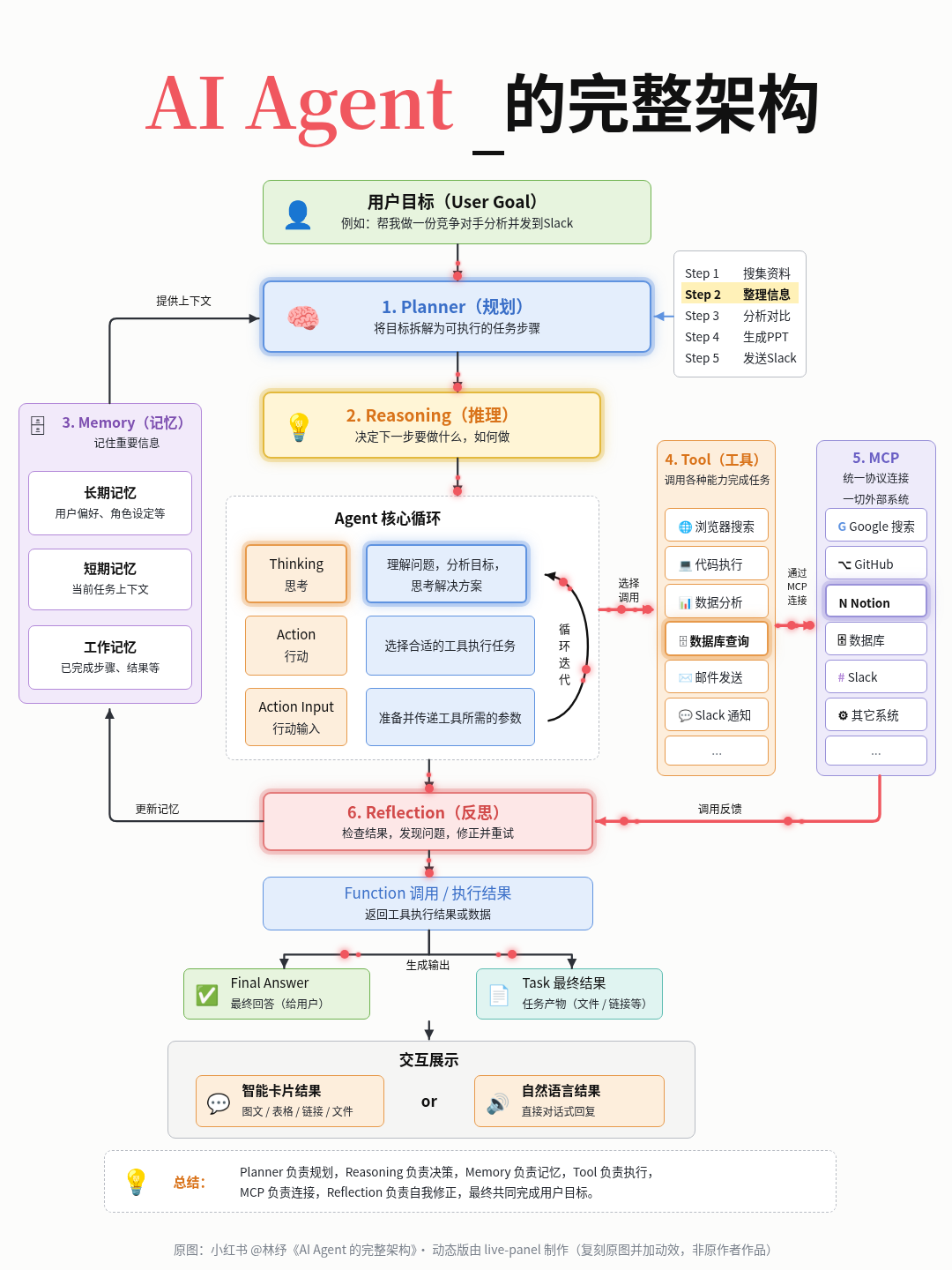
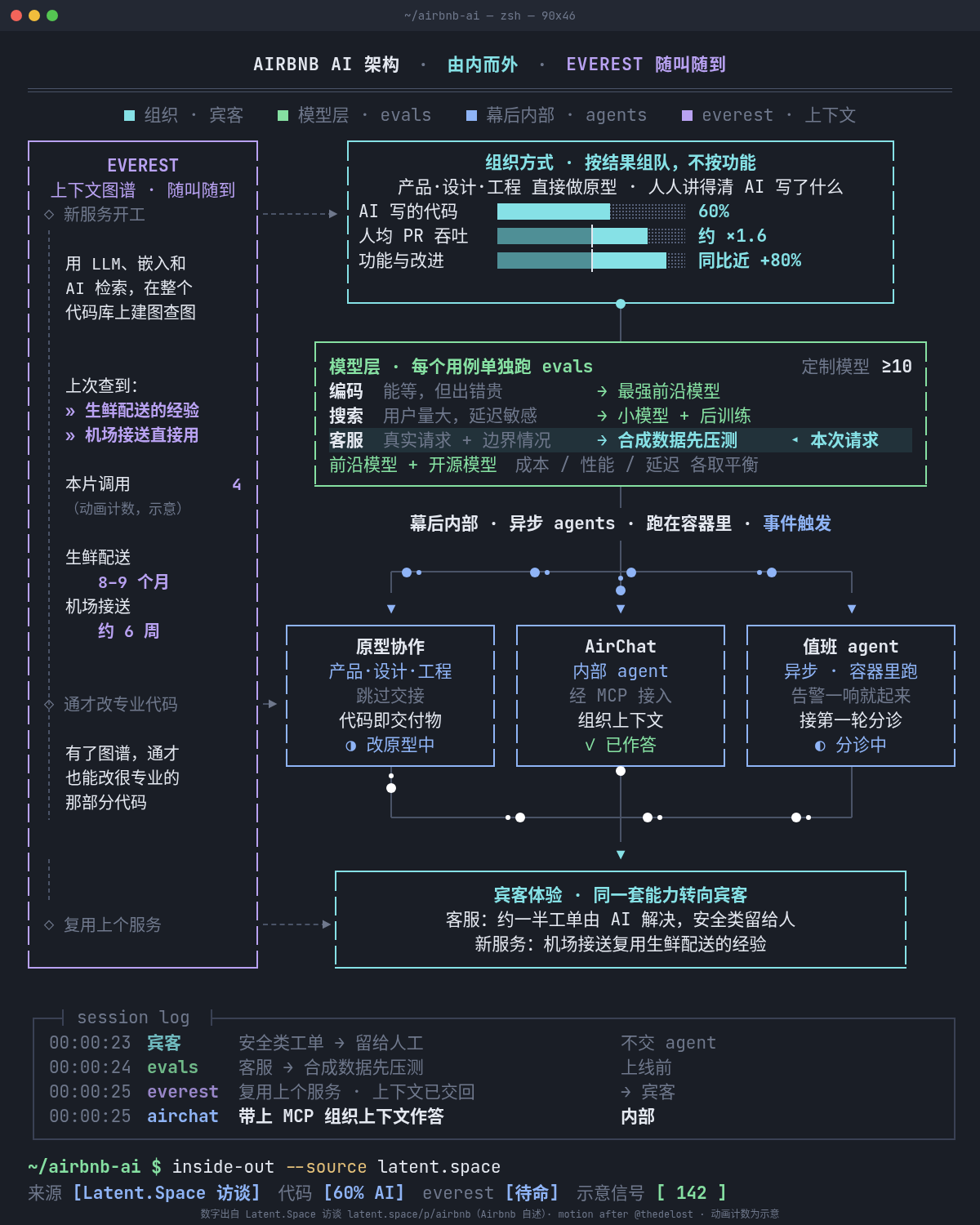
The included Codex agents example recreates the terminal-style look and motion of an architecture clip by @thedelost. The repository also includes a light-pastel AI architecture example and an Airbnb visualization.
Key features
- Configuration-driven diagrams defined in JSON.
- Terminal-dark and light-pastel visual themes.
- Canvas presets for
4:5,3:4, and1:1output. - Animated packets, paths, logs, counters, gauges, triggers, and state changes.
- Deterministic rendering based entirely on time, without wall-clock timing,
Math.random, or CSS animation. - Export to MP4 or preserve the generated live HTML page.
- Automated frame checks for text overflow, overlap, and seeking consistency.
Install the requirements
live-panel uses Python's standard library, so no pip packages are required. Install the following tools before rendering:
- Python 3.8 or newer.
- Chrome or Chromium.
- ffmpeg.
After downloading the repository, confirm that python3, Chrome or Chromium, and ffmpeg are available on your system path. The rendering script searches the path for Chrome and ffmpeg by default.
Render an included example
Start with the Codex agents configuration. The following command renders the JSON configuration into an MP4 file:
python3 scripts/render.py --config examples/codex-agents/config.json --out out.mp4The example configurations also show how the project combines fixed positions with animated machine variables. Other ready-made examples are available in examples/agent-architecture/ and examples/airbnb/.
To keep the generated webpage instead of only producing video, add --html-out:
python3 scripts/render.py \
  --config examples/codex-agents/config.json \
  --out out.mp4 \
  --html-out page.html
Open the resulting HTML file in a compatible browser to view the live animation. You can also control output settings with options such as --width, --height, --duration, --fps, --chrome, --ffmpeg, --keep-frames, --audio, and --crf.
Validate the rendered frames
Before publishing a diagram, run the frame checker:
python3 scripts/check_frames.py \
  --config examples/codex-agents/config.json \
  --out-dir frames \
  --repeat
The checker samples approximately 120 time points, measures text overflow and element overlap in the DOM, and writes representative PNG files. With --repeat, it seeks away from each exported frame and renders it again to verify that the result is identical. The command exits with status 1 if it detects a problem.
Create your own diagram
- Copy one of the example configuration files.
- Edit its text, numbers, colours, positions, and animation settings.
- Render the copied configuration to MP4 or HTML.
- Run
check_frames.pyand inspect the generated PNGs. - Adjust the layout and repeat until the checker reports no issues.
Most customization belongs in the configuration file. The repository notes that you do not need to modify assets/template.html for normal diagram creation.
Configure the canvas and theme
A configuration can select a canvas preset, animation duration, frame rate, and optional preroll:
{
  "canvas": {
    "preset": "3:4",
    "duration": 28,
    "fps": 30,
    "preroll": 0
  },
  "theme": {
    "preset": "light-pastel",
    "colors": {
      "pk": "#f0575f"
    }
  }
}
The available canvas presets are 4:5 at 1200×1500 pixels, 3:4 at 1080×1440 pixels, and 1:1 at 1080×1080 pixels. The terminal-dark preset uses a dark window, monospace typography, and segmented text-mode boxes. The light-pastel preset uses a white background, rounded pastel boxes, rounded SVG arrows, and a soft glow on active items.
Canvas positions use absolute pixels. A configuration is therefore authored for one aspect ratio. Although render.py --width and --height can rescale the output with letterboxing, a different ratio normally requires copying the configuration and repositioning its boxes.
Describe elements and motion
The configuration schema supports several visual element types:
textfor labels and standalone text.boxfor containers, including fills, borders, radii, dashed styles, per-line items, bars, and text runs.lineandpathfor wires and connections.glyphandrulefor symbols and separators.flowfor packets moving along a polyline.tarrowfor trigger arrows.logfor scrolling or changing log content.
Changing values are defined under machines. Available machine types include counter, cycle, gauge, any_low, lane, and triggers. Use these variables to drive visual states instead of adding time logic directly to individual elements.
Boxes, paths, flows, lines, and runs can use when and then conditions. For example, a condition such as {"var":"seq.i","in":[0,1,2]} can highlight an item when the machine variable matches one of the listed values. Multiple conditions are treated as an AND expression.
Understand deterministic playback
The generated page exposes window.seek(t). Every visual is a pure function of the time value t, and pseudo-random choices use a fixed-seed integer hash. In normal browser mode, requestAnimationFrame drives the animation. During rendering, the exporter seeks to each frame time using seek(i/fps) and captures the result.
This design makes exported frames repeatable. It also explains why you should use the frame checker after changing fonts, positions, or animation conditions.
Improve typography and layout
Font files are not bundled. Terminal themes fall back through JetBrains Mono, IBM Plex Mono, DejaVu Sans Mono, Noto Sans Mono CJK SC, and a generic monospace font. Light-pastel themes use Noto Sans CJK SC, PingFang SC, Microsoft YaHei, Helvetica, or Arial, with Noto Serif CJK SC for large titles.
For a closer match to the examples, install JetBrains Mono and Noto CJK fonts. Emoji icons also require a colour emoji font such as Noto Color Emoji. Because different fonts have different glyph widths, run check_frames.py again whenever you change installed fonts.
Useful rendering tips
- Use the example closest to your intended visual style as the starting point.
- Keep coordinates consistent with the selected canvas ratio.
- Use
--keep-frameswhen you need to inspect the exact images used to build the video. - Use
--audio nonewhen you do not want an audio track. - Adjust
--crfwhen you need to control the encoded video quality. - Run the checker after every significant layout, font, or configuration change.
- For Claude Code, place the repository at
~/.claude/skills/live-panel/or in the directory used by your agent's skill loader.
Credits and licensing
The code is released under the MIT license. The visual design recreated by the Codex agents example belongs to @thedelost, while the light AI architecture infographic belongs to its original author, Xiaohongshu creator 林纾. The Airbnb figures come from statements made by Airbnb leaders in a Latent.Space interview, and the animated counters are illustrative.
Conclusion
live-panel provides a practical workflow for turning structured system descriptions into polished, repeatable motion graphics. Copy an example, edit the JSON, choose a canvas and theme, render the MP4 or live page, and use the deterministic frame checker to catch layout problems before publishing.