

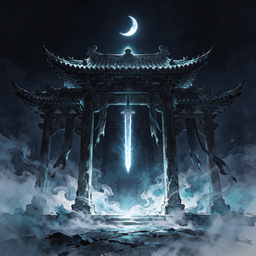
If you have ever asked AI to “make a 3D game,” you have probably ended up with a blocky scene where the character can move: the animations are stiff, combat has no feedback, assets must be prepared manually, and you still need to set up the environment before it can run. The goal of Guizang Game Skill is to give AI coding assistants a production workflow validated by real projects, allowing them to proceed step by step from clarifying requirements, preparing assets, and designing animations and combat to testing and packaging.
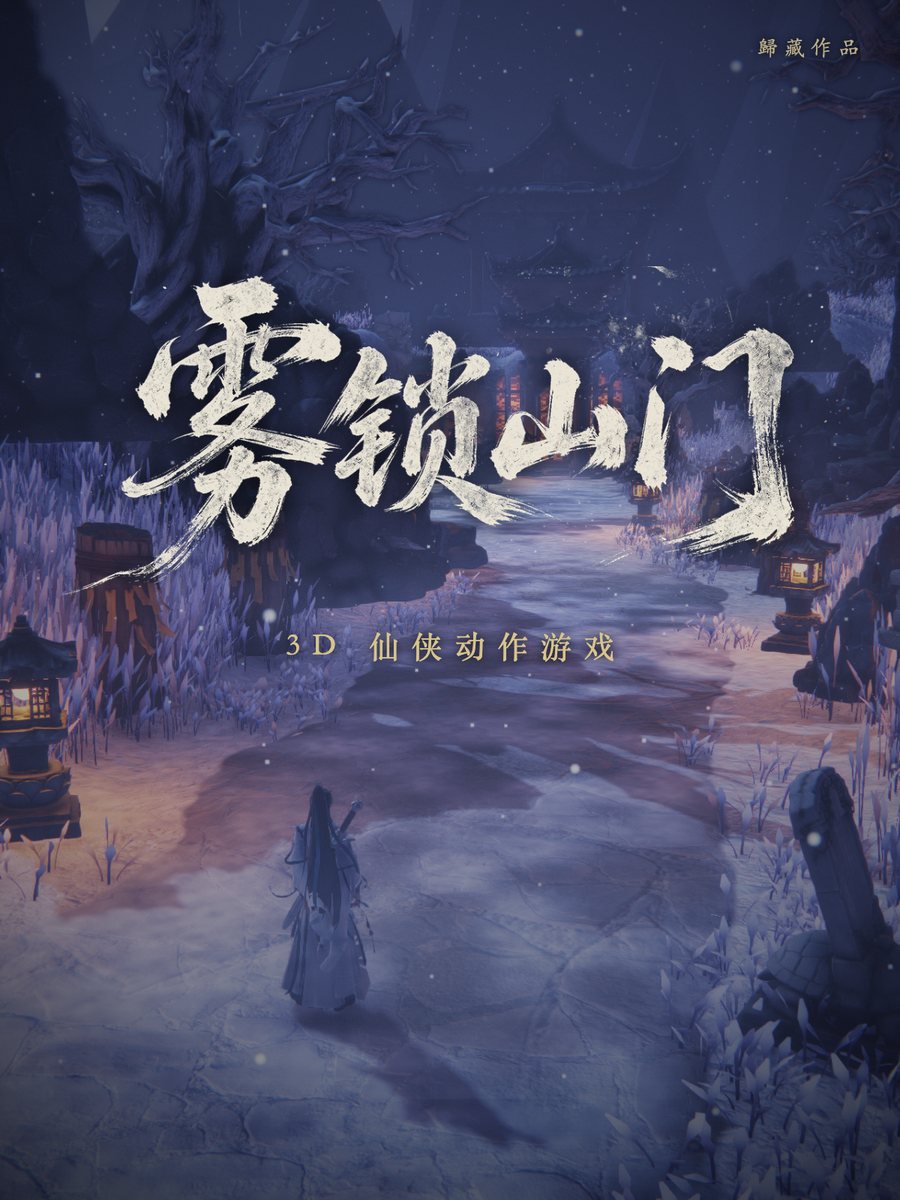
This article uses the demo project Fog-locked Mountain Gate in the repository as its example. It explains how to install and use this Skill, as well as how to describe game requirements in ways that are easier for AI to execute.
What Is Guizang Game Skill?
This is a Skill for AI coding assistants such as Claude Code and Codex. After installation, you can directly describe the game you want to make, such as “Create a wuxia-themed, top-down web-based 3D action game.” The AI will first ask about reference works, camera perspective, atmosphere, game scope, asset tools, and available quotas, then implement the game step by step according to the workflow.
It is neither a game engine that automatically generates a finished product nor a tool that can complete everything with a single prompt. It is more like an AI-oriented project production specification, including stage plans, checkpoints, combat feel recommendations, asset generation methods, common issues, and packaging scripts.
What Can the Demo Project Do?
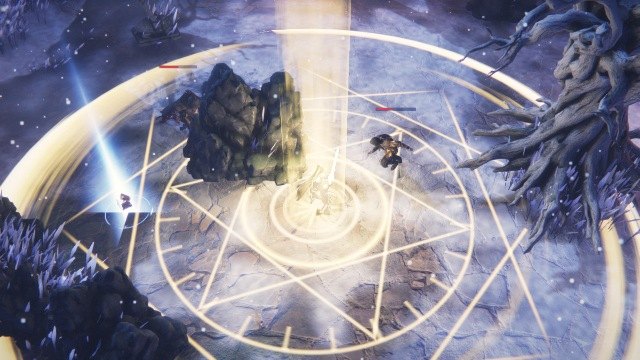
Fog-locked Mountain Gate in the repository is a xianxia-themed, top-down 3D action game. It contains one scene, a small-enemy encounter, and a Boss battle, along with a story and voice acting. You can play it directly on the online demo page without installing anything.
- Graphics: Includes grass swaying in the wind, layered fog, snow, distant mountains, and reflections on waterside stone platforms. It is built with three.js and broadly compatible WebGL.
- Characters and scenes: Uses 5 rigged 3D characters, 2 weapons, 12 types of scene props, and 5 types of drops.
- Combat: Includes a three-hit combo, dodging, blocking, parrying, executions, potion use, sword flight, and the “Ten Thousand Swords Return to the Source” ultimate. The Boss has a second combat phase.
- Audio: Includes voice acting, music, ambient audio, and combat sound effects, with 8 voice lines in total.
- Publishing: The source can be built as an online static site, a single HTML file of about 33MB, or an offline package for restricted containers.
Install the Skill
Clone with Git
If you use Claude Code, clone the repository into the corresponding skills directory:
git clone https://github.com/op7418/guizang-game-skill ~/.claude/skills/guizang-game-skillWhen using Codex or another AI coding tool, place the repository in the skills directory specified by that tool. After installation, reopen or refresh the AI coding environment so it can read the Skill content.
Prepare the Runtime Environment and Asset Tools
The project requires Node.js 18+ to be installed locally, mainly for running the local server and executing the packaging process. Asset tools are not strictly required, but they have a noticeable impact on the final result.
- Tripo: Used to convert images into 3D models and perform rigging.
- Jimeng or another image-generation tool: Used for character concept art, icons, title lettering, and other assets. It can also be used to prepare voice acting.
- Suno: Used to generate music. The Skill can help organize music prompts.
If these services are unavailable, you can use free models, procedural geometry, and other free assets, but visual quality may be lower. In real projects, generating character concept art first and then converting it into a 3D model usually produces more consistent results than generating a model directly from text.
First Use: Describe Your Requirements to AI
After installing the Skill, do not simply enter “make a 3D game.” Start by specifying the genre, camera perspective, platform, gameplay scope, and tools you have available. Here is an example prompt suitable for starting a project:
Make a wuxia-themed, top-down web-based 3D action game with one scene, one wave of small enemies, and one Boss.
I have Tripo and Jimeng available.
The AI will usually ask for more details based on this request. You can provide reference videos, the desired art style, target devices, whether mobile touch controls are needed, the expected playtime, and whether a single HTML file should be exported.
The key principle is to have AI research and plan before it starts writing code. The clearer the reference videos, target platform, and asset conditions are, the less rework will be needed later.
Complete Production Workflow
Guizang Game Skill divides the production process into the following five stages:
- Research and planning: Analyze reference works, determine the camera perspective, gameplay, scene scope, and stage plan, and document the implementation approach.
- Worldbuilding and assets: Create the world and character concepts, convert images into 3D models, and complete rigging.
- Animation: Use preset animations provided by asset platforms; for anything missing, calculate hand and foot positions procedurally.
- Game feel and effects: Implement combat feedback item by item, including startup frames, recovery frames, hit-stop, knockback, blocking, parrying, and dodge interruption, while using meshes and shaders to create effects.
- Audio and packaging: Add sound effects, voice acting, and music, compress the assets, and finally build the online, single-file, or restricted-container version.
Have AI Validate the Results
One focus of this Skill is having AI do more than check whether the console reports errors: it should also observe the visuals directly. The workflow recommends preparing self-testing tools early so AI can advance the scene frame by frame, enter a specified level directly through URL parameters, and inspect runtime status with the F3 diagnostic panel.
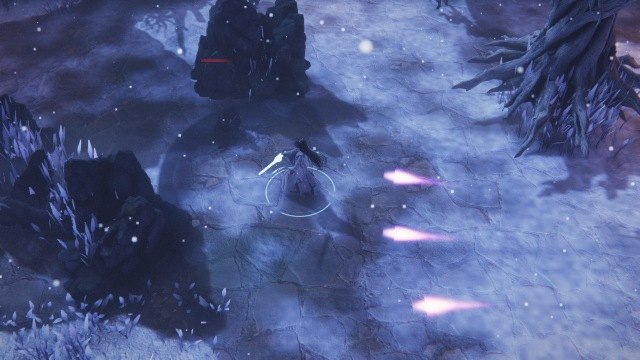
AI can take screenshots on its own and compare them against the requirements to check character positions, camera perspective, effects, UI, and combat state. You still need to play the game and provide feedback, but you do not have to personally search for obvious visual problems every time.
You do not need to use technical terms when providing feedback. For example, you can say “the animation feels stiff,” “the combat impact feels weak,” “the camera is blocked by the roof,” or “the character looks half the expected size.” The Skill helps AI convert these descriptions into actionable investigation and modification tasks.
Designing Basic Combat Feel
For an action game, functioning features do not necessarily mean the game feels good. The Skill emphasizes the following points during the combat workflow:
- Give attacks startup and recovery frames so the animation has rhythm.
- Add a brief hit-stop on impact to emphasize attack feedback.
- Set different levels of knockback according to the attack type.
- Distinguish ordinary blocking from parrying, and allow dodges to interrupt the current action.
- Have enemies attack in turns to avoid every enemy surrounding and attacking the player simultaneously.
- Design Boss variations such as a second phase, getting-up transitions, and dialogue.
During implementation, verify these items one by one as a checklist instead of focusing only on whether the character can move or attack. Abilities such as combos, sword techniques, and ultimates also need to be tuned together with animation, hit detection, effects, and sound.
Handling Common Issues
Many issues in 3D web games do not appear directly as code errors, so the repository provides a dedicated troubleshooting checklist. When you encounter the following symptoms, consult references/pitfalls.md first:
- Directional keys or input states become stuck.
- Preset animations cause the character to be thrown away from its original position.
- Bloom is too strong, causing overexposure.
- The camera is blocked by a building roof.
- The character's size differs between the packaged build and the development environment.
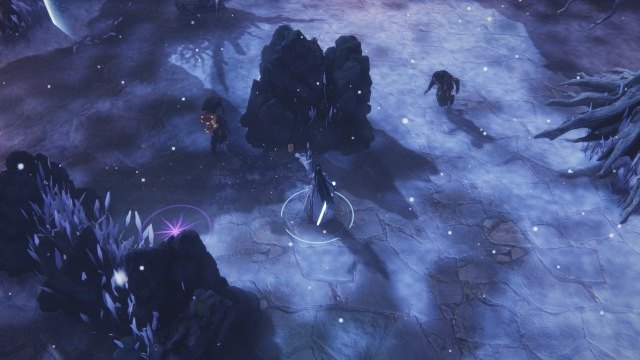
These issues usually require checking input handling, animation root bones, camera collisions, post-processing parameters, and asset scaling one by one. Do not assume a feature is complete simply because “there are no errors.”
Choose a Publishing Method
Online Static Site
The online version can render the scene first and continue loading assets during runtime. It is suitable for deployment to static hosting services and can include mobile touch joysticks, graphics settings, high-resolution texture switching, and key configuration.
Single HTML File
The single-file version packages the models, textures, music, and voice acting into the HTML file. The demo project's original assets are close to 100MB and about 33MB after packaging. This approach makes sharing and offline operation convenient, but resource compression and the final file size require particular attention.
Offline Package for Restricted Containers
If the target platform cannot connect to the internet, cannot use WASM, and imposes a 10MiB package limit, a separately adapted build is required. The demo project includes an offline package of about 8MiB designed for Xiaohongshu mini-tool restrictions.
Different publishing formats are not simply different copies of the same configuration. The target platform should be determined early in the project so that tradeoffs in asset formats, loading methods, and feature scope can be made in advance.
Review the Reference Materials in the Repository
After installation, you can ask AI to read the following files directly and refer to them during the corresponding stages:
SKILL.md: The overall workflow and checkpoints for each stage.references/assets.md: Asset generation and sources for free assets.references/characters-animation.md: Characters, rigging, and animation.references/combat-feel.md: Combat feel design.references/vfx-ui-audio.md: Visual effects, interface, and sound.references/pitfalls.md: Common issues and troubleshooting methods.references/packaging.md: Size optimization, packaging, hosting, and adaptation to restricted containers.scripts/: Input handling, a local server, and three packaging scripts.
What to Keep in Mind When Using It
This Skill cannot replace human playtesting, nor does it guarantee a high-quality finished product in a single pass. The development of Misty Mountain Gate went through multiple rounds of playtesting. Each round identified several issues, which AI then addressed through further revisions. You therefore need to keep observing the game and providing feedback.
More effective collaboration methods include providing reference videos; asking AI to research before taking action; having it prioritize integrating existing asset tools; running and screenshot-testing the game after completing each stage; and conducting size tests early once the target platform has been determined.
The Skill has now been used once through an entire project and has undergone one plan-level comparison test. It is better suited to reducing mistakes in direction and repeated trial and error than to promising the same level of completion for every genre.
Summary
Guizang Game Skill breaks the creation of browser-based 3D action games into executable steps: clarify requirements first, then prepare assets and animation, tune combat feel, visual effects, and sound, and finally package the game according to platform restrictions. After installation, you can start with a specific game requirement and have AI iterate continuously between planning, implementation, and validation.
For more complete details, see the GitHub repository and play Misty Mountain Gate. The Skill itself is licensed under AGPL-3.0; the artwork, models, voice acting, music, and written content in the demo game belong to their respective authors. Please comply with the applicable licenses when using them.