

What Is Bang Story?
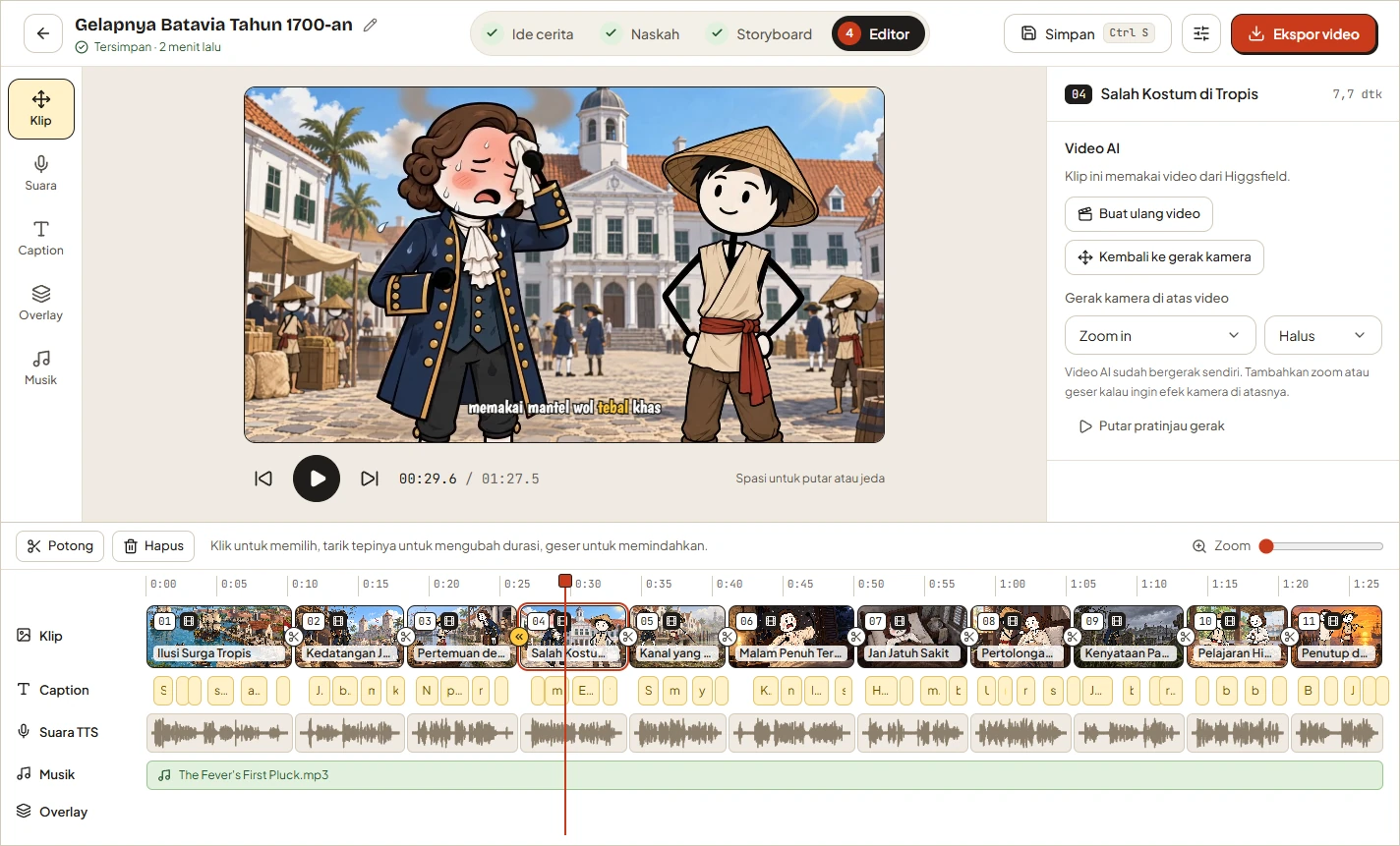
Bang Story is an open-source desktop application that turns a story idea into a complete video production. You provide a concept, and the application helps generate a scene-by-scene script, visual prompts, AI images or videos, narration, synchronized captions, transitions, music, and overlays.
The final project is assembled in a timeline editor and rendered as an MP4 with FFmpeg. Projects and generated media are stored on your computer, while requests that require AI are sent directly to the providers you configure with your own API keys.
Bang Story is free under the MIT license, but external AI services may charge for image generation, video generation, language models, or narration.
Key Features
- Idea-to-script workflow: Generate a structured narrative and voice-over text for individual scenes.
- Flexible project settings: Choose a duration from 30 seconds to 10 minutes, a language, a 16:9 or 9:16 format, a narrator, and a 2D, 3D, or realistic visual style.
- AI storyboard generation: Produce visual prompts, character sheets, camera directions, transitions, and motion instructions.
- Higgsfield integration: Select from 14 image models and 34 video models, with estimated credit usage shown before generation.
- Consistent narration: Generate one continuous recording with Gemini TTS or ElevenLabs and split it automatically by scene.
- Timeline editing: Trim, cut, delete, and move clips, narration, captions, music, and overlays.
- Accurate captions: Use local Whisper transcription for karaoke-style captions synchronized to the generated narration.
- Local export: Render 720p, 1080p, or 4K MP4 files at 30 or 60 fps.
Requirements
The packaged application and accurate-caption support are intended for 64-bit Windows 10 or Windows 11. The source code can also run on macOS, although macOS has not been fully tested and the installer and Whisper caption setup are currently available only for Windows.
You will need:
- A Higgsfield API key for AI images, character sheets, and videos.
- One story-generation provider: Google Gemini, OpenRouter, Groq, or an OpenAI-compatible custom endpoint.
- A narration provider: Google Gemini for Gemini TTS, or optionally ElevenLabs.
- Node.js 22 or newer if you run the application from source.
- An internet connection for initial installation and cloud AI requests.
Install Bang Story
Option 1: Use the START Script
The easiest setup method requires the LTS release of Node.js. After downloading or cloning the repository, start the script for your operating system.
- Windows: Double-click
START - WIN.bat. - macOS: Double-click
START - MAC.command.
If the macOS script lacks permission, open Terminal in the project directory and run:
chmod +x "START - MAC.command"If macOS still blocks it, right-click the file and select Open. On its first run, the START script installs npm dependencies, downloads Electron, builds the application, and opens it. This can take several minutes.
Later launches reuse the generated build. If you modify files under src, delete the out directory or rebuild before using START again.
Option 2: Run from Source
Developers can install dependencies and start the application with hot reload:
npm install
npm run dev
Useful development commands include:
npm run typecheck
npm run build
npm run dist
npm run typecheck performs strict TypeScript checks, npm run build writes the application build to out, and npm run dist creates a Windows installer in dist.
Build a Windows Installer
npm run distThe resulting installer is named dist/BangStory-Setup-<version>.exe. To create a portable Windows directory instead of an installer, run:
npx electron-builder --win --dirConfigure Your API Keys
Open Settings › AI services and keys after launching the application. Each category has a provider selector, and only the selected provider is used.
- Add a Higgsfield key obtained through its Copy API key button. The expected format is
KEY_ID:KEY_SECRET. - Select Google Gemini, OpenRouter, Groq, or a compatible custom endpoint for story generation.
- Choose Gemini TTS or ElevenLabs for narration and provide the corresponding credentials.
- Save the settings, then select a model from the searchable model list loaded from your provider.
Custom endpoints can connect to any server compatible with the OpenAI API. Examples mentioned by the project include Ollama at http://localhost:11434/v1, LM Studio, vLLM, DeepSeek, and xAI Grok at https://api.x.ai/v1.
On Windows, keys are encrypted through Electron safeStorage using Windows DPAPI. They are sent only to the services associated with their respective tasks.
Create Your First Video
1. Enter a Story Idea
On the home screen, enter a concise concept. For example:
What would daily life have felt like in Batavia during the 1700s?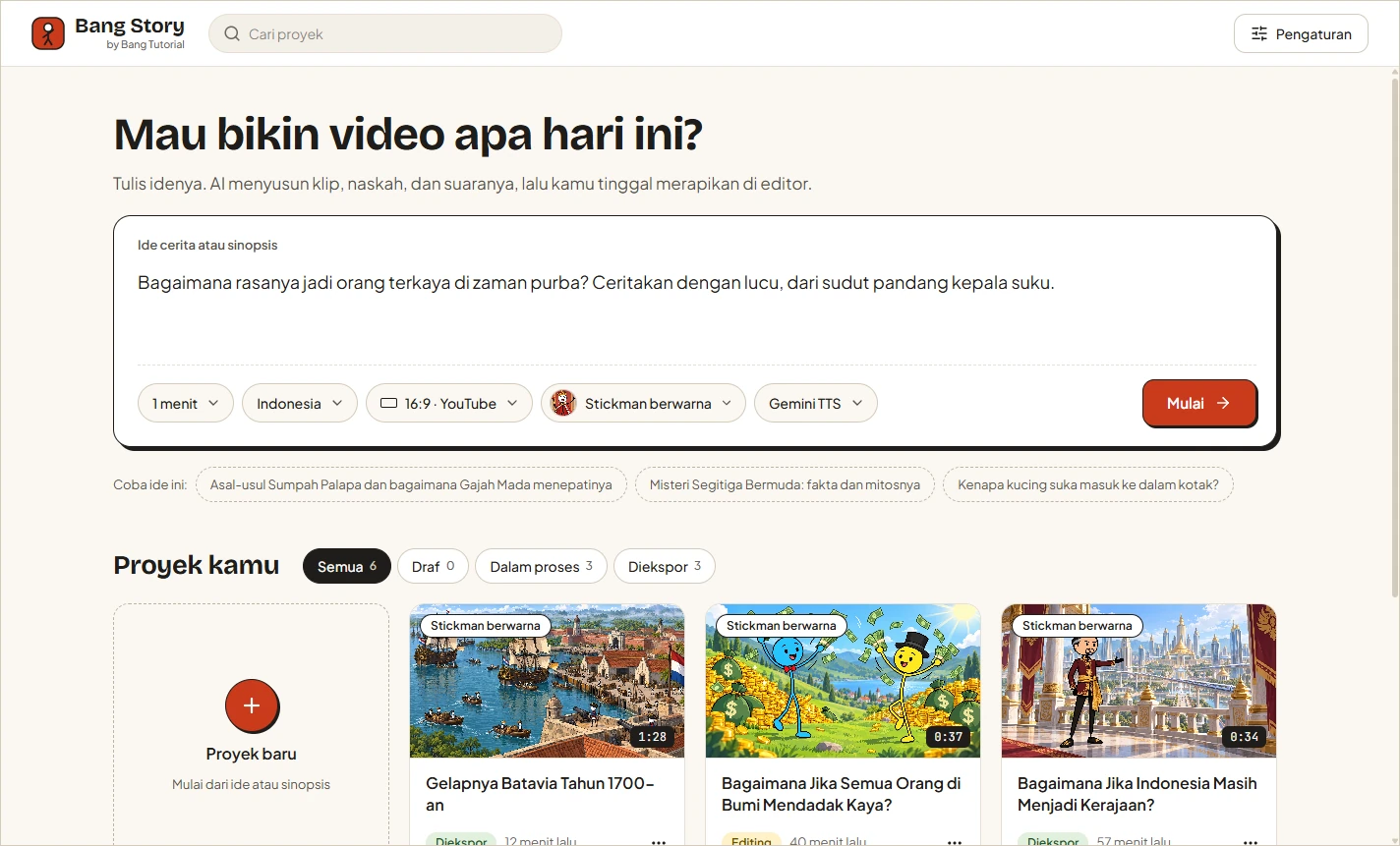
Click Start to create the project. A clear concept with a subject, place, time period, and intended tone gives the story generator useful direction.
2. Choose the Project Settings
Set the target duration, language, aspect ratio, narrator, and visual style. Use 16:9 for conventional YouTube videos or 9:16 for Shorts, Reels, and TikTok.
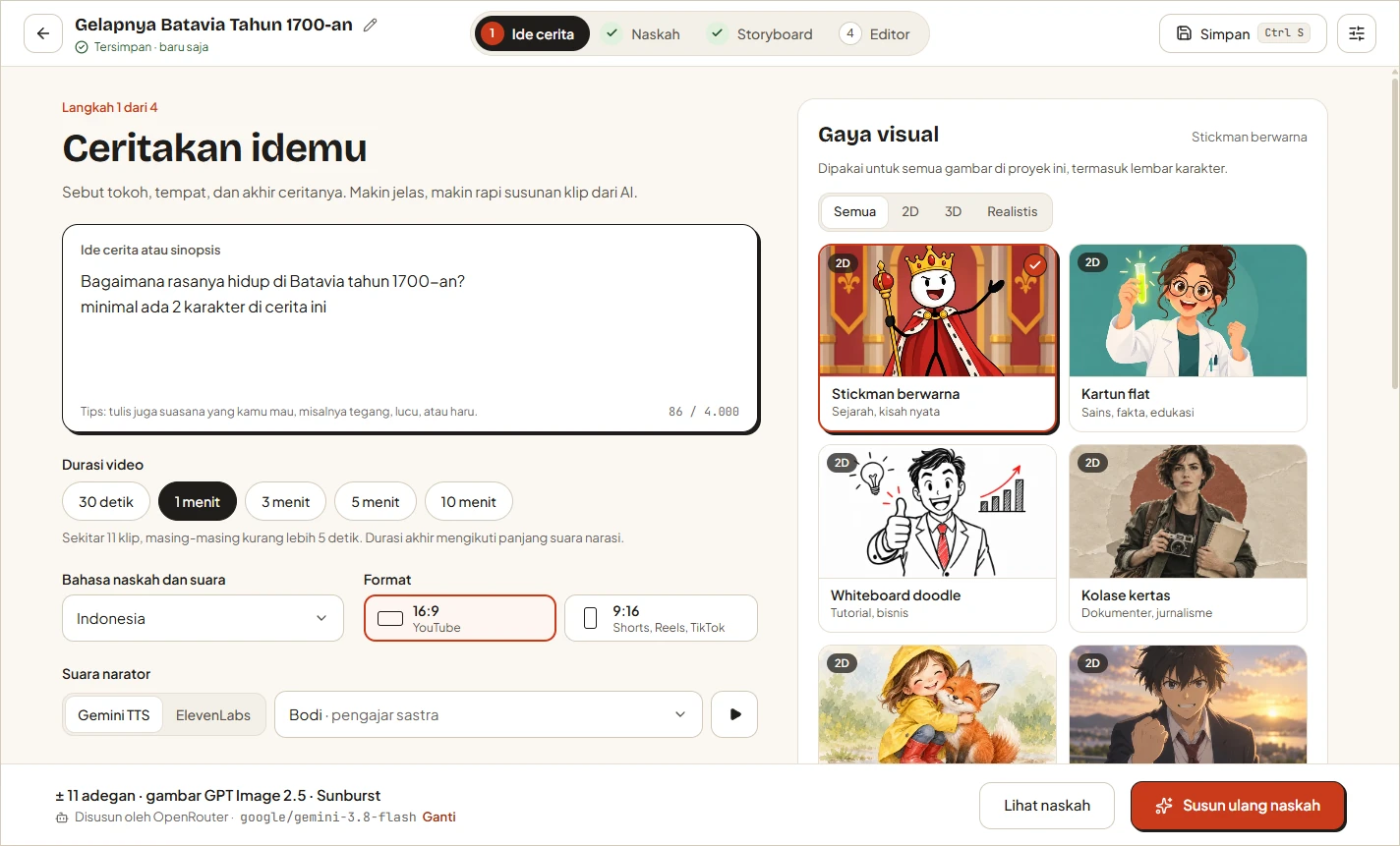
You can also choose the Higgsfield image and video models for the project. Review the displayed credit estimate before generating media so that you understand the likely external service cost.
3. Review the Script
Bang Story generates the narrative structure and voice-over text for each scene. Do not treat this stage as a one-click approval step. Check facts, pacing, repetition, pronunciation, and whether each scene contributes to the main idea.
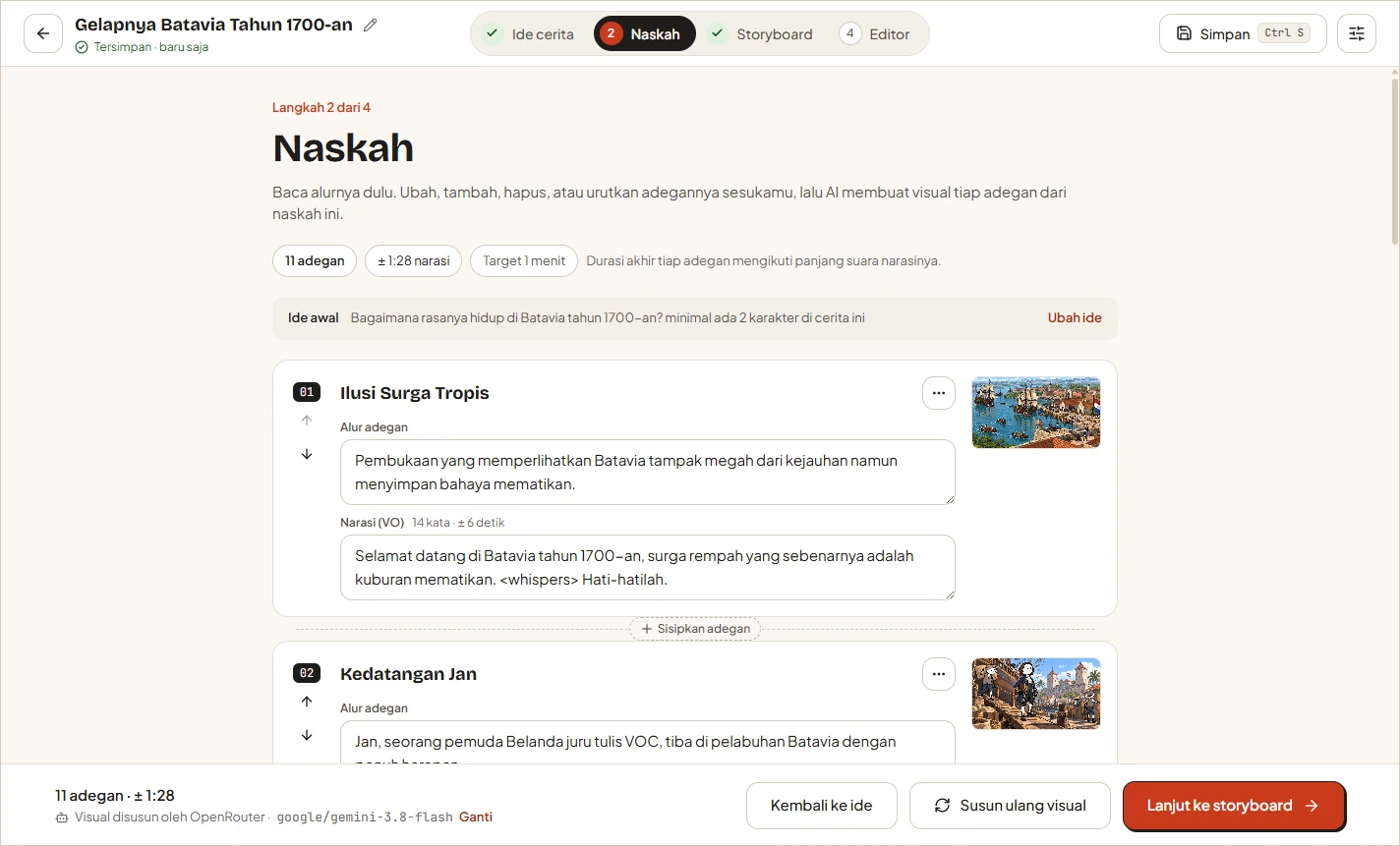
You can edit, add, remove, and reorder scenes. Narration may include supported expression tags such as <short pause>, <chuckles>, or <whispers> to guide vocal delivery.
4. Generate the Storyboard
After finalizing the script, continue to the storyboard. Bang Story prepares visual prompts, cast information, character sheets, camera movement, transitions, and motion directions for each scene.
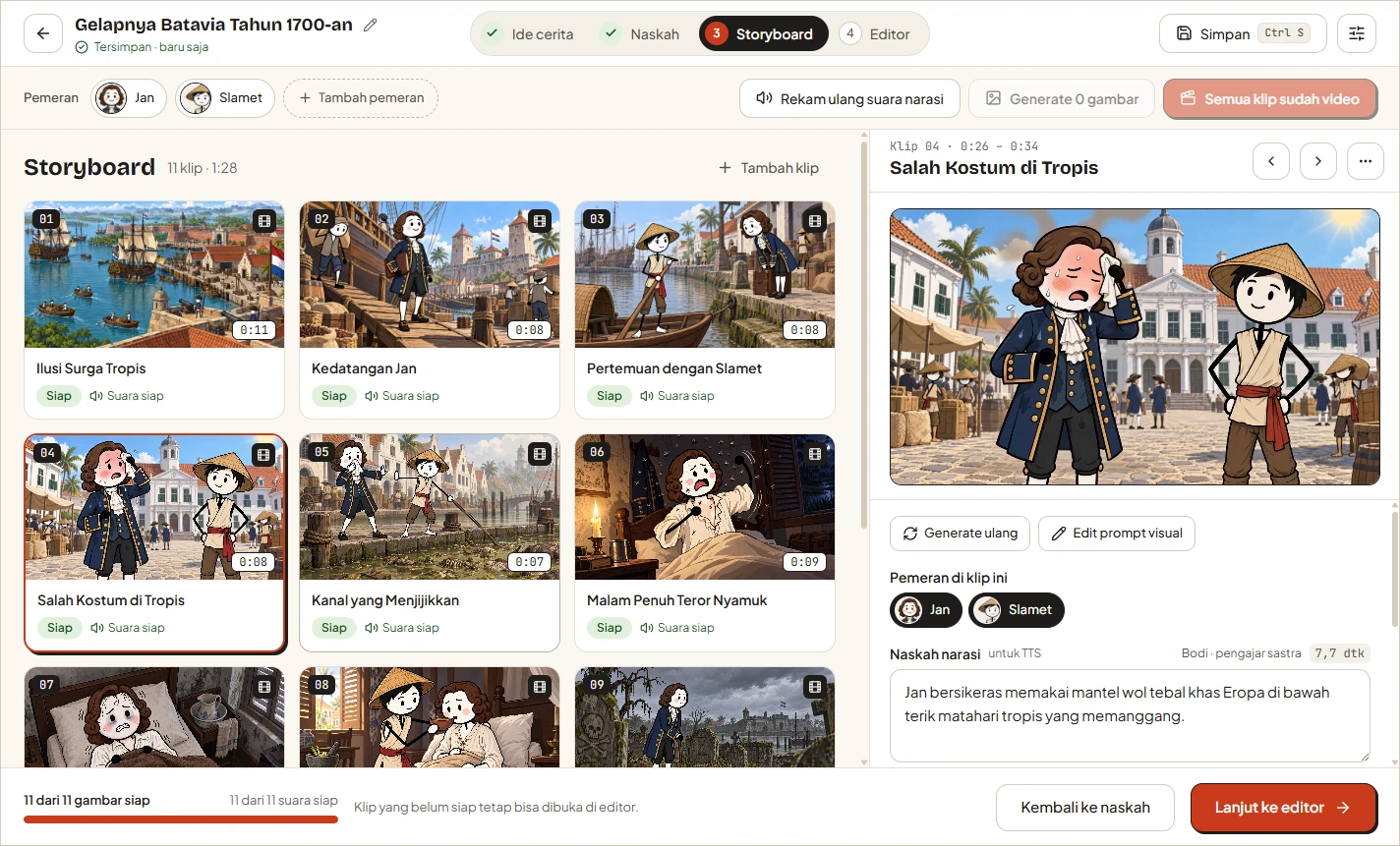
Review the generated prompts before spending credits. Character descriptions should remain consistent across scenes, and motion instructions should suit the scene rather than add movement merely for decoration.
Generate the required images and videos through Higgsfield. The default models documented by the project are GPT Image 2.5 Sunburst for images and Kling 3.0 Standard for video, while other supported models can be selected per project.
5. Generate Narration
Choose Gemini TTS or ElevenLabs to create the narration. Bang Story records the narration as one continuous take and then divides it into scenes. This approach helps preserve voice and intonation consistency throughout the project.
ElevenLabs provides precise word timing. Gemini TTS does not provide word-level timing, so its caption timing is only estimated unless you use local Whisper synchronization.
6. Edit the Timeline
Use the editor to arrange and refine the production. Drag a clip edge to change its duration, press S to cut at the selected position, and press Delete to remove selected material. Narration, captions, music, and overlays can be moved independently.
Transitions are configured per clip junction and can be previewed immediately. Camera movement can be applied to both still-image and video clips.
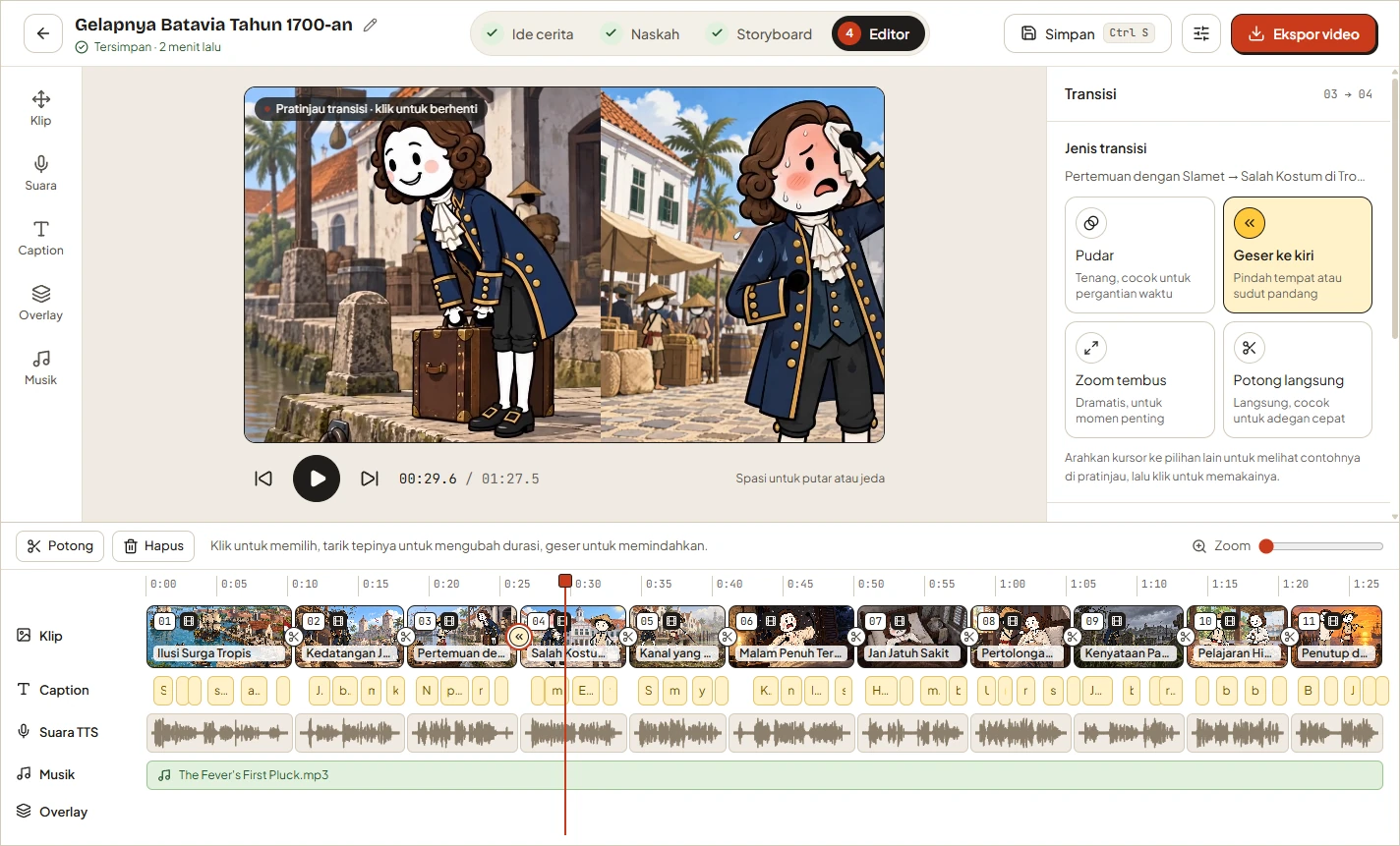
Add background music where appropriate. Bang Story can automatically reduce music volume while narration is playing. It also includes a music-prompt generator for Suno or another AI music service, rather than directly claiming to generate the music itself.
Logos, watermarks, and text overlays can be positioned directly in the preview. Keep overlays inside safe margins, especially when preparing vertical videos for interfaces that cover portions of the screen.
7. Style and Synchronize Captions
The editor offers karaoke-style captions with 15 fonts and controls for color, size, and background boxes.
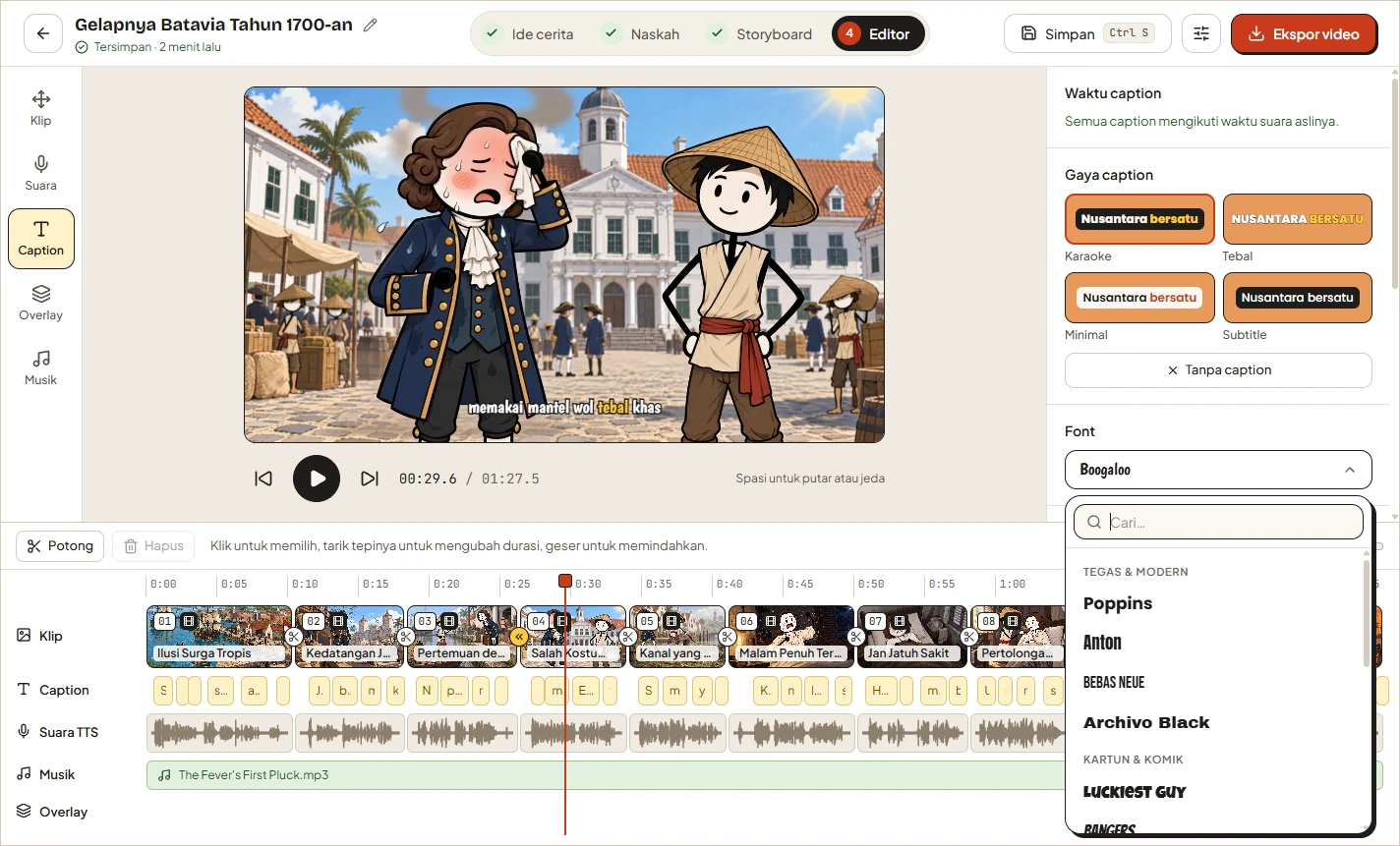
For Gemini TTS projects, download the approximately 488 MB Whisper Small model from Settings › Accurate captions. Whisper runs locally and can align captions to the actual speech with a typical difference of about 0.1–0.2 seconds. Existing clips can be synchronized again from the editor's Caption tab.
ElevenLabs already supplies per-word timing, so it does not require Whisper for this purpose.
8. Export the Video
Choose an output resolution of 720p, 1080p, or 4K and a frame rate of 30 or 60 fps. Bang Story renders the MP4 locally with FFmpeg and aims to match the editor preview.
Captions can be burned into the video, and they can also be saved as a separate .srt file. Audio is normalized to −14 LUFS, the level identified by the project as the YouTube standard.
Where Projects Are Stored
On Windows, Bang Story stores its SQLite database and media under:
%APPDATA%\Bang StoryThe studio.db file contains project data, while the projects directory contains images, videos, and audio. Projects are saved automatically, and you can force a save with Ctrl+S. Data from the application's former Studio Cerita name is migrated automatically.
Advanced Tips
Control Cost Before Generation
Finalize scripts and visual prompts before creating images or videos. Higgsfield credit estimates come from its estimate endpoint, which does not consume credits, so use those estimates when comparing models.
Improve Pacing at the Script Stage
Match the number and length of scenes to the selected duration. A short vertical video benefits from compact narration and quick visual changes, while a longer explanatory video can support slower scenes and more contextual detail.
Preserve Character Consistency
Inspect generated cast details and character sheets before producing all scene media. Correcting a character description early is more efficient than regenerating several inconsistent clips.
Use Local Models for Story Planning
If you operate an OpenAI-compatible local server, configure it as a custom story-generation endpoint. Ollama, LM Studio, and vLLM are listed as compatible examples. Higgsfield is still required for the application's image, character-sheet, and video workflow.
Validate Preview and Export Changes
When modifying the source code, remember that shared rules under src/shared are used by preview and export behavior. Contributors should run both checks before submitting changes:
npm run typecheck
npm run build
The repository also asks contributors to test visual or export changes with its development harness and document relevant changes in the changelog.
Understand What Runs Locally
Project storage, FFmpeg rendering, and Whisper caption recognition run on your computer. Story, media, and narration requests are sent to the AI providers you select. This distinction is useful when evaluating privacy, connectivity requirements, and service costs.
Conclusion
Bang Story combines AI-assisted writing and media generation with a conventional timeline workflow. The most reliable process is to configure providers first, refine the script before generating paid media, verify the storyboard for visual consistency, synchronize narration and captions, and preview the complete timeline before exporting.
For an additional walkthrough, watch the official Bang Story video tutorial. It is also available from Settings › About inside the application.