

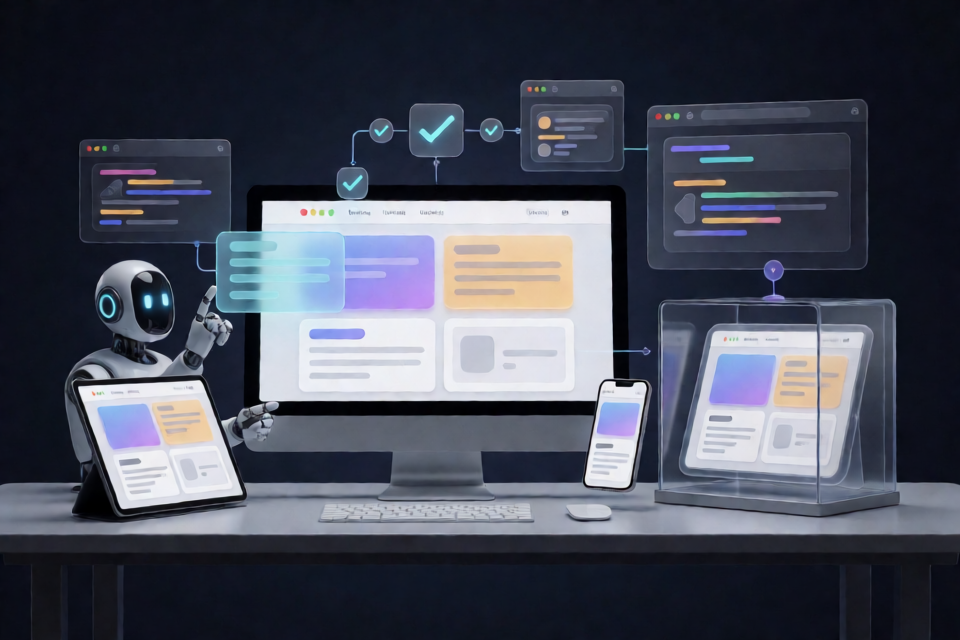
What Is the Website Playbook?
“Website Playbook” is a working methodology for AI website-building assistants. The current version is 2.0.1, and it has primarily been validated in the Codex environment. It is not a website framework, CMS, or hosting platform. Instead, it is a set of execution rules that helps an Agent correctly understand requirements, verify reference implementations, protect existing projects, and complete acceptance testing and handover.
It is suitable for personal websites, portfolios, research and organizational websites, and content sites. It can also be used to improve existing websites or fix specific parts of them. In addition to the core workflow, the project provides 16 anonymized lessons, along with project brief and website handover templates.
Core Capabilities and Working Principles
Keep the Requirements in Scope
The Website Playbook requires distinguishing among three types of information: requirements explicitly stated by the user, implementation details needed to complete the task, and suggestions that can be discussed but have not been confirmed. This reduces the risk of AI adding sections, features, or copy without authorization.
Verify the Reference Implementation First
You can start by looking for design inspiration on Awwwards, then visit the original site to verify accessible source code and real interactions. Visual references should not stop at screenshots. You should also confirm how menus, scrolling, animations, and responsive behavior work.
Protect the Approved Version
Before modifying an existing website, identify the correct project and baseline, and determine which content must be retained and which changes have not yet been committed. Without confirmation, you should not directly overwrite a version the user has already approved.
Test the Real Experience
Acceptance testing is more than confirming that a page opens. Based on the task scope, check mobile display, keyboard operation, menu states, animation behavior, and failure states. Clearly record which items were actually tested and which remain unverified.
Leave a Maintenance Path
When delivering a website, explain where content is updated, when changes take effect, how to publish them, and how to roll back if problems occur. This makes the delivered result maintainable instead of operable only by the current implementer.
Preparation Before Installation
Before using this Skill, you need a local environment that supports Skills. The specific website project also requires the relevant content, development environment, tool permissions, and acceptance criteria. Since the project has primarily been validated in Codex, the README does not promise full compatibility with every AI platform.
You can read the v2.0.1 release notes, or download the complete v2.0.1 Skill package directly.
Method 1: Ask Codex to Install the Skill
Give the following instruction to Codex. It specifically requires checking custom changes first when a version with the same name already exists, avoiding direct overwrites of existing content.
Use skill-installer to install this Skill from https://github.com/7-an/website-playbook/tree/v2.0.1/skills/build-websites-v2.
If a version with the same name already exists, check and preserve my custom changes first. Do not overwrite it directly.
After installation, it is recommended to start a new task before calling the Skill, so that context from previous conversations does not interfere with the task scope.
Method 2: Install the ZIP Manually
- Download the complete v2.0.1 Skill package.
- Extract the downloaded ZIP file.
- Locate the complete
build-websites-v2folder. - Place the entire folder in a Skill directory supported by your local environment.
- Confirm that all subdirectories and files have been retained.
Do not copy only
SKILL.md. This Skill also depends on the README, invocation metadata, reference materials, and template assets.
For information about Skill installation and discovery, read the official documentation.
Understanding the Project File Structure
skills/build-websites-v2/
├── SKILL.md              # Agent execution entry point
├── README.md             # Installation, examples, and capability boundaries
├── agents/openai.yaml    # Invocation metadata
├── references/           # 5 on-demand references, including anonymized lessons
└── assets/               # Project brief and website handover templates
SKILL.md is the Agent’s execution entry point, but the complete workflow also depends on the other directories. references stores on-demand reference materials, while assets contains the project brief and website handover templates.
Calling the Website Playbook for the First Time
The project’s public name is “Website Playbook.” Its existing invocation name remains build-websites-v2 for compatibility with users who have already installed it. After installation, use the following format in a new task:
Use $build-websites-v2 to help me create or modify a website.
Goal: …
Existing materials and project path: …
Reference websites and aspects to draw from: …
Must preserve: …
Scope for this round: analysis / local implementation / publishing.
The key purpose of this input structure is to separate the goal, project location, references, protected items, and execution scope. Do not simply say “make it look better.” Specify the exact page, desired result, and areas that must not be changed.
Example: Creating a Portfolio Website
Use $build-websites-v2 to help me create a website.
Goal: Create a personal portfolio website to showcase research projects and design work.
Existing materials and project path: The project is in the specified local directory, and the copy and project materials have been organized.
Reference websites and aspects to draw from: Use the specified website as a reference for the homepage pacing and project-list layout. Do not copy its images, fonts, or code.
Must preserve: The existing personal profile and project names.
Scope for this round: Analyze first, then implement locally. Do not publish.
Example: Modifying an Existing Website
Use $build-websites-v2 to help me modify a website.
Goal: Fix the mobile menu so that it can close properly.
Existing materials and project path: The project is in the specified local directory.
Reference websites and aspects to draw from: None.
Must preserve: Homepage content, desktop navigation styling, and current uncommitted changes.
Scope for this round: Local implementation and related acceptance testing. Do not publish.
The second example limits the task to fixing the menu and does not request a redesign of the entire site. The Website Playbook supports this kind of targeted task, so you do not need to run the complete website-building workflow every time.
Choose the Execution Scope by Task
When calling the Skill, you can define the scope for this round as analysis, local implementation, or publishing. You can also combine multiple stages.
- Analysis only: Use this to research reference websites, organize requirements, or inspect an existing project without directly modifying code.
- Local implementation: Modify the website after confirming the project and baseline, then perform task-related local checks.
- Publishing: Requires the appropriate permissions, as well as confirmation of the deliverables and risks before publishing.
- Targeted fix: Handle only a menu, interaction, or specified issue to avoid expanding the change scope.
- Version restoration: Clearly identify the version or baseline to restore while protecting other existing changes.
Advanced Usage Tips
Be Specific About What to Borrow
When providing a reference website, do not submit only the URL. Explain whether you want to draw from its layout, information hierarchy, menu behavior, animation pacing, or another specific aspect. Publicly readable source code does not mean that the code, fonts, and images may be copied freely. Follow the applicable licenses before reuse.
Include Protected Items in the Prompt
If the project already has an approved version, clearly list the pages, copy, interactions, and uncommitted changes that must be preserved. Apply the same principle when installing a Skill version with the same name: check the differences first, then decide how to update it instead of overwriting it directly.
Request an Acceptance Record
You can ask the Agent to list the items actually tested after completion, such as mobile layout, keyboard operation, menu opening and closing, the full animation sequence, and failure states. If the browser, reference source, or external resources are inaccessible, mark them as unverified instead of assuming they passed.
Make Handover Part of the Task
Add handover requirements to the prompt so that the final result explains where content is updated, what conditions make changes effective, how to publish, and how to roll back. The handover template included in the project can help organize this information.
Analyze First, Then Authorize Implementation
When the reference is complex, the existing project is unfamiliar, or the change risk is high, you can first limit the task to “analysis only.” After confirming the analysis and scope, start the local implementation or publishing task. This staged approach helps reduce the risk of unintended changes.
Capability Boundaries and Considerations
- This project provides a working methodology and execution rules. It does not replace website content, a development environment, or the necessary permissions.
- It does not require a specific framework, CMS, or hosting platform.
- Installing a Skill does not grant authorization to deploy a website. Publishing still depends on actual permissions.
- When reference source code or a browser is inaccessible, record the items as unverified.
- The public content contains only general methods, anonymized lessons, and blank templates. It does not contain original chats, client materials, private accounts, or internal audit records.
- The project has primarily been validated in Codex and has not completed full cross-platform compatibility testing.
Conclusion
The value of the Website Playbook is not in choosing a technology stack for you, but in standardizing the AI website-building process: understand the requirements and scope first, verify reference implementations, protect existing versions, complete real-world acceptance testing that matches the task, and finally leave a maintainable, publishable, and reversible handover path. After installing build-websites-v2, starting with a small task with a clearly defined goal is usually more reliable than immediately asking AI to rebuild an entire website.