

What Equity Research Agent Does
Equity Research Agent converts dated public financial data into an English equity research report with editable Word output and a matching PDF. It supports US stocks, Shanghai A-shares, and Hong Kong stocks, while preserving numerical key takeaways and explaining profitability, cash conversion, and valuation drivers.
The project separates data collection, financial calculations, assumption review, and document formatting. Its deterministic financial engine calculates valuation results locally, while DeepSeek can help challenge a thesis and suggest possible DCF assumptions.
Key Features
- Three-market coverage: Select a US ticker, a six-digit Shanghai code, or a Hong Kong stock code.
- Explicit valuation inputs: Configure growth, margins, tax, reinvestment, WACC, perpetual growth, ROIC, and equity-bridge assumptions.
- Three-scenario DCF: Review bull, base, and bear cases with scenario-specific growth, margin, capital expenditure, and working-capital changes.
- Editable delivery: Export a Word report and, on supported Windows installations, a matching PDF.
- Evidence and provenance: Preserve source snapshots, dates, currencies, hashes, and validation summaries.
- Offline replay: Recalculate included financial snapshots without making an LLM request.
Install and Start the Workspace
You need Python 3.10 or later. From the extracted repository directory, create a virtual environment, install the project with its test dependencies, and start the local workspace.
python -m venv .venv
.venv/Scripts/python.exe -m pip install -e ".[test]"
.venv/Scripts/python.exe -m equity_research_agent.cli serve --port 8766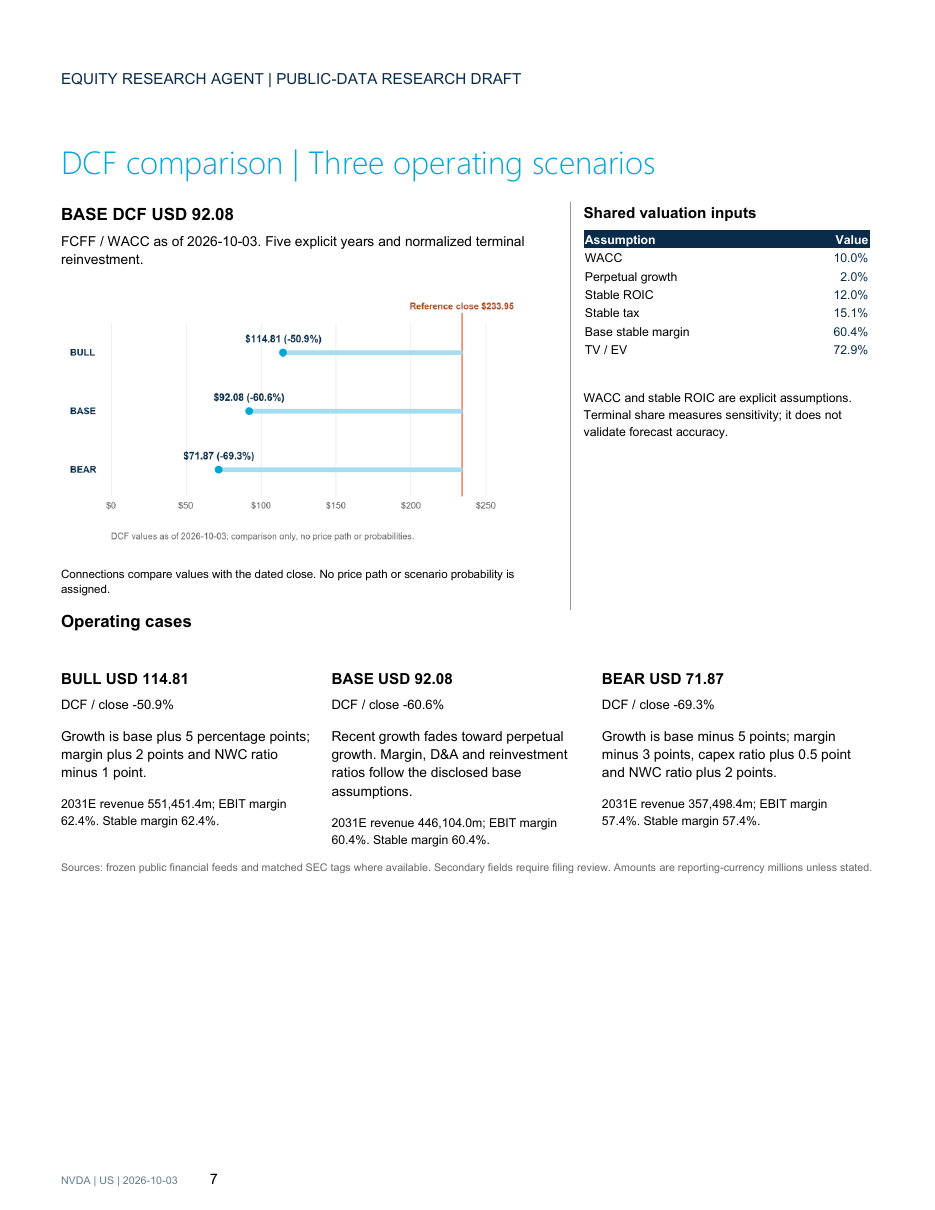
Open http://127.0.0.1:8766 in your browser. On Windows, you can also launch Start Workspace.cmd after installation.
Live public-data collection requires an internet connection, but it does not require a separate data API key. DeepSeek is optional. To enable it, copy .env.example to .env and add your key locally. Credentials remain in your local environment.
Create a Basic Company Report
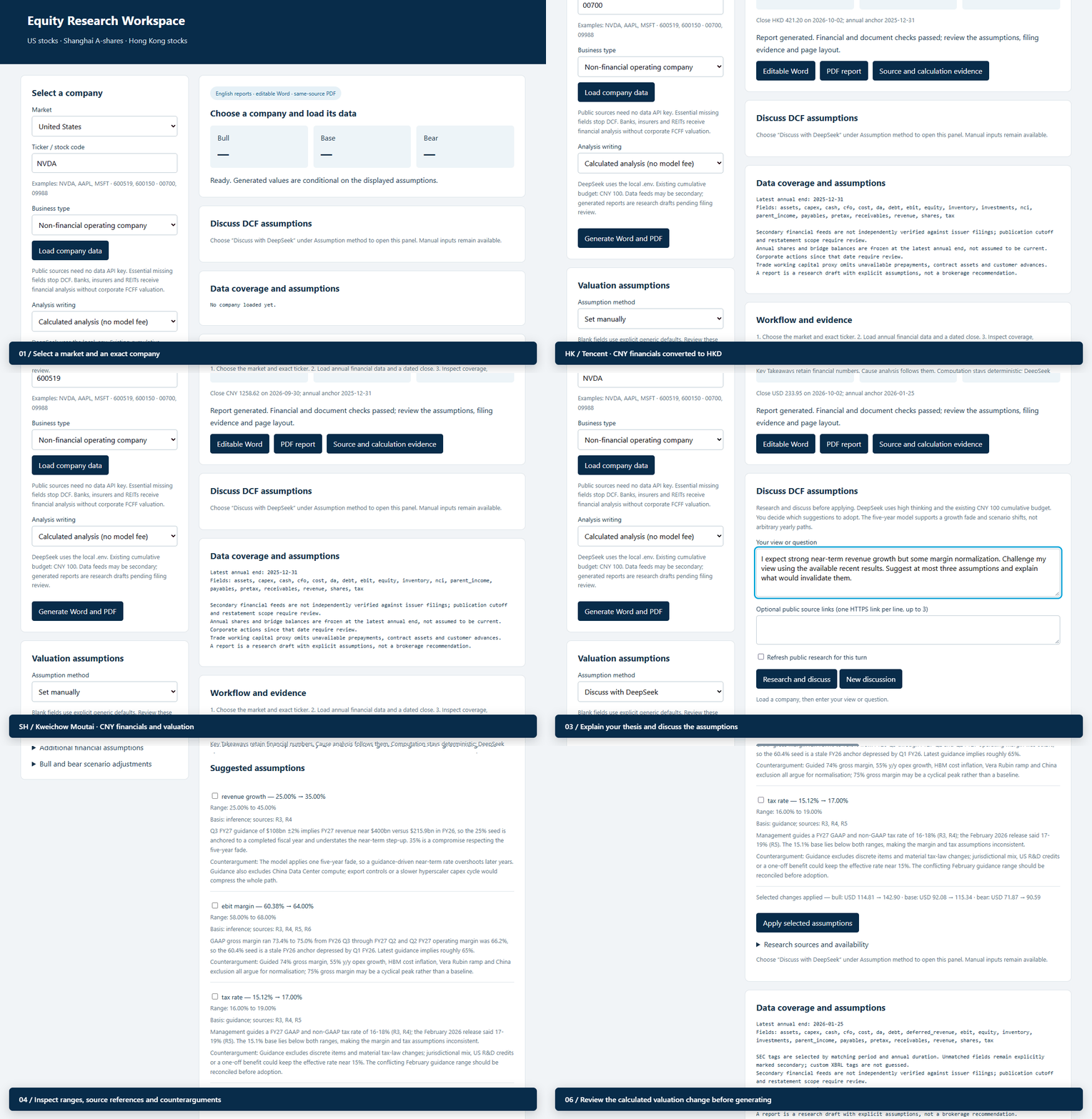
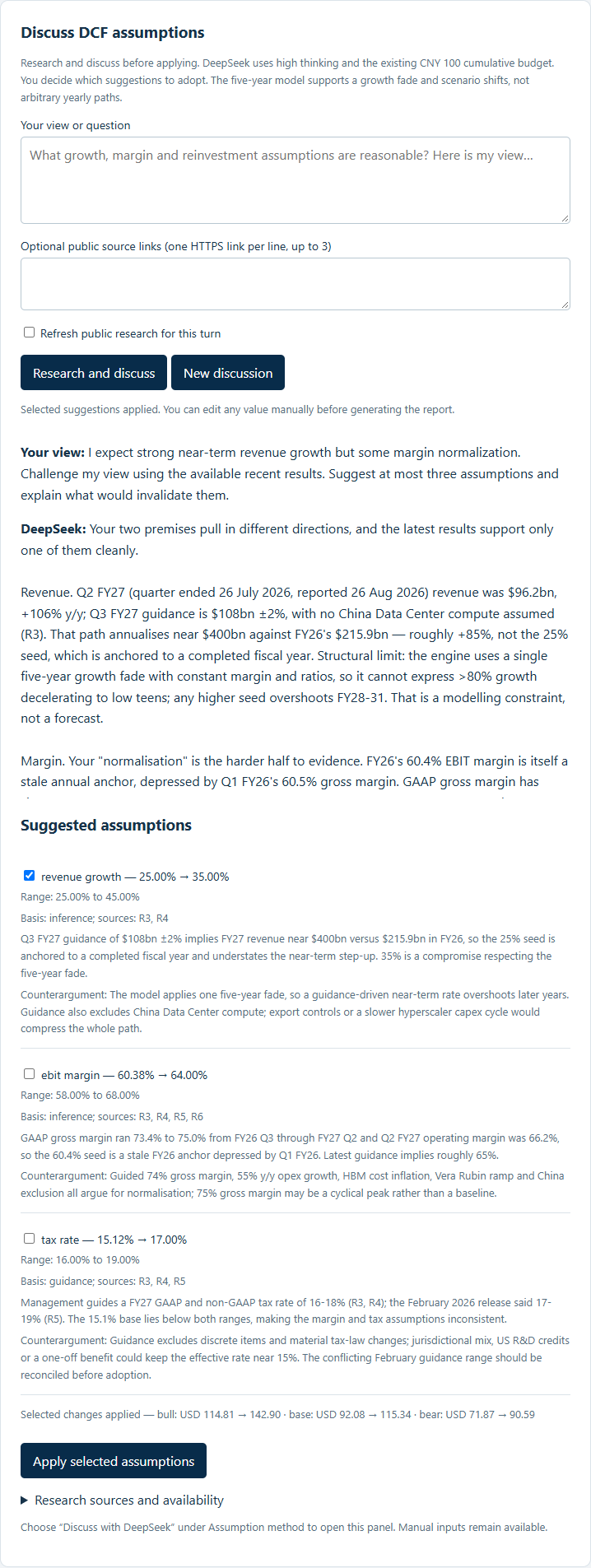
In the workspace, choose a market and an exact security. Inspect the loaded company identity, reporting currency, quote currency, data coverage, and available valuation fields before generating the report.
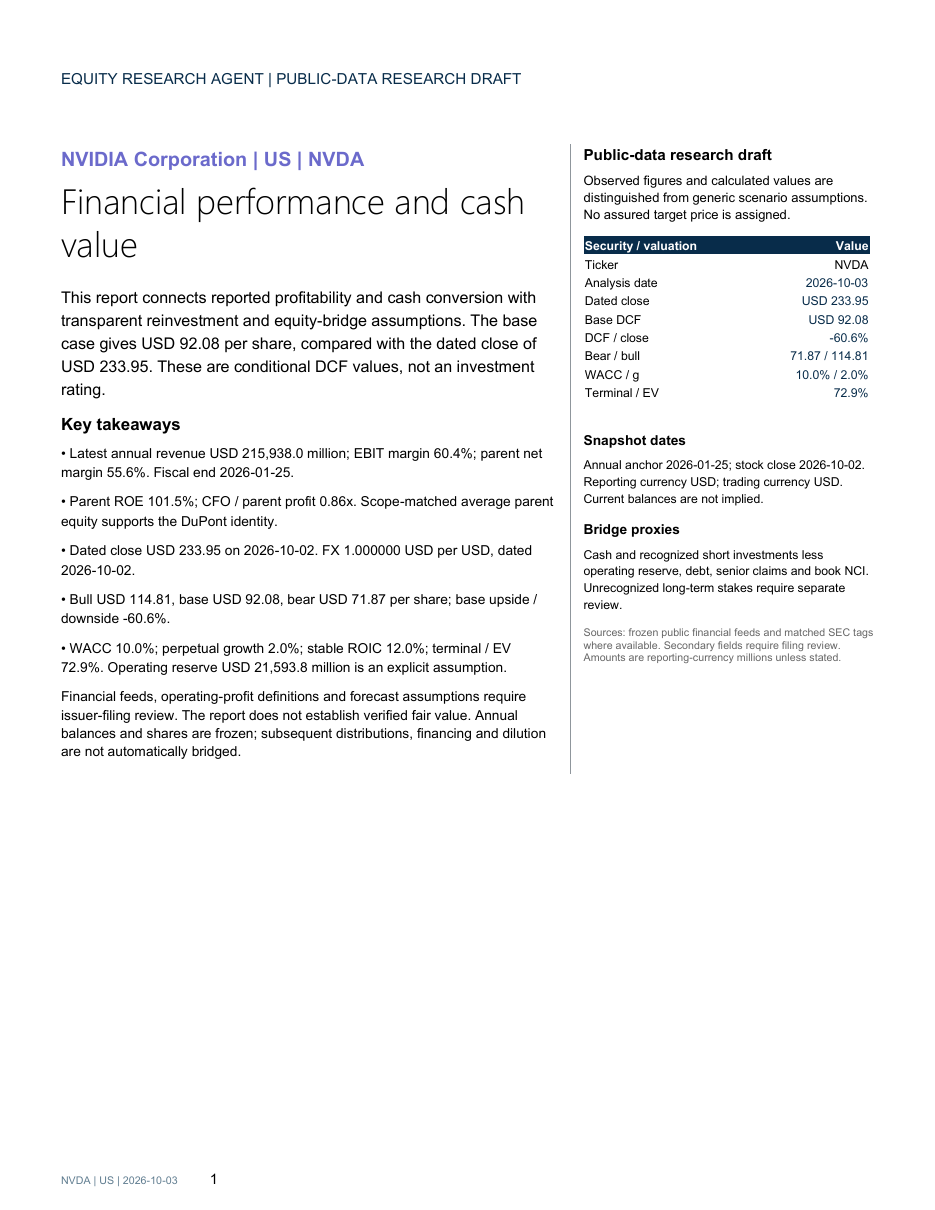
For a reproducible offline example, use the supplied frozen NVIDIA snapshot:
.venv/Scripts/python.exe -m equity_research_agent.cli company --market US --symbol NVDA --snapshot examples/nvda/company_snapshot.json --skip-pdfThis command uses the saved company snapshot, avoids a model request, and produces a Word report without attempting PDF conversion. The same workflow can be applied to other supported securities using the appropriate market, symbol, and snapshot or live public-data inputs.
Configure DCF Assumptions
Set the assumptions that drive the valuation directly in the workspace. The available inputs include revenue growth, operating margins, tax, reinvestment, WACC, perpetual growth, ROIC, and the enterprise-to-equity bridge. Scenario controls let you adjust bull and bear growth, margin, capital expenditure, and working-capital shifts.
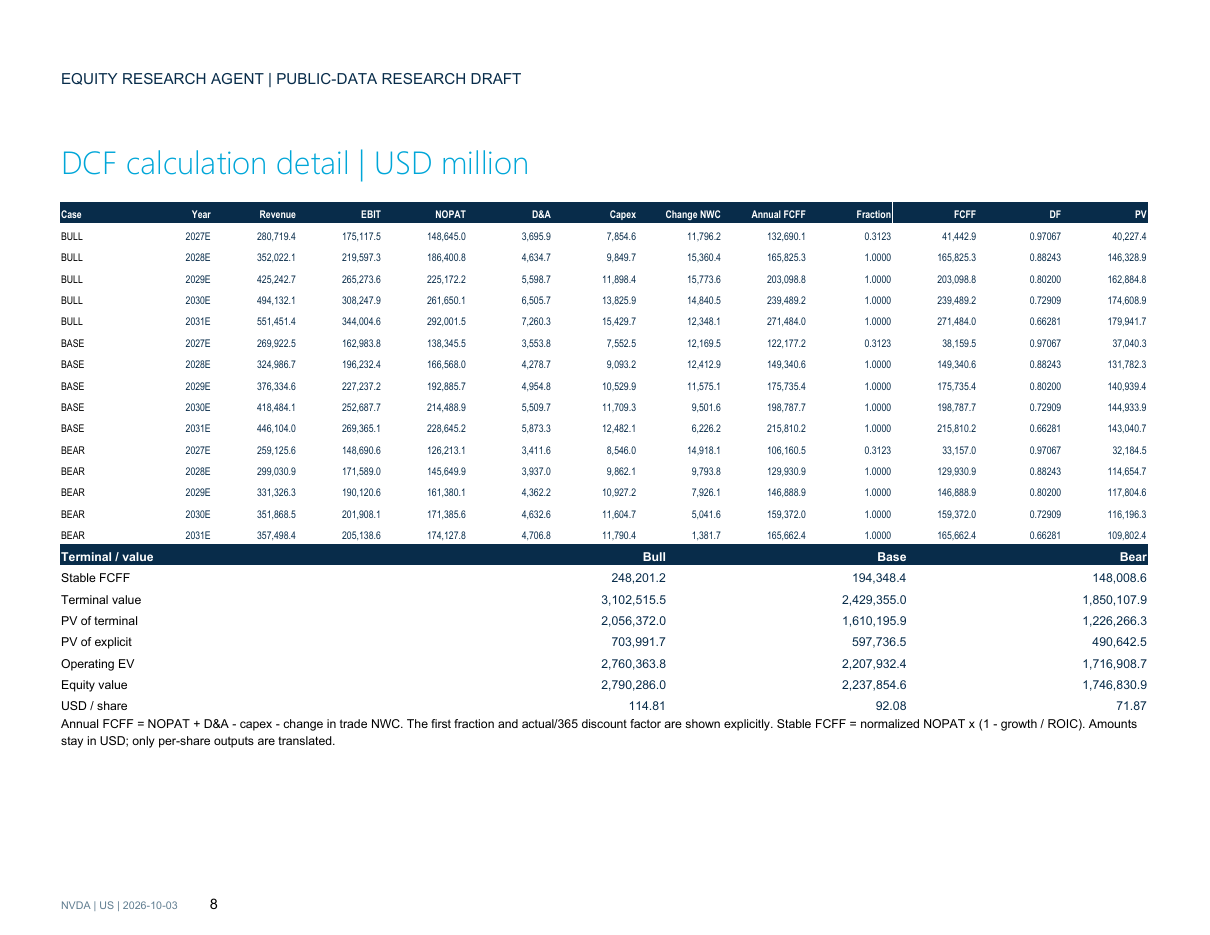
The financial engine uses these reviewed inputs to calculate the three cash-flow scenarios. The report exposes the assumptions, annual FCFF calculations, discounted cash flows, terminal reinvestment, and the enterprise-to-equity bridge instead of hiding the valuation logic behind a single target number.
Discuss Assumptions with DeepSeek
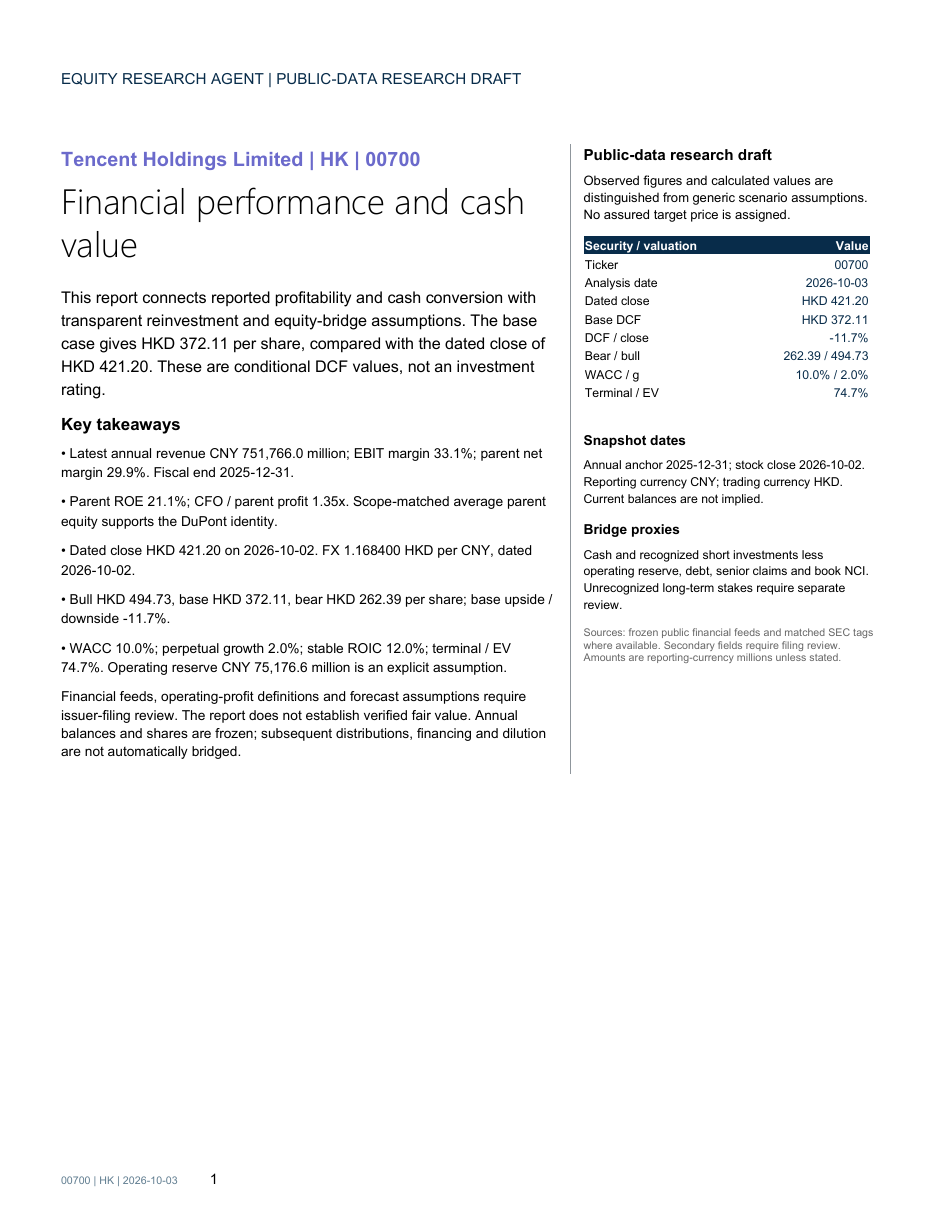
Use the discussion interface when you want to test an investment thesis rather than simply enter assumptions. Enter your question or thesis and optionally provide public source links. DeepSeek reviews retrieved evidence, challenges the view, and proposes assumptions with ranges, reasons, references, and counterarguments.
- Enter your thesis or valuation question.
- Add relevant public source links when available.
- Review the proposed ranges, evidence, and counterarguments.
- Select only the suggestions you want to apply.
- Inspect the resulting valuation change in the local financial engine.
- Edit any fields manually before generating the report.
The model proposes and writes; the local engine computes the numbers. DeepSeek defaults to high thinking and a cumulative CNY 100 budget cap. The interface does not automatically force suggestions into the model: application remains an explicit user action.
Review the Generated Report
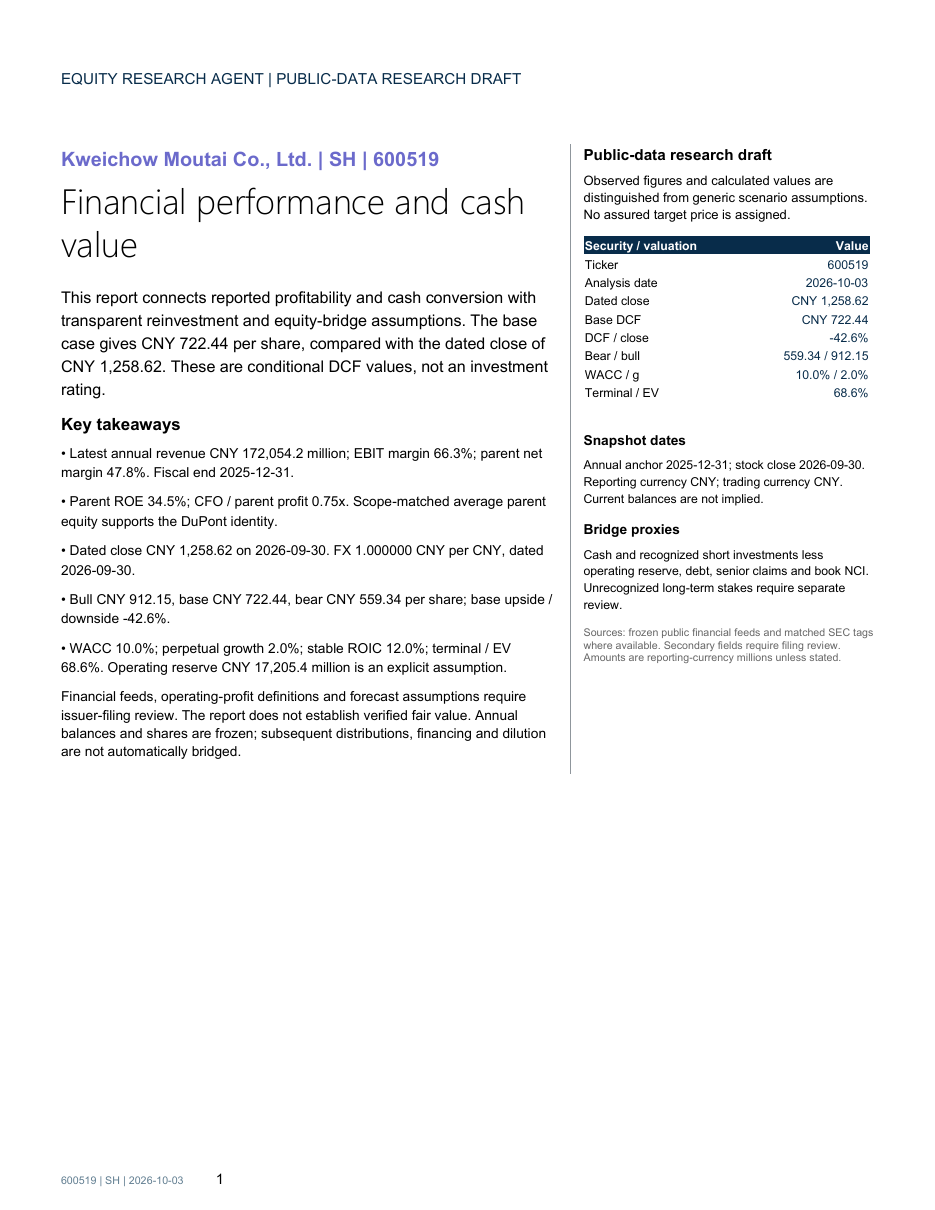
A completed report includes financial analysis, a DCF visualization, calculation tables, sensitivity information, source limitations, and disclosed scenario assumptions. The valuation page combines the three cash-flow scenarios with a dated stock close, the equity bridge, and terminal assumptions.
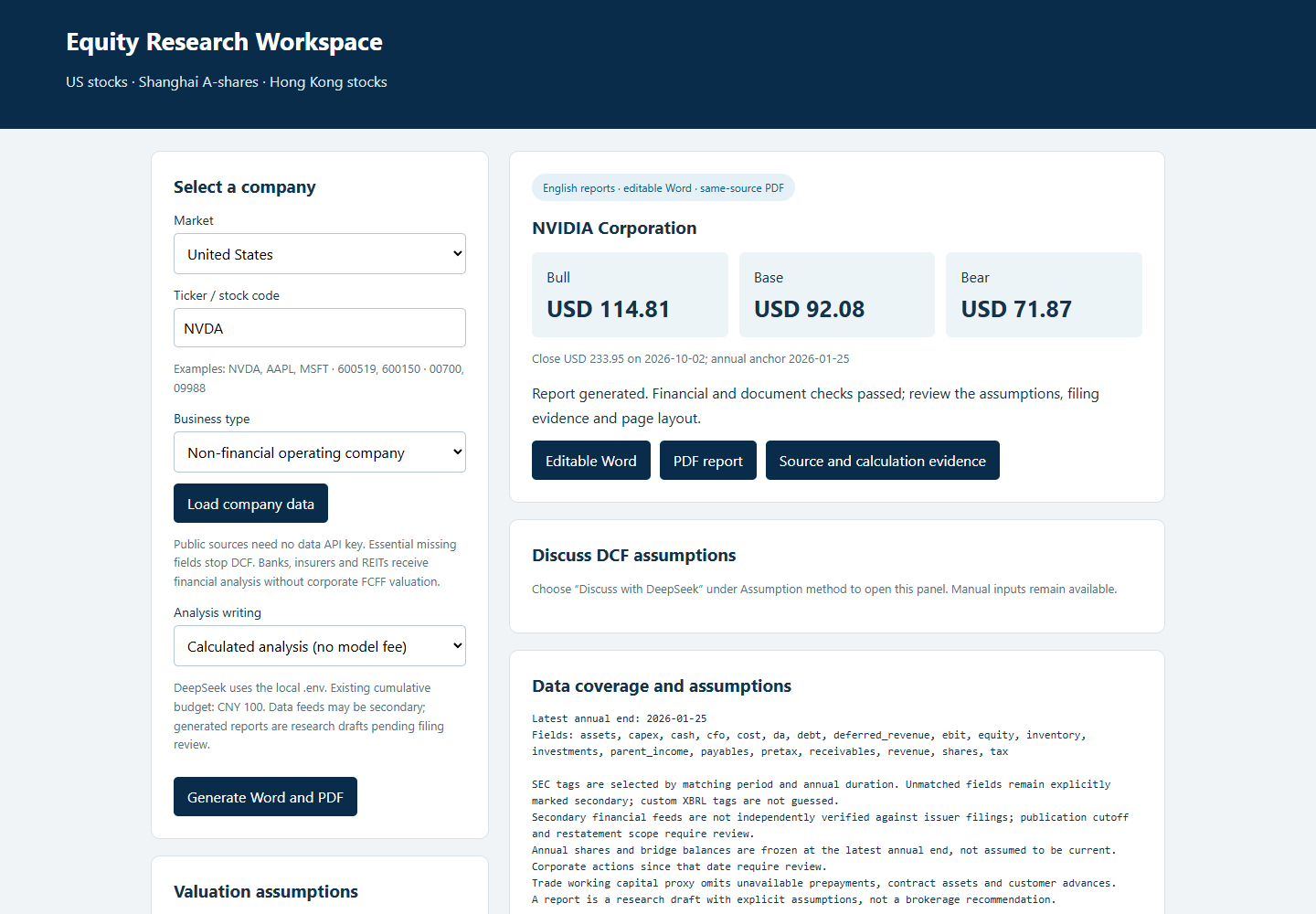
Check that the reporting and valuation currencies are clear, that the stock close is dated, and that the assumptions match the scenario you intended to review. For supported Windows setups, PDF export requires Microsoft Word and Poppler's pdftoppm on PATH, or the EQUITY_PDFTOPPM environment variable. Other systems can create the Word document with --skip-pdf.
Validate the Installation
Run the repository's public test suite after installation:
.venv/Scripts/python.exe -m pytest tests -qThe repository documents 35 public tests covering the financial engine, company reports, layout, assumption discussion, local HTTP routes, and budget controls. Its release validation also checks financial recalculation, DuPont identity, currency conversion, chart values, document consistency, and provenance.
Validation establishes calculation and document consistency, but it does not replace issuer-filing reconciliation or company-specific investment research.
Advanced Usage and Important Limitations
Use frozen snapshots for reproducibility
The included examples support offline replay of saved financial snapshots and scenarios. This is useful for testing, reviewing report layout, and reproducing the supplied examples without making a new model request.
Inspect evidence before accepting assumptions
DeepSeek suggestions should be reviewed alongside their ranges, reasons, references, and counterarguments. Generic assumptions require company-specific review, and secondary data fields may need reconciliation with issuer filings.
Understand sector scope
Corporate FCFF is disabled for banks, insurers, REITs, and other financial-sector selections. Annual balances may also require updates for later dividends, financing, and dilution.
Review new exports visually
The repository includes validation for the supplied reports, but new narrative and layout exports need their own visual review. Confirm that charts, calculation tables, currencies, dates, and downloaded files are consistent with the selected inputs.
Conclusion
Equity Research Agent provides a structured path from dated public facts to transparent, editable research. Install it locally, select a supported security, review or discuss DCF assumptions, calculate scenarios with the deterministic engine, and inspect the resulting Word or PDF report. Treat the outputs as conditional research drafts rather than investment ratings or assured target prices.