
- Monthly visits
- 0
- Pricing
- Free & Paid
- Listed
- 2026-05-30
- Updated
- 2026-08-25
01Introduction to Expression Editor AI
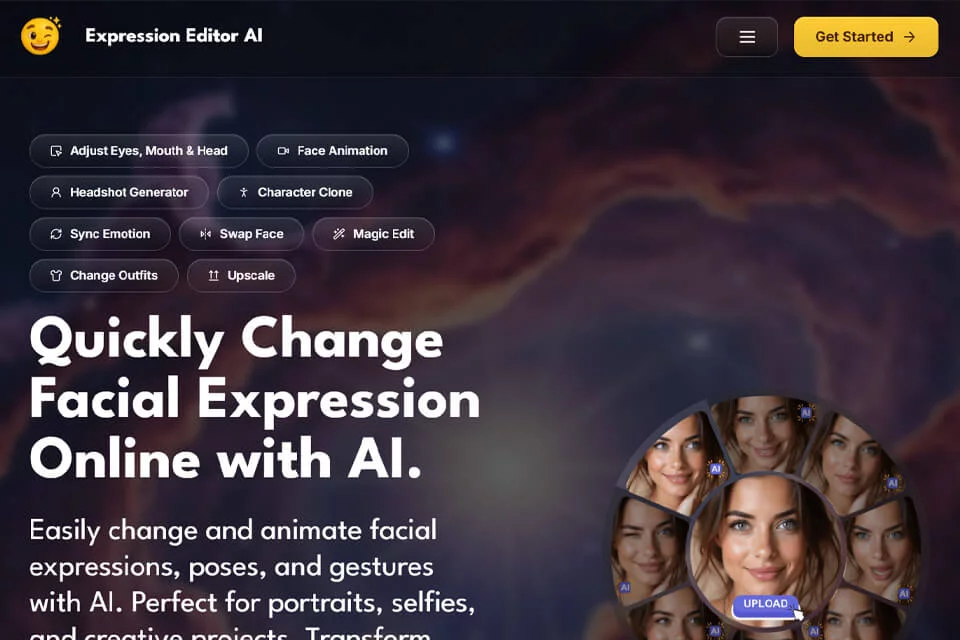
Expression Editor AI is an online AI tool focused on portrait editing. After uploading a photo, users can adjust gaze, smiles, mouth shapes, and head angles. They can also use text prompts to modify expressions, poses, clothing, hairstyles, or backgrounds, and turn static photos into videos with changing expressions.
02Who Is Expression Editor AI For?
Content Creators
Create portrait assets with different expressions, poses, and scenes for social media, video thumbnails, and short videos.
Photographers and Designers
Adjust gaze, smiles, head angles, and backgrounds in portraits for retouching, portfolios, and visual design.
E-commerce and Brand Teams
Clean up supports, imperfections, and background elements in product photos to create images suitable for e-commerce displays.
Individual Users
Edit selfies, professional headshots, and social profile photos while trying different expressions, clothing, hairstyles, and backgrounds.
03Key Features of Expression Editor AI
Facial Expression Editing
Use eye, mouth, and head controls to adjust blinking, gaze, eyebrows, smiles, mouth shapes, and head rotation, with a 3D preview.
Text Prompt Editing
Use natural-language prompts to modify expressions, poses, hairstyles, hats, backgrounds, or other elements in a photo and generate new image results.
Photo Expression Animation
Convert static portraits into dynamic videos with natural expressions and facial movements, with options for video duration, aspect ratio, and output quality.
Scene and Clothing Replacement
Use Clothes Swap and Scene Swap to modify a portrait's clothing or photo background, with text prompts available to describe the desired environment.
Face and Subject Processing
Provides face swapping, face cloning, subject cloning, and emotion synchronization for transferring appearances or facial expressions between images.
Privacy Anonymization
Automatically detect and blur faces in photos, or use artistic filters, masking, and other transformations to protect people's identities.
Photo Cleanup and Compositing
Use Erase and Replace, Magic Merge, and Image Combiner to remove unwanted elements, place objects, or combine multiple images.
Image and Video Enhancement
Provides selfie expansion, selfie resizing, photo colorization, image upscaling, and video upscaling, with support for multiple output formats.
04What Makes Expression Editor AI Stand Out
Detailed Portrait Controls
Separates eye, mouth, and head movements into independent editing areas, supporting blinking, gaze direction, eyebrows, mouth shapes, and Pitch, Yaw, and Roll controls.
Image-to-Expression Video
In addition to static photo editing, the product offers an Animate feature that converts photos into dynamic expression videos and supports extracting video frames.
Broad Portrait Use Cases
Its capabilities extend from expression and pose editing to clothing, hairstyles, scenes, face anonymization, subject cloning, and product photo cleanup.
Prompts and Fine-Grained Parameters
Some tools provide both natural-language prompts and advanced settings, allowing users to adjust the aspect ratio, inference steps, guidance scale, or output quality for each feature.
05Sources
- Official homepage: Expression Editor AI - Quickly Change Facial Expression Online with AI.
- Official features page: Features - Expression Editor AI - Expression Editor AI
- Official pricing page: Pricing - Expression Editor AI - Expression Editor AI
- Official product page: Product Photography - Expression Editor AI
© Disclaimer: domains and linked content may change over time. AIEZZ does not control third-party websites. Review external content and risks independently.
User reviews0