

- Monthly visits
- 0
- Pricing
- Free & Paid
- Listed
- 2026-05-23
- Updated
- 2026-08-25
01Product Positioning
A1 combines AI image generation, video generation, and filter features in one lightweight entry point for users who need to quickly create or test visual assets.
Users can start with a text description to generate images, upload photos for style transformations, and then explore different effects with image or video filters. It is better suited to validating ideas, creating visual sketches, and producing content assets than to fully replacing professional design and production workflows.
02Key Features
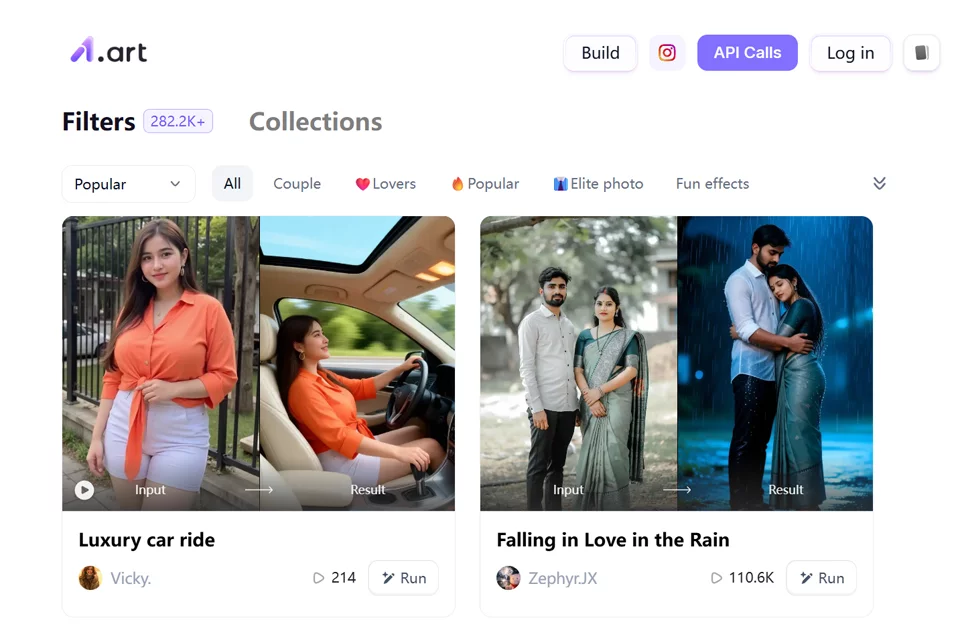
A1 supports text-to-image generation for creating avatars, scene images, character images, creative illustrations, and more. After uploading a photo, users can also transform it into anime, 3D, vintage, ID photo, and other styles.
The tool also provides image and video filters, along with video template-based features, for creating lightweight short clips and social sharing content. Developers and product teams can call image generation and filter capabilities through the API and integrate them into their own applications or business workflows.
03Use Cases
Social media operators can use it to create avatars, cover images, portraits, event visuals, and short-video assets while quickly testing the visual direction of an account's content.
Design and marketing teams can use A1 for inspiration gathering, style references, poster sketches, and early-stage asset experiments. Individual users can transform selfies, pet photos, or travel photos into different styles for entertainment, creative projects, and sharing.
Teams that need generation capabilities within product or campaign workflows can further evaluate API integration.
04Usage Considerations
A1 is suited to rapid generation and iterative experimentation. Users should select text descriptions, photos, and filters according to the target use case and manually review the results.
Avatars, posters, short videos, and other content types have different composition and detail requirements, so generated results usually need further adjustment before formal publication. Before frequent or batch use, users should review the platform's free and paid plans based on their needs. When integrating through the API, they should also evaluate the call workflow and product compatibility separately.
© Disclaimer: domains and linked content may change over time. AIEZZ does not control third-party websites. Review external content and risks independently.
User reviews0