
- Monthly visits
- 0
- Pricing
- Free & Paid
- Listed
- 2026-06-29
- Updated
- 2026-08-25
01About Pavo
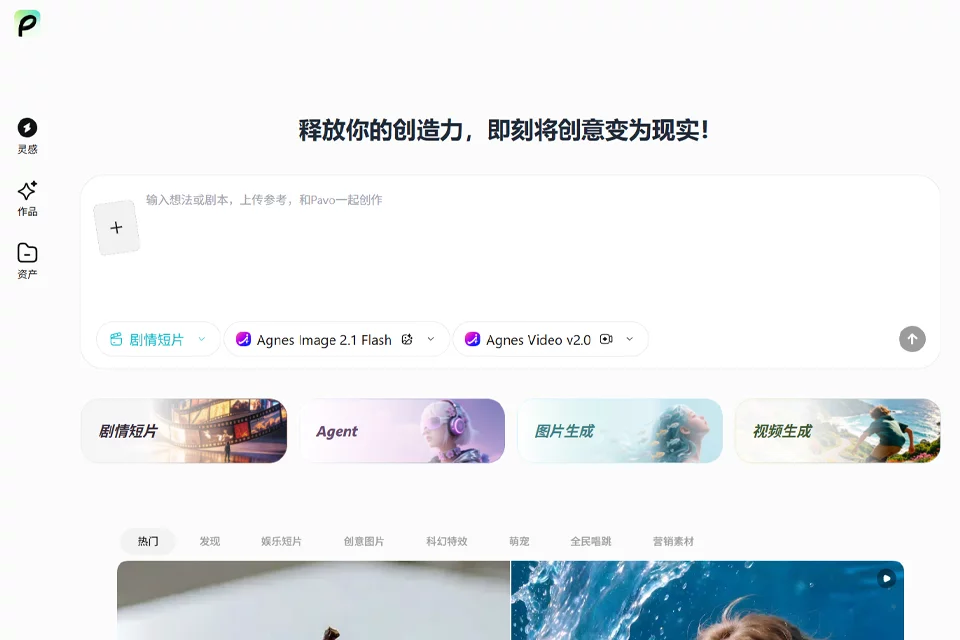
Pavo is an online creative application for making AI videos and images. Users can enter prompts to generate content, browse ready-made templates and popular styles, apply filters and looks, and copy prompts or blend community creations. The platform keeps video and image projects in one place, providing a creative workflow from prompting to publishing.
02Who Pavo Is For
Video Creators
Create AI videos with prompts, templates, and popular styles, while finding creative ideas from the community to blend into new work.
Image Creators
Generate AI images in the online app, browse ready-made templates and filters, and explore different creative styles.
Branded Content Creators
Use consistent creative presets to maintain a unified brand or creative direction.
03Pavo Key Features
AI Video Generation
Create AI videos with prompts and move from the prompting interface into the rest of the creation and publishing workflow.
AI Image Generation
Generate AI images in the app and keep image projects alongside video projects in one place.
Template-Based Creation
Browse ready-made templates for videos and images, choose a creative direction, and start creating.
Popular Styles and Filters
Browse popular styles, apply trend-aligned filters and looks, and switch styles within the workflow.
Prompt Copying and Creative Mixing
Copy existing prompts or blend community creations with your own ideas to develop new content.
Consistent Creative Presets
Use consistent creative presets to maintain a unified direction for branded or creative content.
04What Makes Pavo Stand Out
Video and Image Creation in One App
The platform supports both video and image creation and keeps both types of projects in one place, reducing the need to switch between different applications.
Templates Combined with Popular Styles
In addition to prompt-based creation, the platform offers ready-made templates, popular styles, and filters to help users find inspiration and try different creative directions.
Community Creative Mixing
Users can browse community creations, copy prompts, and add their own creative variations to existing ideas.
Workflow from Prompt to Publication
The platform places prompt-based creation and publishing access in the same workflow, covering the creative process from initial ideation to publication.
05Sources
© Disclaimer: domains and linked content may change over time. AIEZZ does not control third-party websites. Review external content and risks independently.
User reviews0