
- Monthly visits
- 2
- Pricing
- Not set
- Listed
- —
- Updated
- 2026-09-04
01What is Easel?
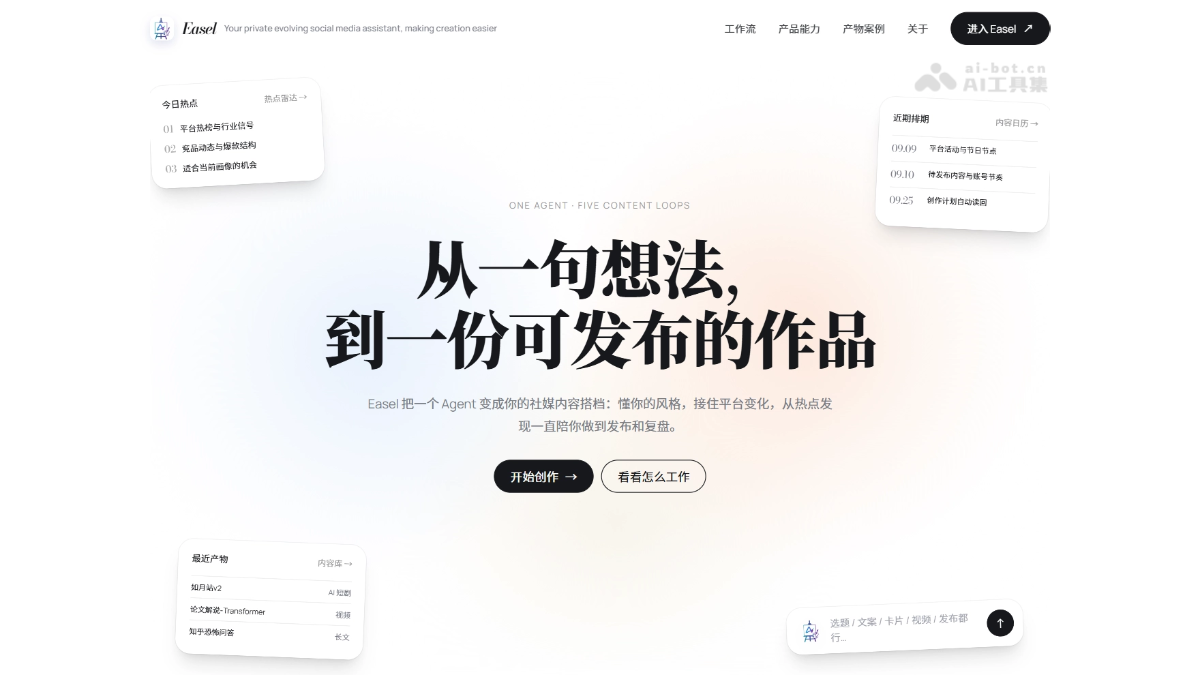
Easel is an AI social media content workspace jointly open-sourced by Zhejiang University and Peking University. Built on the OpenClaw Agent framework, the platform uses a single agent to connect the entire social media operations workflow, from trend discovery and topic planning to content creation, multi-platform publishing, and performance review. By continuously remembering an account's positioning, style, and audience preferences through its account profile, and working with 112 executable Skills, AI becomes increasingly familiar with your needs and evolves into a true content partner.
02Key Features of Easel
Follow WeChat and reply “开源” to join the AI open-source project community.
Account profiles: Build account context from positioning, style, audience, and red lines, with one profile used continuously across platforms.
Trend radar: Aggregate real-time trending lists from Weibo, Douyin, Zhihu, and other platforms, then filter topics suited to the account.
Content planning: Turn trends into topic matrices, titles, scripts, and schedules, all managed centrally in the content calendar.
Content creation: Generate publishable assets in multiple formats, including copy, posters, knowledge cards, voiceovers, AI videos, and short dramas.
Multi-platform publishing: Automatically adapt master content to each platform's format and publish directly to logged-in accounts after quality checks.
Data attribution: Collect views, engagement, and comment data, feed effective insights back into the profile, and create a feedback loop that becomes more accurate with use.
Project archiving: Save all deliverables and metadata by project for easy modification, retrying, and reuse.
03How to Use Easel
Prepare the environment: Make sure the system is Linux/macOS, and install Python 3.10+, Node.js 22.19+, and git.
Clone the repository: Run git clone git@github.com:ZJU-REAL/Easel.git to pull the code locally.
Configure keys: Copy .env.example to .env and enter an LLM API Key, such as Anthropic.
One-click installation: Run bash setup.sh to automatically install Python dependencies, Node.js, and the OpenClaw framework.
Check the environment: Run easel doctor and easel ping to confirm that the environment and gateway are connected properly.
Install extensions: For audio/video and publishing capabilities, run pip install -e ".[media]" and playwright install chromium.
Create a profile: Copy the profiles/_template template or configure account positioning, style, and audience on the Web interface.
Launch the workspace: Run easel web and open http://localhost:7860 in a browser to access the interface.
Discover trends: In “Trend Radar,” aggregate trending lists from Weibo, Douyin, and other platforms, then filter topics suited to the account.
Plan and schedule: Use “Content Calendar” to plan topics, titles, and scripts and build an actionable content matrix.
Create content: Use conversations or easel skill commands to have the Agent generate copy, cards, videos, and other assets.
Review and publish: In “Publishing Center,” complete sensitive-word and copyright checks, adapt formats for multiple platforms, and publish with one click.
04Core Advantages of Easel
End-to-end workflow: One Agent connects trend discovery, topic planning, content creation, multi-platform publishing, and performance review into a complete workflow.
Profile-driven evolution: Continuously remember positioning, style, and audience through account profiles so every output better matches the account's authentic tone than the last.
Skills that execute: All 112 Skills are runnable scripts, not just Prompt templates, and can directly produce publishable text, images, audio, and video.
One asset, many uses: Automatically adapt the same master content to the format, tone, and aspect-ratio requirements of Xiaohongshu, Douyin, Zhihu, Bilibili, and other platforms.
Project-based archiving: Save all deliverables by project in outputs/ so modifications, retries, and tracking do not get scattered across chat histories.
Closed-loop publishing attribution: Support real login and publishing on six major platforms, with publishing data automatically fed back for continued profile evolution.
05Easel Project Links
Official website: https://zju-real.github.io/Easel/
GitHub repository: https://github.com/ZJU-REAL/Easel
06Easel Use Cases
Daily operations for individual social media creators: After configuring an account profile, Easel automatically captures trending topics and generates image-text content or video scripts adapted for Xiaohongshu and Douyin.
Multi-platform brand or enterprise operations: Brands maintain accounts across multiple platforms, while Easel automatically generates platform-specific versions from one master asset, maintains a consistent tone, and publishes in batches, reducing repetitive cross-platform work.
Batch content production for MCN agencies: Agencies create independent profiles for multiple creator accounts, use 112 Skills to produce paper explainers, talking-head scripts, short videos, and more in batches, and archive them by project for reuse and iteration.
Content adaptation for academic and knowledge accounts: Researchers input papers or professional knowledge into Easel, and the Agent automatically generates knowledge cards, educational image-text content, and video explainers, turning academic成果 into social-media-friendly content.
© Disclaimer: domains and linked content may change over time. AIEZZ does not control third-party websites. Review external content and risks independently.
User reviews0