
- Monthly visits
- 0
- Pricing
- Free & Paid
- Listed
- 2026-08-08
- Updated
- 2026-08-08
01What Is Warp Agent CLI
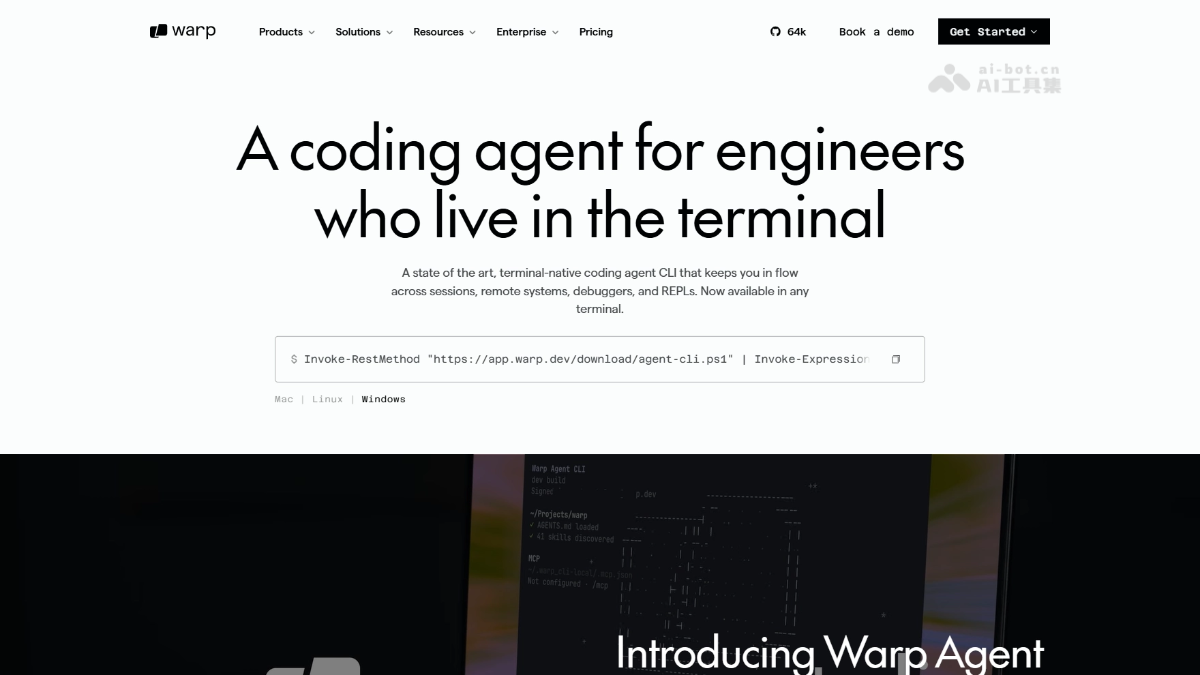
Warp Agent CLI is Warp’s standalone command-line coding tool, running in any environment including Ghostty, iTerm 2, VS Code, and system terminals. Built on Warp’s terminal infrastructure, it includes a native multiplexer for managing pty connections and preserving Agent context across directories and SSH sessions. It can drive full-screen interactive applications such as sqlite and python, supports the MCP protocol, and automatically orchestrates local and cloud sub-Agent tasks, including delegation to Claude Code or Codex.
02Key Features of Warp Agent CLI
Terminal-native Agent: Runs as a standalone command-line tool and supports Ghostty, iTerm 2, VS Code terminals, and Windows/Mac system terminals without requiring the Warp terminal itself.
Built-in multiplexer: Natively manages pty connections and automatically preserves Agent session context when switching working directories or SSH remote hosts, without rebuilding session state.
Interactive TUI control: Controls full-screen interactive applications such as sqlite and python, enabling real-time code reading and writing, query execution, and interactive debugging in REPL environments.
Natural-language task execution: Enter a task description in natural language to generate and run commands. Supports the ? shortcut, / commands, ! Shell mode, and the Ctrl+G rich-text editor for writing complex prompts.
MCP protocol integration: Configure MCP servers through ~/.warp_cli-local/.mcp.json to extend access to external tools such as file systems, databases, and APIs.
Project-level context awareness: Automatically loads the AGENTS.md file in the project root, recognizes project rules and skills, and provides deep codebase-level understanding.
03How to Use Warp Agent CLI
One-click installation: On Mac/Linux, run curl -fsSL https://app.warp.dev/download/agent-cli.sh | bash. On Windows, run Invoke-RestMethod "https://app.warp.dev/download/agent-cli.ps1" | Invoke-Expression to complete the installation.
Start a session: Enter warp-agent in any terminal to start an Agent session. Ghostty, iTerm 2, VS Code terminals, and native system terminals are supported.
Interactive commands: Enter a task description in natural language to execute it; press ? to view shortcuts, / to invoke commands, ! to switch to Shell mode for native commands, and Ctrl+G to open the rich-text editor for writing complex prompts.
Configure MCP: Configure MCP servers through ~/.warp_cli-local/.mcp.json to extend the Agent’s tool capabilities.
Load project rules: Place an AGENTS.md file in the project root. The Agent automatically loads it and discovers skills for project-level context awareness.
04Core Advantages of Warp Agent CLI
Terminal-native multiplexing: Built-in pty connection management automatically preserves Agent context when switching directories or SSH remote hosts, without rebuilding the session.
Multi-Agent orchestration hub: Acts as a scheduling layer that manages sub-Agents such as Claude Code, Codex, and Gemini CLI simultaneously, enabling multi-model collaboration and task delegation.
Zero dependencies on any terminal: Completely independent of the Warp terminal itself, it runs directly in Ghostty, iTerm 2, VS Code terminals, and native system terminals, eliminating tool lock-in.
Native full-screen TUI control: Directly controls interactive full-screen applications such as sqlite and python and supports real-time reading and writing in REPLs, while other CLI Agents offer only limited interaction.
Flexible model routing: Includes a cost-optimized router with automatic Claude/GPT/Gemini switching and BYOK support, allowing users to configure models based on task complexity instead of being tied to a single provider.
05Warp Agent CLI Project URL
Project website: https://www.warp.dev/agent-cli
06Warp Agent CLI Use Cases
Cross-directory code refactoring: Switch between multiple subproject directories in a large monorepo while the Agent maintains continuous global context for multi-file changes.
Remote server operations: Connect to remote hosts through SSH while the Agent continues running in the session, automatically inspecting logs, modifying configurations, and restarting services.
Interactive database management: Drive full-screen TUI tools such as sqlite, allowing the Agent to write and execute SQL queries automatically based on natural-language instructions.
Multi-Agent collaborative development: Run Warp Agent, Claude Code, and Codex simultaneously in different tabs, compare their outputs, and integrate the best solution.
Background automation orchestration: Combine with the Oz cloud platform and configure Slack, Linear, or GitHub Actions triggers to run scheduled or event-driven background Agent tasks.
© Disclaimer: domains and linked content may change over time. AIEZZ does not control third-party websites. Review external content and risks independently.
User reviews0