

- Monthly visits
- 0
- Pricing
- Free & Paid
- Listed
- 2026-01-30
- Updated
- 2026-01-31
01Product Positioning
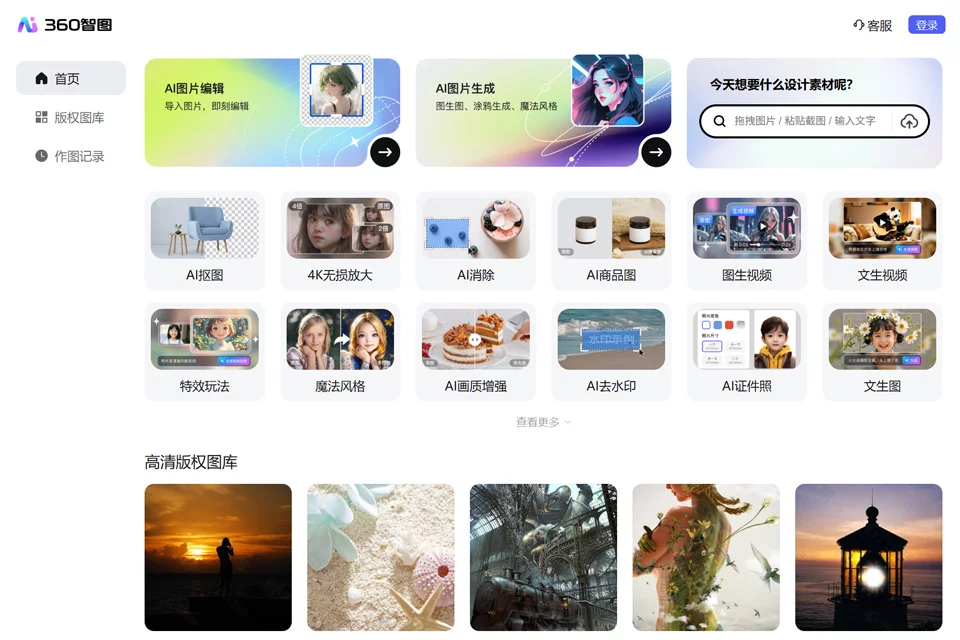
360 Zhitu is positioned as an all-in-one visual tool, organizing its features around image search, image creation, and photo editing. It combines AI image generation, common image editing functions, and image source lookup in one product, making it suitable for professionals who regularly create or process visual assets.
The product offers both free and paid plans. The specific usage scope is subject to the information displayed on the actual page.
02Key Features
For creation, it supports text-to-image and image-to-image generation, allowing users to create visual assets from text descriptions or reference images.
For editing, it provides intelligent background removal, AI background generation, image quality enhancement, old photo restoration, content removal, and watermark removal. These functions can be used for subject isolation, background replacement, improving blurry images, and cleaning up images.
For asset discovery, reverse image search can be used to find similar images and source information, providing a preliminary reference before using an image.
03Use Cases
Social media operators can use it to create article visuals, covers, and promotional assets; e-commerce designers can process product subjects, replace backgrounds, or create white-background images; marketing professionals can prepare images for presentations and posters; designers can delegate basic photo editing and concept sketch work to the tool; administrative and HR staff can use it to create ID photos and restore historical images.
04Usage Considerations
AI-generated content and automatically edited images may require manual review, especially for text, details, human features, and product structures. When processing product or promotional images, confirm that the generated background matches the final usage context.
Reverse image search can help locate a source, but search results are not proof of authorization. For commercial use, users must still verify the original source, license scope, and specific usage terms. The watermark removal feature does not mean that the related images can be used directly.
© Disclaimer: domains and linked content may change over time. AIEZZ does not control third-party websites. Review external content and risks independently.
User reviews0