

- Monthly visits
- 0
- Pricing
- Free & Paid
- Listed
- 2026-07-28
- Updated
- 2026-08-25
01Introduction to TapVid
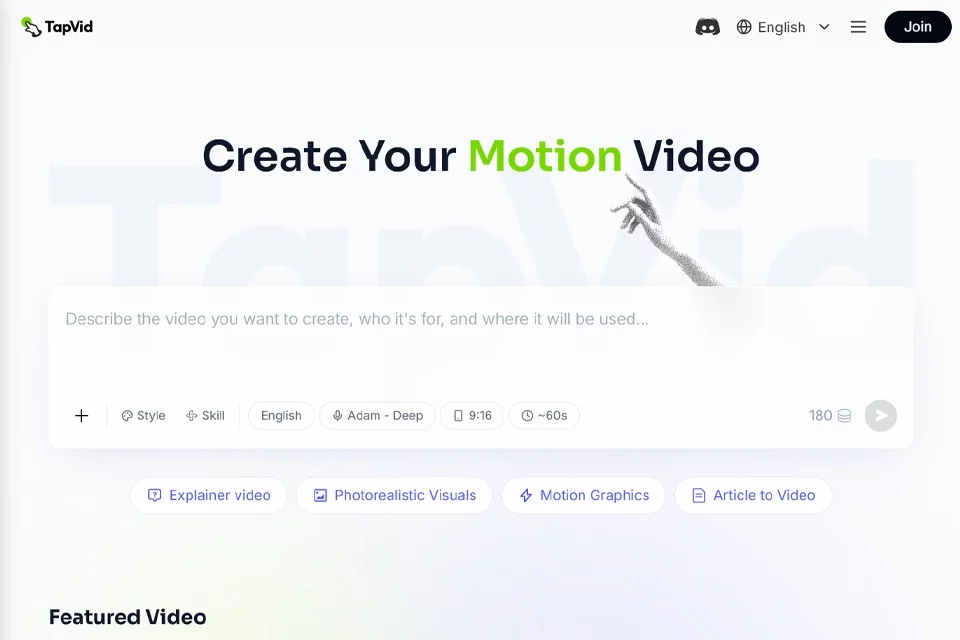
TapVid turns existing business materials into publishable videos. Users can enter a prompt, upload a PDF or other document, or provide a script or link. The platform automatically generates the outline, script, visuals, and motion graphics video. It is suitable for explainer videos, product launch promos, tutorials, customer onboarding, and meeting recaps. Videos can also be generated programmatically through the REST API or MCP service.
02Who TapVid Is For
Product marketing teams
Turn product materials, feature descriptions, or launch information into product launch videos, feature promotion videos, and landing page videos.
Content and growth teams
Generate social media shorts and campaign content from marketing briefs, ad copy, newsletters, or articles, reducing repetitive production work.
Educators and course creators
Convert course materials, handouts, and study guides into educational videos with voiceovers and visual aids for explaining concepts and reusing course content.
Customer success and support teams
Create customer onboarding, help center, and tutorial videos from product documentation, help articles, or operating guides to help users understand the product.
Developers and technical teams
Connect API documentation, code explanations, and business materials to automated workflows through the REST API or MCP, generating videos programmatically.
03Key TapVid Features
Documents to explainer videos
Upload PDFs, documents, or scripts, or enter a prompt, and the platform automatically generates an outline, voiceover, captions, and a motion graphics explainer video.
One-click full video generation
Generate a publishable video directly from existing content, reducing manual handoffs between scripting, storyboarding, design, and timeline editing.
Natural-language editing
Describe the desired changes to the angle, length, or emphasis in everyday language. TapVid regenerates the result without requiring frame-by-frame video adjustments.
Product launch videos
Enter product, feature, and campaign information to automatically generate product reveals, feature highlights, calls to action, and social media versions.
Educational and tutorial videos
Turn course plans, learning materials, operating guides, or SOPs into structured educational and step-by-step tutorial videos with voiceovers and visual aids.
Multilingual voiceovers and captions
Automatically generate AI voiceovers and captions, with multiple language and voice options for publishing or creating localized content.
REST API and MCP
Upload assets, create videos, and query download URLs through the API. TapVid can also be called from MCP clients such as Claude Desktop and Cursor.
Video export and versioning
Generate MP4 videos and create versions with different lengths, aspect ratios, and purposes for landing pages, emails, ads, and social media publishing.
04What Sets TapVid Apart
Content-driven motion graphics generation
The platform builds structured motion graphics explainer videos around the user's actual prompts, documents, or links instead of simply stitching together media assets.
Integrated workflow from materials to final video
TapVid combines content understanding, outlining, scripting, visual design, voiceover, and final rendering in a single generation workflow for rapid production.
Ongoing iteration with natural language
After the video is generated, users can still make changes by describing them in text. There is no need to reopen a complex timeline editor or rely on professional video editors.
Built for high-volume content production
The product supports a range of marketing, education, support, and product communications use cases, with API and MCP access for scalable workflows.
05Sources
- Official homepage: AI Explainer Video Generator with Motion Graphics
- Official documentation: TapVid API & MCP: Generate Videos Programmatically
- Official pricing page: TapVid Pricing | Plans for AI Video Generation
- Official about page: About TapVid | AI Video Generation Team & Mission
- Official product page: Product Launch Video Maker: Prompt to Promo
- Official features page: AI Video Generation Features: All Use Cases
© Disclaimer: domains and linked content may change over time. AIEZZ does not control third-party websites. Review external content and risks independently.
User reviews0