
- Monthly visits
- 0
- Pricing
- Free
- Listed
- 2026-07-15
- Updated
- 2026-08-25
01Introduction to pdftoword.ai
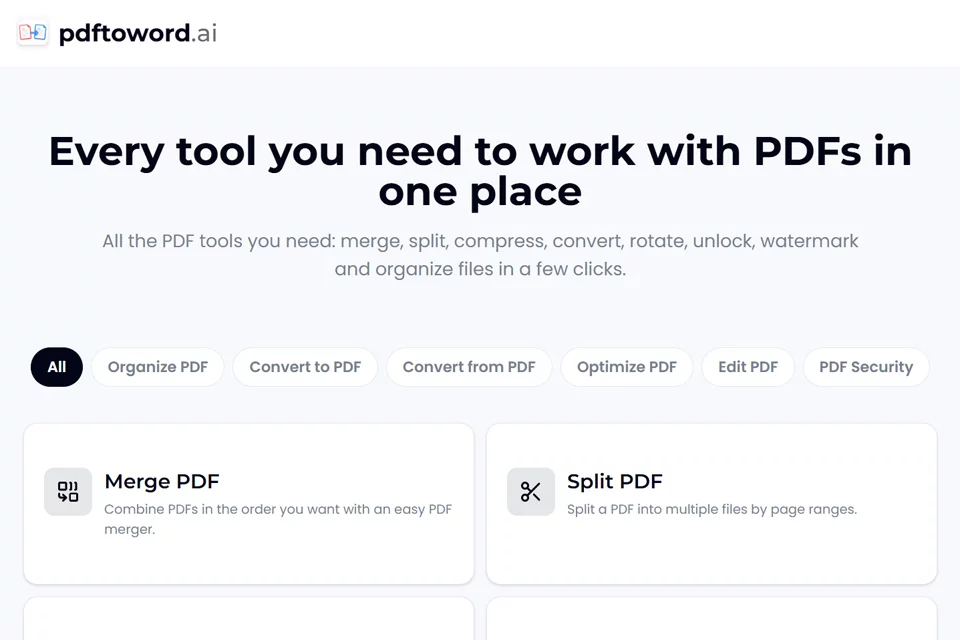
pdftoword.ai brings common PDF operations together in a single web-based toolkit. Users can select the tool they need, upload a PDF, Word, Excel, PowerPoint file, image, or web address, then download the result after completing format conversion, page processing, file optimization, or security settings. Some tools support drag-and-drop uploads, and the page states that files are deleted automatically.
02Who Uses pdftoword.ai
Students and Researchers
Use it to merge reading materials, convert PDFs into editable Word files, compress assignment files, and process searchable text in scanned documents.
Business and Office Users
Use it to organize reports, export invoices to Word or Excel, merge files, and set password protection before sending contracts.
Legal and Human Resources Teams
Use it to split case files, add watermarks and page numbers, and protect confidential PDF documents with passwords.
Everyday File Processing Users
Complete PDF merging, splitting, conversion, compression, and page adjustments in a browser without installing software or registering an account.
03Key Features of pdftoword.ai
PDF Format Conversion
Convert Word, PowerPoint, Excel, JPG, and HTML files to PDF, or convert PDFs into Word, Excel, or JPG files.
Merge and Split PDFs
Merge multiple PDFs and adjust their order, or split files by page range for organizing materials and distributing documents.
Page Organization
Sort, add, or delete pages using draggable page cards, and extract selected pages to create a new PDF file.
Compression and Repair
Reduce PDF file sizes for uploading or sending, and attempt to restore damaged or unusable PDF files.
OCR Text Recognition
Add a searchable text layer to scanned PDFs so the documents can be searched for text.
Page Editing
Rotate all or selected pages, crop page margins, and insert page numbers and watermarks at specified positions.
PDF Security
Encrypt PDFs with AES-256 password protection, or remove password protection from PDFs owned by the user.
04What Sets pdftoword.ai Apart
Centralized Toolkit
The page brings 24 PDF tools together in one place, covering conversion, page management, optimization, repair, and security tasks.
No Installation or Registration
The website states that users can select a tool online, upload files, and download results directly without installing software or creating an account.
Free Use Without Watermarks
The page clearly states that the tools are free to use and do not add watermarks, making them suitable for everyday PDF files.
Automatic File Deletion
The website states that files are encrypted during transfer and uploaded files are deleted automatically.
05Sources
© Disclaimer: domains and linked content may change over time. AIEZZ does not control third-party websites. Review external content and risks independently.
User reviews0