
- Monthly visits
- 0
- Pricing
- Not set
- Listed
- —
- Updated
- 2026-09-09
01What Is XiaoMi MiMo Desktop?
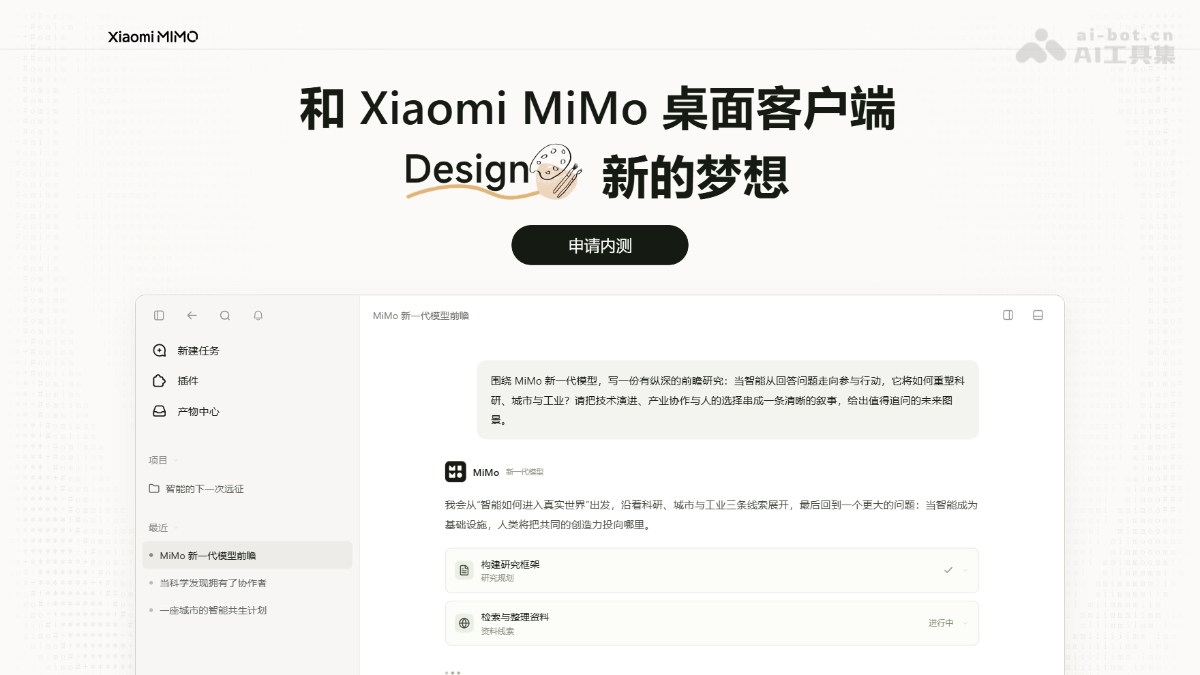
XiaoMi MiMo Desktop is Xiaomi's general-purpose desktop AI Agent, featuring the next-generation MiMo-X-Pro/Flash dual-model system. The models can directly read spreadsheets, PDFs, audio and video, and other formats, automatically break down tasks, call tools, and deliver editable documents, presentations, web pages, 3D models, and other outputs. XiaoMi MiMo Desktop's Smart mode automatically dispatches models and Agents based on task complexity. It supports browser control, partial output editing, and version rollback. Its same-session cache hit rate reaches up to 99%, focusing on quality and cost control for long-running tasks.
02Key Features of XiaoMi MiMo Desktop
Direct reading of multiple formats: Directly read spreadsheets, PDFs, audio and video, compressed archives, and other materials, automatically break down tasks, and deliver editable documents, presentations, web pages, 3D models, and other outputs.
Interactive previews: Preview complete pages that can be clicked, operated, and further edited.
Partial editing: Select any element and describe the desired changes in natural language. Only the modified sections are regenerated, while version history is retained for rollback.
Smart dispatch: Automatically assess task complexity and dynamically route models, Agents, and Skills, supporting collaboration across multiple sessions.
Browser control: Independently open web pages, search for information, fill out forms, extract materials, and automatically validate generated web pages.
Controlled costs: Model routing, partial editing, and context caching provide three layers of optimization, with a same-session cache hit rate of up to 99%.
03How to Use XiaoMi MiMo Desktop
Apply for beta access: Visit the XiaoMi MiMo Desktop official website at https://mimo.xiaomimimo.com/desktop/invite/ and submit an application.
Download and install: After approval, download the desktop client and sign in.
Provide materials: Drag spreadsheets, images, PDFs, audio and video, or even compressed archives directly into the session. No advance format organization is required.
Describe the goal: Explain what you want to do in natural language, such as "Research Huizhou architecture and produce an illustrated report."
Smart automatic execution: There is no need to select a model or Agent. The system automatically breaks down the task, dispatches tools, and executes them in parallel.
Real-time preview: View clickable, operable finished outputs, such as web pages, presentations, and 3D models, in real time in the right-side panel.
Partial modifications: Select an unsatisfactory element or paragraph and describe the requested changes in an annotation.
Version management: Compare different approaches or roll back to historical versions, then export the output when satisfied.
04Core Advantages of XiaoMi MiMo Desktop
In-house models: Backed by Xiaomi's self-developed MiMo models, with deep collaborative optimization between the models and the product.
Dual-model combination: MiMo-X-Pro pursues the highest level of intelligence, while MiMo-X-Flash focuses on cost-effectiveness. Smart mode automatically dispatches them based on task complexity.
Deliverables instead of answers: Directly deliver complete, editable outputs such as presentations, web pages, 3D models, and apps.
Precise partial control: Select any element for precise modification and regenerate only the changed section, avoiding the problem of "fixing one thing and breaking everything else."
Highly optimized caching: Same-session cache hit rates reach up to 99%, and cross-session rates reach 95%, significantly reducing Token costs for long-running tasks.
Multi-Agent collaboration: Automatically split complex tasks into multiple sub-agents for parallel execution, with failed tasks reassigned automatically.
Strong aesthetics: Testing shows more natural Chinese writing with less of an "AI feel," along with polished, premium web and presentation designs.
05XiaoMi MiMo Desktop Use Cases
Office productivity: Read spreadsheets, PDFs, recordings, and other materials, automatically organize the content, and deliver editable presentations and research reports.
Web and game development: Generate fully interactive web pages and game prototypes from natural-language descriptions, with support for real-time previews and partial modifications.
Deep research: Dispatch multiple sub-agents in parallel to verify information and produce rigorous reports that distinguish measured data from engineering judgments.
3D modeling: Automatically control Blender to complete modeling and rendering based on reference images, delivering model files that can be opened and edited directly.
Tool development: Diagnose software defects and automatically write plugins or scripts, delivering usable results in one pass.
© Disclaimer: domains and linked content may change over time. AIEZZ does not control third-party websites. Review external content and risks independently.
User reviews0