
- Monthly visits
- 0
- Pricing
- Not set
- Listed
- —
- Updated
- 2026-09-29
01What is Cue?
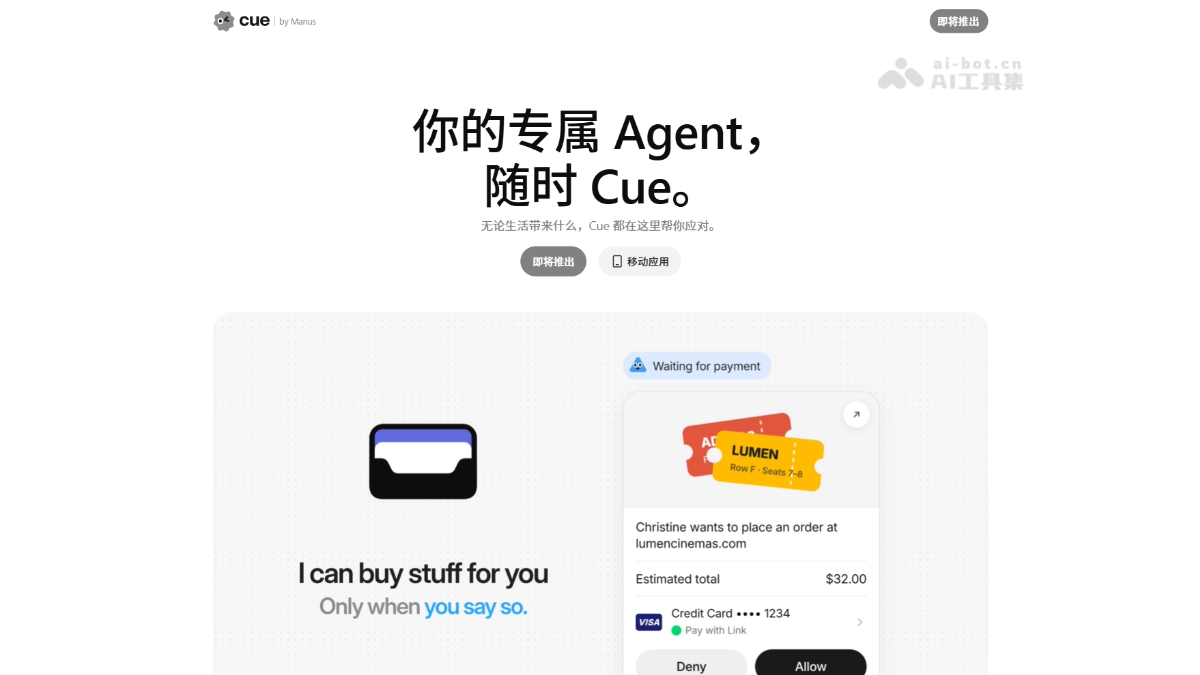
Cue is Manus's personal Agent app. Each agent has its own email address, phone, wallet, and computer, allowing it to handle tasks externally like a real person: making and receiving calls, sending and receiving emails, making payments within a set budget, and continuing to complete tasks after you go offline. Cue supports multi-Agent group chat collaboration, so you only need to set the direction and make the final decisions. The product is currently in early access and can be used for free with an invitation code.
02Cue's Key Features
Dedicated identity: Each Agent has an independent email address, phone number, wallet, and computer, allowing it to handle tasks externally like a real person.
Call handling: It answers incoming calls for you and automatically generates a summary in Cue after the call to report back to you.
Payments within budget: Each Agent has its own virtual card and can independently complete online payments within the limits and permissions you set.
Always-on work: Tasks run on the Agent's own cloud computer and continue until completion even after you go offline.
Group collaboration: Multiple Agents can join the same conversation, divide work, and take turns advancing a shared goal. You only need to set the direction and make the final decisions.
QR code connection: Scan a restaurant's QR code to summon the corresponding Agent to help order food and get a queue number, extending its capabilities to offline scenarios.
Connectors and routines: Connect to commonly used services such as Gmail, Calendar, and Slack to turn repetitive tasks into automated workflows.
03How to Use Cue
Download the app: Visit the official Cue website at https://cue.im/ and choose the appropriate download and login option.
Activate access: An invitation code is required during early access. Enter MEETCUE to activate free access.
Create an Agent: Create a new Agent, clearly define its responsibilities, and provide the background information it needs to complete tasks.
Configure identity and permissions: Enable capabilities such as email, phone, wallet, and computer access, and define its access scope and approval boundaries.
Assign tasks: State your goal in natural language. During the process, you can review its interim results and correct its course at any time.
Collaborate in a group chat: When collaboration is needed, add several Agents to the same group chat and give them a shared goal. You make the final decision.
Connect by QR code: Scan a QR code in offline settings such as restaurants to summon the corresponding merchant Agent for ordering and queue tickets.
04Cue's Core Advantages
Complete digital identity: One of the few products in the industry that gives every Agent a real email address, phone, wallet, and computer.
Always online: Agents run on their own cloud computers 7×24 hours a day and continue advancing tasks even when you turn off your device.
Multi-Agent group collaboration: Add Agents with different responsibilities to the same group chat so they can hand off work autonomously. You only need to set the direction and make the final decision.
Bridging online and offline: Scan a QR code to connect with real-world services such as restaurant ordering and queueing, extending execution capabilities into the physical world.
Controllable permissions: You set payment limits and approval boundaries. Agents act autonomously within the defined scope, balancing automation and safety.
Shared infrastructure: Built on the same foundation as Manus, Cue can directly reuse its mature task execution and tool-calling capabilities.
05Cue Use Cases
Fully managed business travel: State your destination and budget, and the Agent automatically compares and books flights and hotels, monitors price drops, and adds confirmation numbers to your calendar. You only need to approve payment.
Communications proxy: While you are in a meeting or on a flight, it answers calls and screens emails. After you land, it provides a summary prioritized by urgency, while spam calls are blocked automatically.
Family affairs manager: If your child develops a fever in the middle of the night, it automatically finds an open emergency department that accepts your insurance, schedules the first pediatric appointment, and monitors vaccine availability, so routine tasks no longer consume your attention.
Flash sales and queueing: Monitor concert ticket releases, secure early DMV test appointments, and book tables at popular restaurants. The Agent monitors 7×24 hours a day and places orders automatically the moment slots open, even scanning a QR code at the venue to get a queue number for you.
© Disclaimer: domains and linked content may change over time. AIEZZ does not control third-party websites. Review external content and risks independently.
User reviews0