
- Monthly visits
- 0
- Pricing
- Not set
- Listed
- —
- Updated
- 2026-10-28
01What Is Voyager
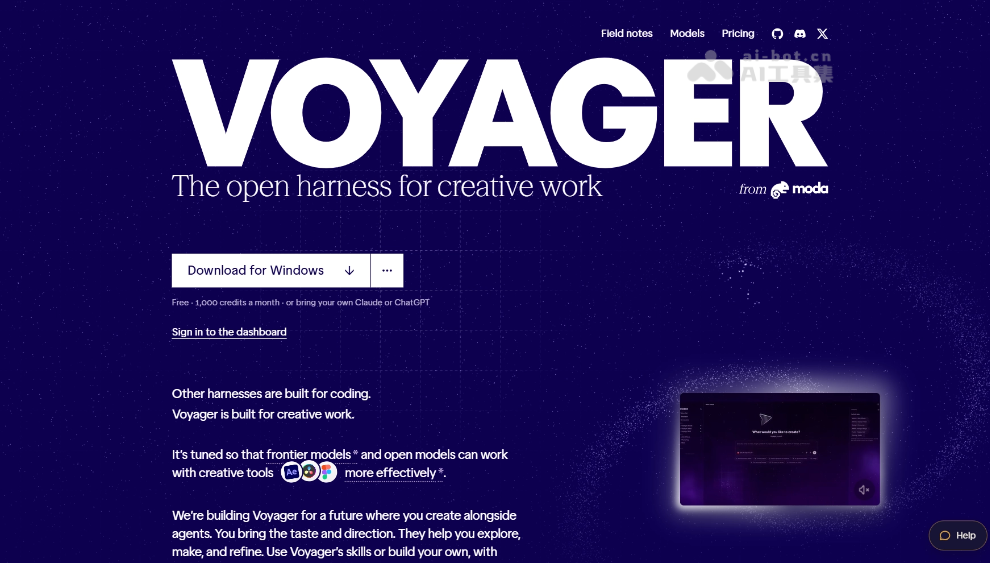
Voyager is an open-source desktop creative Agent by Nullframe that can control professional software such as Photoshop, Premiere, After Effects, DaVinci Resolve, and Blender through natural language, with built-in design, video, and audio tools. Voyager can generate assets, complete editing and scoring, and preserve editable project files so creators can continue refining their work. Voyager supports connecting personal model accounts and currently primarily supports Macs with Apple chips.
02Key Features of Voyager
Follow us on WeChat and reply “Open Source” to join the AI open-source project group
Operate professional software: Control Photoshop, Premiere, After Effects, DaVinci Resolve, Blender, and other software through scripts, APIs, or interfaces to execute tasks.
Multimodal content generation: Connect to various image, video, speech, and music models to generate the assets needed for production.
Video search and editing: Describe the target shot in natural language, allowing the Agent to locate clips in source material, verify timestamps, and complete a rough cut.
Animation and 3D production: Use Remotion to create animated explainers, or call Blender for tasks such as 3D advertising.
Audio production and scoring: Use the built-in DAW or tools such as Ableton Live for arranging, recording, mixing, voice-over, and video scoring.
Preserve editable projects: Keep layers, timelines, and project files after production so creators can return to the original software for further refinement.
Extend Agent capabilities: Connect Claude, Codex, ChatGPT, and custom MCPs and Skills, and call its creative tools from Claude Code and Codex.
03How to Use Voyager
Download and install: Download the desktop version from the Voyager website https://voyager.so/ or the GitHub release page https://github.com/usevoyager.
Connect the Agent and models: Choose Voyager’s built-in Agent, or connect your own Claude or ChatGPT subscription and model accounts from fal, Google, Runway, and others.
Create a project and import assets: Create a project, then add video, image, or audio files or an existing project, and specify the creative tools to use.
Grant software and system permissions: Enable professional software scripting, screen recording, or computer control permissions as needed so the Agent can operate the relevant applications.
Give instructions in natural language: Describe the production goal, asset scope, style, duration, and output format, such as “Find the feature demonstration clips in the screen recording and edit them into a vertical video.”
Preview and request revisions: Review the Agent’s execution process and generated results, then adjust the editing, animation, voice-over, or scoring through continued conversation.
Export or continue refining: Export the finished work once confirmed, or preserve the editable project and return to Premiere, After Effects, Blender, or other software for manual refinement.
04Core Advantages of Voyager
Fits existing workflows: Directly operates the professional software creators already use, without requiring project migration or learning an entirely new set of tools.
Covers the complete production process: One Agent coordinates everything from asset generation, editing, and motion graphics to voice-over, scoring, and export.
Deliverables remain editable: The output includes not only finished files but also layers, timelines, and project files, allowing creators to take over and refine the work at any time.
Built-in tools complement professional software: Built-in design, video, and audio engines work alongside mature tools such as Adobe software, DaVinci Resolve, and Blender.
Open choice of Agents and models: Supports Claude, Codex, ChatGPT, and various generative models, with capabilities extendable through MCP and Skills.
05Voyager Project Links
Project website: https://voyager.so/
GitHub repository: https://github.com/usevoyager
06Voyager Use Cases
Rough cuts for long-form video: Find target shots in multiple recordings, verify timestamps, and complete an initial edit.
Software tutorial production: Add animated callouts, captions, and voice-over to screen recordings, while synchronizing timing after removing content.
Brand marketing content production: Generate visual assets around a single product concept, then create ads and short videos in different sizes.
Motion graphics and 3D advertising: Use Remotion to create product explainer animations, or call Blender and After Effects for 3D advertising and post-production compositing.
Music and video scoring: Use the built-in DAW or Ableton Live for arranging, sound effects, mixing, and video scoring that matches the pace of the footage.
© Disclaimer: domains and linked content may change over time. AIEZZ does not control third-party websites. Review external content and risks independently.
User reviews0