

- Monthly visits
- 0
- Pricing
- Free & Paid
- Listed
- 2026-01-21
- Updated
- 2026-01-22
01Product Positioning
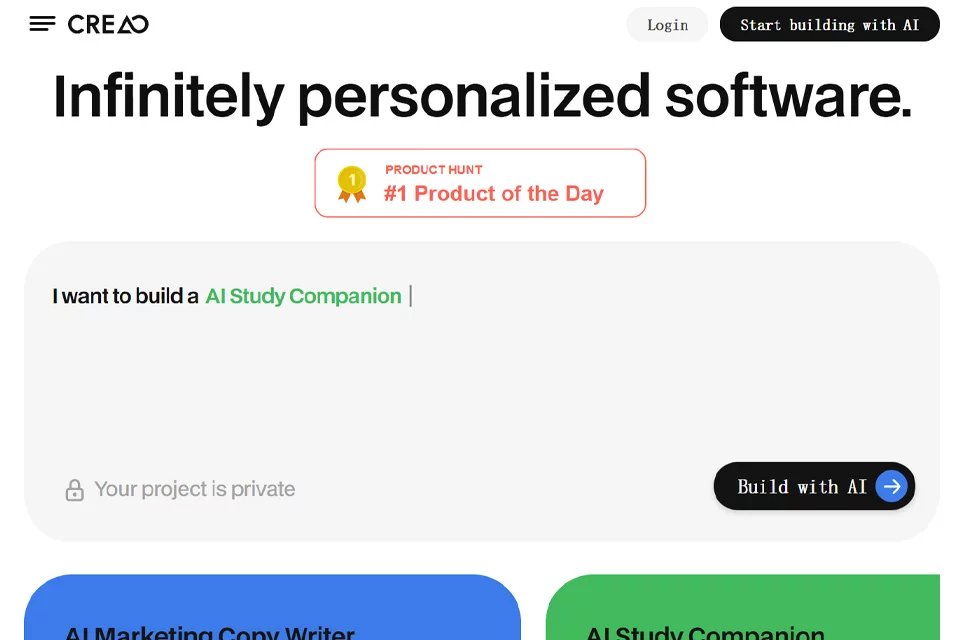
CREAO is an AI coding tool designed for natural-language interaction. Using a “VibeCoding” approach, it helps users build full-stack applications. It brings the frontend, backend, database, and AI assistant into a single application-building workflow, lowering the barrier from idea to usable software.
The product is suitable for users without a programming background who need custom software or automated workflows, and can also be used to validate early product ideas. The platform offers free and paid plans; the exact scope of use depends on the current plan.
02Key Features
Users can describe their functional requirements in natural language, and the platform generates the application structure and related features. Generated applications can include a frontend interface, backend logic, database, and built-in AI assistant, along with hosting and sharing capabilities.
The in-app intelligent copilot can answer questions using application context, manage data, and handle multi-step tasks. The platform also supports ready-made integrations, as well as connections to custom tools through APIs and MCP servers. Some plans support viewing source code and database structures, along with version management.
03Use Cases
CREAO can be used to quickly validate product concepts, such as by creating proof-of-concept applications, simple business systems, or tools for specific workflows. Founders and small teams can use it to organize and test business processes, while domain experts can turn industry knowledge into custom applications.
For non-technical roles, it is suitable for building internal tools, data management interfaces, and automated workflows. Students and nonprofit organizations can also use it for learning, project work, or customized administrative tasks. Specific discounts and plan terms are subject to the information published by the platform.
04Usage Considerations
Natural-language generation does not eliminate the need for review. Users should still verify page interactions, business rules, database structures, and the AI assistant’s execution results, especially when handling important data or multi-step workflows.
Complex applications typically require multiple rounds of description, testing, and adjustment. When external services are involved, users should also confirm the connection methods, permission scope, and data flows for APIs or MCP servers. Features such as source code access, advanced customization, and version management may be plan-dependent, so users should confirm the specific terms of the current plan before use.
© Disclaimer: domains and linked content may change over time. AIEZZ does not control third-party websites. Review external content and risks independently.
User reviews0