

- Monthly visits
- 2
- Pricing
- Free & Paid
- Listed
- 2026-07-08
- Updated
- 2026-08-27
01Introduction to SpaceXAI
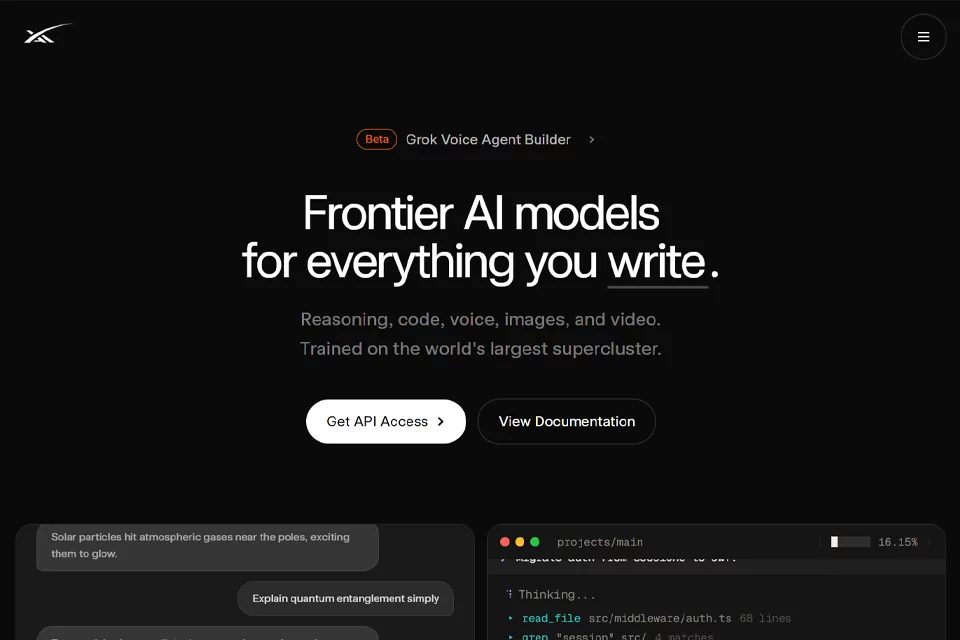
Individuals can use Grok as an internet-connected Q&A and creative assistant to understand questions, find real-time information, generate images and videos, or communicate by voice. Developers can use unified APIs to integrate text, code, voice, image, and video capabilities into their own products, while teams can use collaboration, administration, and enterprise support features. The platform currently offers the Grok 4.6 model and supports API calls and the Grok Build coding agent.
02Who SpaceXAI Is For
Individual Users
Suitable for everyday questions, real-time information retrieval, voice conversations, and personal image and video creation.
Developers
Suitable for integrating text, code, voice, image, and video capabilities through unified APIs to quickly build AI applications and agents.
Software Engineers
Suitable for using Grok Build to explore codebases, review files, migrate authentication logic, and advance multistep development tasks.
Enterprise Teams
Suitable for team environments that require seat management, centralized billing, role-based permissions, single sign-on, and auditing capabilities.
03Key SpaceXAI Features
AI Chat and Q&A
Ask questions in natural language to receive explanations of knowledge, technical issues, and complex concepts, then continue asking follow-up questions to refine the results.
Real-Time Web and X Search
Combine real-time web and X content to find information, making it suitable for tracking current events, trending discussions, and questions that require the latest sources.
Voice Conversations
Talk with Grok using voice mode, making it suitable for situations where typing is inconvenient or a more natural conversational experience is preferred.
Image Generation and Editing
Generate images from text descriptions and edit them around creative requirements, supporting visual content production and rapid experimentation.
Video Generation
Generate videos from text, image, and voice references, making it suitable for short-form video production and exploring dynamic visual expression.
Coding Assistance
Use Grok Build for coding tasks, including reading files, searching code, analyzing problems, and carrying out continuous development work.
Application and Workflow Building
Create and share websites, applications, games, and interactive dashboards, and orchestrate backend workflows for batch tasks.
External Tool Connections
Connect frequently used applications to Grok through connectors to create a more coherent workflow across relevant tools and resources.
04What Makes SpaceXAI Stand Out
A Unified Platform Covering Multiple Modalities
Brings text, code, voice, image, and video capabilities together within one product and API ecosystem, reducing the need to switch between tools.
Real-Time Information Access
Integrates web and X real-time search into Grok workflows, enabling answers and research tasks to incorporate dynamic online information.
From Conversation to Execution
Grok Build and Grok Bot extend these capabilities to continuous tasks across codebases, tools, and applications rather than limiting them to text generation.
Large-Scale Model Training Infrastructure
SpaceXAI states that its Colossus cluster has 200K GPUs and says Grok models are trained on the world's largest-scale supercluster.
© Disclaimer: domains and linked content may change over time. AIEZZ does not control third-party websites. Review external content and risks independently.
User reviews0