

- Monthly visits
- 1
- Pricing
- Free & Paid
- Listed
- 2026-05-02
- Updated
- 2026-07-01
01Product Positioning
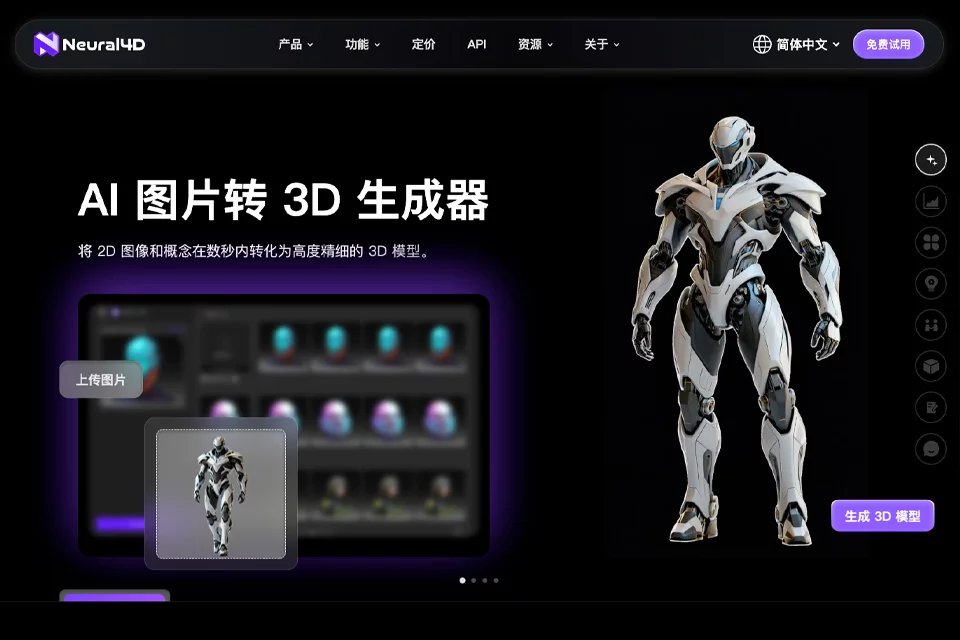
Neural4D is positioned as an AI creative tool for 3D design. Its core function is to convert image references or text specifications into 3D models. It is suitable for quickly creating presentable, verifiable initial assets and can also serve as a pre-production tool for game, e-commerce, AR/VR, and 3D printing projects.
The product offers free and paid usage options and supports API integration, making it suitable for individual creators as well as teams that need to generate content in batches.
02Key Features
The tool supports image-to-3D and text-to-3D generation, allowing users to start with product images, character designs, or text descriptions. Generated models can be exported for subsequent presentation, project production, or 3D printing workflows.
In addition to 3D models, Neural4D supports 3D animation generation, AI image generation, and AI video generation, including anime-style character creation. Its API integration can be used to build batch 3D asset generation workflows.
03Use Cases
Game developers can use it to create preliminary game assets such as characters and props for prototyping and validating art direction. 3D designers can turn sketches, reference images, or text specifications into initial models, reducing the workload of modeling from scratch.
E-commerce and product teams can convert product images or concepts into 3D presentation content. AR/VR creators can use it to prepare virtual display assets, while 3D printing users can export models for figurines, ornaments, or print prototypes. Anime-style characters and virtual avatars are also within its scope of use.
04Usage Notes
Neural4D is suitable for quickly generating and validating concepts, but the generated models still require manual review and adjustment to determine whether they meet specific project requirements. When used for games, AR/VR, e-commerce displays, or 3D printing, users should pay particular attention to whether the model details, export results, and target production workflow are compatible.
The available features may differ between free and paid options. Before formal use, users should check the current page for the applicable rules. For batch processing, first verify how well the API integration fits the existing workflow.
© Disclaimer: domains and linked content may change over time. AIEZZ does not control third-party websites. Review external content and risks independently.
User reviews0