

- Monthly visits
- 0
- Pricing
- Free & Paid
- Listed
- 2026-07-09
- Updated
- 2026-08-25
01About TypeUI
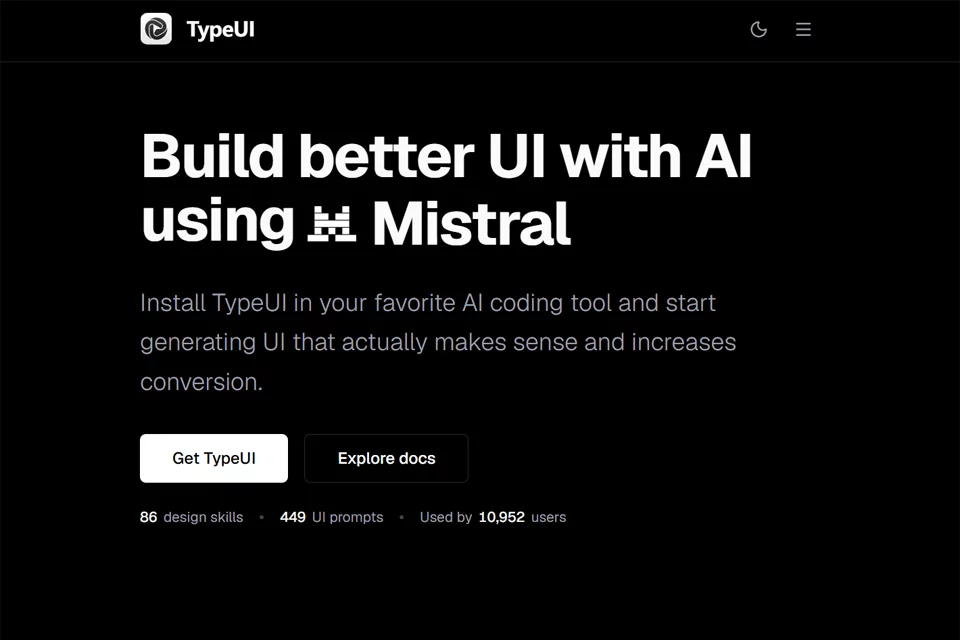
TypeUI brings design systems, UI prompts, brand information, and website analytics together on one platform. Users can import design systems from themes, Markdown files, or Figma, edit and publish the generated Markdown content to a workspace, and then provide it to supported AI coding tools through MCP. The platform also provides Insights for analyzing product website data such as page views, visitor sessions, conversions, events, and heatmaps.
02Who TypeUI Is For
AI-assisted developers
Build pages in Codex, Claude, Cursor, or other MCP-compatible coding tools, and call on TypeUI design systems, prompts, and layout variations.
Product designers
Organize existing design guidelines, brand colors, fonts, and component information into design systems that AI tools can use.
Website and product teams
Use Insights to view website traffic, visitor sessions, conversions, and interface interaction data for analyzing page performance.
Indie developers and startup teams
Use brand kits, design skills, and UI prompts to establish branding and interface direction for new projects.
03Key TypeUI Features
Design system management
Import design systems from TypeUI themes, Markdown files, or Figma, edit the generated Markdown content, and publish it to a workspace.
MCP connections for AI tools
Complete MCP setup and sign in to a TypeUI account so supported AI coding tools can call design systems and prompts from the workspace as needed.
Design skills and UI prompts
Browse design skills and prompts for pages, components, and patterns to provide AI coding tools with reusable visual direction and a starting point for interface construction.
Layout variation generation
Request multiple layout options in a connected AI coding tool, such as generating three variations of the same pricing block for comparison.
Brand kit creation
Generate a brand kit containing the project name, logo, brand colors, and font references, then download PNG, SVG, and BRAND.md files.
UI/UX audits
Enter a website URL to check accessibility, user experience, visual design, typography, and color, then view numbered issues in the page preview.
Website analytics
View page views, active time, bounce rate, traffic sources, visitor sessions, conversions, custom events, and heatmaps in Insights.
04TypeUI Highlights
Design context for AI coding tools
TypeUI delivers design systems, UI prompts, and layout variations directly to AI coding tools through MCP, connecting the workflow from design guidelines to page construction.
Import design systems from Figma
Convert styles, components, variants, fonts, corner radii, shadows, and layout details from Figma files into editable Markdown source files.
Design skills with multiple previews
Design skills support Marketing, Application, and E-commerce interface previews, making it easier to compare visual directions across different product surfaces.
Design combined with privacy-focused analytics
The same platform provides AI-assisted design along with GDPR-oriented traffic and interface interaction analytics based on user consent.
05Sources
© Disclaimer: domains and linked content may change over time. AIEZZ does not control third-party websites. Review external content and risks independently.
User reviews0