

What is onetake?
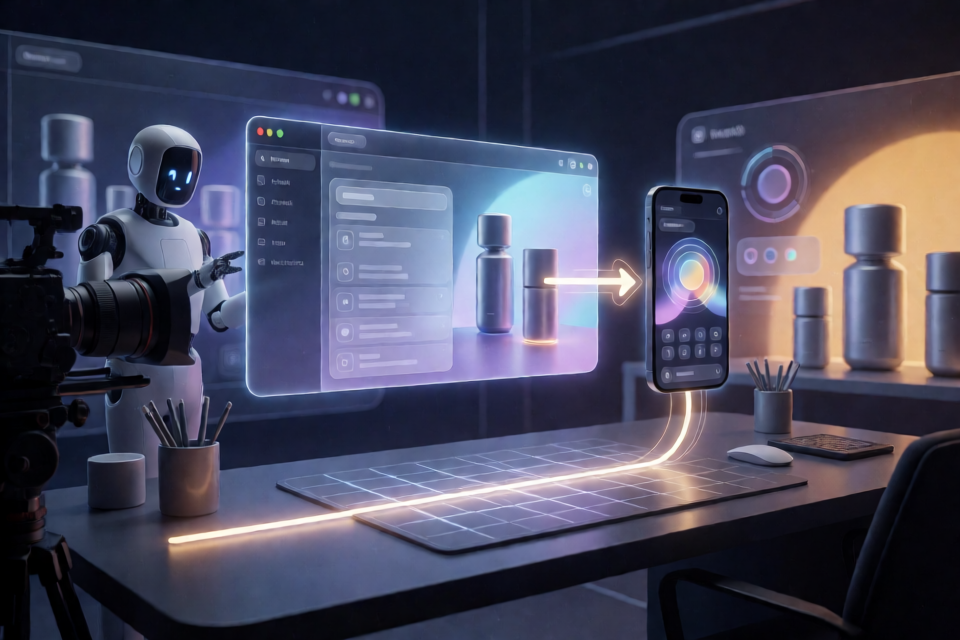
onetake is a Claude Agent Skill for creating product launch films, teasers, and feature demonstrations as one continuous take. Instead of presenting unrelated title cards, UI shots, and feature screens with fades between them, it designs transitions in which an element visibly survives and becomes part of the next beat.
For example, a prompt bar can open into an application window, a window can reflow into a phone, or a line can travel across a desk and become the first grid line of the next film. A single camera connects the entire sequence without cutting.
Motion films that never cut to the next slide.
Why continuity matters
Many AI-generated motion videos look acceptable shot by shot but feel like presentations when viewed as a whole. The problem is that each scene replaces the previous one. onetake treats the boundary between two beats as the central design problem.
At every boundary, the production should identify an object, shape, movement, or camera relationship that carries forward. The camera can follow the subject, whip toward the next landing point, move like a handheld operator, react to impacts, and then hold still so important movements have room to land.
Key features
- Continuous visual carry: every beat grows out of the preceding beat rather than appearing as an unrelated replacement.
- HTML-rebuilt interfaces: product UI is recreated in HTML from screenshots and placed on the camera plane, avoiding screen recordings and allowing the camera to move into the interface.
- Measured motion: the move library contains approximately 38 moves covering springs, entrances, carries, contact, simulations, camera behavior, and fluid grounds. Each move is a time-based pure function with a measured speed curve.
- Motion blur: moving frames are captured multiple times during an open 180-degree shutter and averaged in linear light, helping fast movements smear naturally instead of strobing.
- Event-based sound: Foley and synthesis are positioned around events in the film, with a shared reverb and music ducking under important impacts.
- Deterministic output: seeking to the same time produces the same frame. Drafts target 1080p at 30 frames per second, while final renders can target 4K at 60 frames per second.
- Automated verification: the project probes frames, detects boundaries, and evaluates whether visual content carries across them.
Install the skill
Clone the repository into the skills directory used by your agent. For Claude Code, run:
git clone https://github.com/feitangyuan/onetake.git ~/.claude/skills/onetakeFor Codex or other agents that read skills from the agents directory, use:
git clone https://github.com/feitangyuan/onetake.git ~/.agents/skills/onetakeThe repository includes the core protocol in SKILL.md, motion and UI utilities in lib/, production scripts in scripts/, demonstrations in gallery/, and written guidance in references/.
Install the required tools
onetake requires python3 with Playwright and Chromium, plus numpy, scipy, Pillow, and matplotlib. Reference analysis additionally uses opencv-python. You also need ffmpeg and node.
If you want narration, add faster-whisper and Kokoro TTS. The README states that music is royalty-free by default.
Start a project with a prompt
After installation, ask the agent for a concrete production task. For example:
Make a 15 s launch video for my appMake a feature demo rebuilt from these screenshots, no screen recordingMy motion video feels like a slideshow — fix itSupply screenshots when you want the product interface rebuilt in HTML. Be explicit about the desired duration, purpose, and continuity problem. The skill is designed to turn these requests into a structured film workflow rather than a collection of disconnected shots.
Build the film step by step
- Analyze the reference. Deconstruct the reference film numerically: measure how much time is still, where cuts occur, and how movements accelerate and settle.
- Develop three concepts. Each concept should describe the picture in one sentence, such as “one dot becomes everything” or “one zoom through scale.” Avoid telling the same card-based story three different ways.
- Write a beat sheet. Define the rhythm and the carry at the same time. Vary shot lengths by at least four times, and state exactly what survives at every boundary.
- Compose the animation. Create one HTML file using the motion library and the UI-rebuild kit. Design transitions so cards, lines, windows, characters, or camera paths visibly transform into the next beat.
- Render with motion blur. Use the rendering tools to produce a draft at 1080p30 or a final at 4K60, depending on the stage of production.
- Score the sound. Place Foley and synthesis around events from the film, keep the sound in one reverb space, and duck music below significant hits.
- Verify before review. Run the automated checks, fix rejected boundaries or technical problems, and only then show the film to a person.
Use continuity as a design rule
A useful beat description should name both the visual action and the surviving element. For instance, do not write only “show the mobile interface.” Write that the desktop window reflows into the phone interface, or that a line from the previous layout becomes the phone’s first alignment guide.
The same principle applies at the ending. In the onetake launch film, the cast folds into the lockup and a block cursor writes the name in one stroke. The final logo is therefore the result of the preceding motion rather than a separate end card.
Verify the result
onetake uses an oracle-style verification workflow. probe.py records what appears in each frame, finds boundaries, and asks what visual content carried across them. A film in which beats simply replace one another can fail even when its individual shots look polished.
The README reports carry scores of 0.00 for an early rejected launch film, 0.40 for a later rejected version, 0.75 for an accepted revision, and 0.83 for the onetake launch film.
The same verification approach also checks for uniform shot cadence, a lack of stillness, clipped audio, fast movement without motion blur, and subjects leaving the frame. Treat these checks as production requirements, not optional polish.
Advanced production tips
Use varied rhythm
Do not make every beat the same length. onetake recommends a difference of at least four times between shot lengths. Combine rests with bursts of movement so the viewer can understand important transformations.
Design the camera around the next beat
The camera should often move slightly ahead of the subject, whip toward where the next object will land, or push through a card until it becomes the next scene. Then allow the camera to hold still when a transition needs emphasis.
Prefer rebuilt UI to screen recordings
Rebuilding the interface in HTML keeps it on the camera’s plane and lets the camera approach it at any zoom. This also makes the product presentation part of the continuous composition instead of a separate inserted screen recording.
Render deterministically
Because the output is deterministic, you can seek to a particular time and receive the same frame again. Use this property when debugging boundaries, comparing revisions, or checking the effect of motion blur.
Study the included cases
The repository includes ten finished films with breakdowns covering concepts, beat sheets, measurements, rejected versions, and the reasons for rejection. Cases include onetake launch, one-dot, knockon, clearing, pith, ebb, overlap, unbroken, motion-web, and skill-demo. The case breakdowns are available in the cases directory; the film source code is not included.
Licensing
onetake is released under the PolyForm Noncommercial 1.0.0 license. It is free for personal, educational, research, and other noncommercial use. Commercial use is not permitted.
Conclusion
onetake provides a practical workflow for making product films that feel like a single connected performance instead of a slideshow. Install the skill, describe your film, plan each boundary, rebuild interfaces in HTML, render with measured motion and blur, score the sound, and run verification before human review. The central rule is simple: every beat should visibly become the next.