

What Is product-film?
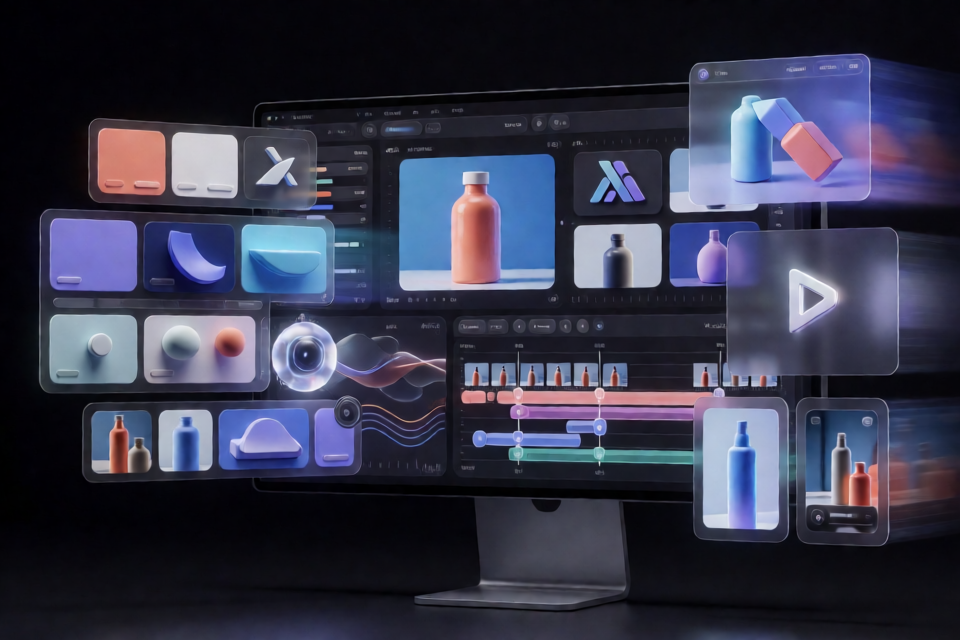
product-film is a Claude Code skill for creating showreel-quality product films in code. It can produce a landing-page loop, launch video, promotional film, or demo reel with Remotion.
Instead of applying a generic visual style, the skill studies your product repository. It examines design rules, tokens, components, logos, the live site, and the claims your product can make. It then uses those materials to create a film that looks and sounds as though it came directly from your product team.
The workflow is collaborative. Claude interviews you about the intended placement, duration, music, features, text, transitions, and optional visual ingredients. It records the resulting brand decisions in videos/BRAND.md, creates a beat sheet, presents style frames, builds the animation, generates review materials, and renders verified deliverables.
Key Features
- Design-system discovery: Reviews rules files, design tokens, components, logos, the live product, and approved claims.
- Product-specific interview: Presents options based on your actual features and components rather than generic placeholders.
- Persistent brand kit: Saves your decisions in
videos/BRAND.md, which overrides the skill's defaults. - Story and style planning: Produces a beat sheet and checks in with three style frames before completing the build.
- Music-aware editing: Measures the beat grid, cuts music on bars, and places sound effects at their peaks.
- Remotion-based animation: Builds one composition in which every frame is a pure function of time.
- Structured review: Generates stills at handoffs, contact sheets, and a half-resolution draft.
- Verified delivery: Renders a 240 fps master with motion blur and checks decoded files for color, duration, and seamless looping.
- Multiple outputs: Produces a muted landing-page loop, a version with music, a WebM file, and a poster.
Requirements
Before installing the skill, make sure your environment meets the following requirements:
- Claude Code. The skill runs a local toolchain and does not work in the Claude chat applications.
- Node.js and Bun.
- uv for running the Python utilities.
- Music that you have the legal right to use.
The skill adds Remotion to your project. Remotion is free for individuals and small teams, while larger companies require a company license. Review the terms at remotion.dev/license.
The Python scripts obtain NumPy and a complete FFmpeg build through imageio-ffmpeg when needed, so these dependencies are not installed system-wide.
Installing the Skill
Option 1: Install Through the Claude Code Plugin Marketplace
In Claude Code, add the product-film marketplace and install the plugin:
/plugin marketplace add Rieranthony/product-film-skill
/plugin install product-film@product-film-skill
This is the most direct installation method when you want the skill available in your Claude Code environment.
Option 2: Install the Skill Manually
You can also clone the repository and copy the skill into your personal Claude Code skills directory:
git clone https://github.com/Rieranthony/product-film-skill
mkdir -p ~/.claude/skills
cp -R product-film-skill/plugins/product-film/skills/product-film ~/.claude/skills/
The copied folder includes the workflow instructions, references, templates, animation utilities, audio tools, review scripts, and rendering scripts used throughout production.
Option 3: Share the Skill with a Team
To make the skill part of a shared repository, commit its folder at this location:
.claude/skills/product-film/This keeps the skill available alongside the project for team members using Claude Code.
Create Your First Product Film
Step 1: Open the Product Repository
Run Claude Code from the repository of the product you want to feature. This is important because the skill relies on local project materials such as components, design tokens, rules, logos, and product content.
Step 2: Request the Film
Ask Claude Code to create the film, including its target duration, destination, and music. The README provides this example:
Make a 45 second landing-page video for this product, with this song.
You do not need to define every creative detail in the initial request. The skill follows up with an interview before it starts the full production.
Step 3: Complete Discovery
Claude performs a quick review of your design rules, tokens, components, logo, and allowed claims. This discovery stage gives the film a product-specific visual and editorial foundation.
Keep the relevant project files accessible in the repository. The quality and accuracy of the result depend on Claude being able to inspect the real product materials.
Step 4: Answer the Creative Interview
The skill asks where the film will play, how long it should run, which music to use, and which features should appear. It also offers optional ingredients such as:
- A logo animation or an existing mascot.
- Large word-by-word punchlines, captions, or no on-screen words.
- Magic-move transitions, camera moves, or cuts synchronized to the beat.
- Cursor interactions, partner logos, proof moments, and brand textures.
These choices are optional. Select only the elements that support the product and the intended viewing context.
Step 5: Review the Brand Kit and Story
Claude writes the discovery findings and your interview answers to:
videos/BRAND.mdThis file takes precedence over the skill's default creative choices. The skill also prepares a beat sheet and presents three style frames before building the complete film.
Use the style-frame review to confirm typography, color, composition, component treatment, and overall brand fit before animation work proceeds.
Step 6: Let the Skill Process the Music
The music workflow measures the beat grid, trims the selected song on musical bars, and aligns sound effects with their peaks. This gives scene changes and important visual moments a musical structure instead of relying on arbitrary timing.
Step 7: Build and Review the Film
The skill creates one Remotion composition and models every frame as a pure function of time. It connects scenes using the transition approach selected during the interview.
During review, Claude generates stills at handoff points, contact sheets, and a half-resolution draft. You can inspect these outputs, request corrections, and approve the direction before the final render.
Step 8: Render and Verify Deliverables
The final process creates a 240 fps master with motion blur. It then produces the requested delivery formats, including:
- A muted loop suitable for a product page.
- A version containing music.
- A WebM version.
- A poster image.
The generated files are decoded and checked for colors, duration, and seamless looping.
Understanding the Project Structure
The skill is organized into workflow documentation, specialized references, templates, reusable animation utilities, and production scripts:
plugins/product-film/skills/product-film/
├── SKILL.md
├── reference/
├── templates/
│   ├── BRAND.md
│   ├── film-prompt.md
│   └── kit/
└── scripts/
    ├── beats.py
    ├── audio-edit.py
    ├── stills.ts
    ├── render.ts
└── verify.pySKILL.mdcontains the workflow, craft defaults, and known traps.reference/covers discovery, interviewing, creative ingredients, storytelling, the animation engine, music, review, and rendering.templates/BRAND.mdprovides the fill-in design kit for a product.templates/film-prompt.mdprovides a reusable film brief.templates/kit/contains tools for timing grids, springs, cameras, cursors, magic moves, punchlines, dithering, and debugging overlays.beats.pyderives a beat grid from the song using NumPy.audio-edit.pycuts the song on musical bars.stills.tsgenerates review stills.render.tscreates the final render and deliverables.verify.pydecodes and validates the output files.
Advanced Tips
Treat BRAND.md as the Creative Source of Truth
Because videos/BRAND.md overrides the skill's defaults, review it carefully. Make sure it captures the product's visual rules, tone of voice, approved claims, and the creative choices made during the interview.
Match the Format to Its Destination
Tell Claude where the film will play. A landing-page loop has different requirements from a launch video or a demo reel. The destination also helps determine whether the final experience should be muted, music-led, text-heavy, or understandable without words.
Use Real Product Materials
Keep the skill grounded in actual tokens, components, logos, features, and claims. This is central to the project's purpose: producing a film that looks as though the product itself made it.
Make Decisions at the Review Checkpoints
Use the three style frames to evaluate the direction early. Later, inspect the handoff stills, contact sheets, and half-resolution draft before approving the expensive final render. These checkpoints are designed to surface visual and timing issues while they are still practical to correct.
Choose Optional Ingredients Deliberately
Logo animation, mascots, punchlines, captions, camera moves, cursor interactions, partner logos, proof moments, and textures are all optional. Avoid treating them as a checklist. Choose the elements that communicate the selected product features most clearly.
Confirm Music Rights Before Production
The tool can analyze and edit a song, but it does not grant permission to use that music. Verify that you have the necessary rights before including a track in a public landing page, launch video, promotion, or demo reel.
Check Remotion Licensing
The product-film skill's own text and code are available under the MIT license. Remotion has separate licensing terms, so larger companies should confirm that they have the required company license before using it in production.
Conclusion
product-film turns Claude Code into a structured product-film production workflow. It combines repository discovery, a product-specific interview, a persistent brand kit, beat-aware music editing, Remotion animation, staged review, and verified rendering. By starting with your real design system and reviewing the work at each checkpoint, you can create polished video assets that remain consistent with your product's identity.