

- Monthly visits
- 0
- Pricing
- Free & Paid
- Listed
- 2026-05-15
- Updated
- 2026-08-25
01Product Positioning
LogoFast is designed for users without a professional design team or those who want to create a brand logo quickly, providing an online workflow from idea generation to final export.
Users can enter keywords to obtain multiple logo directions, then continue adjusting visual elements in the editor. It is better suited for creating initial brand concepts and everyday logos than for replacing a complete design process for complex brand systems.
02Key Features
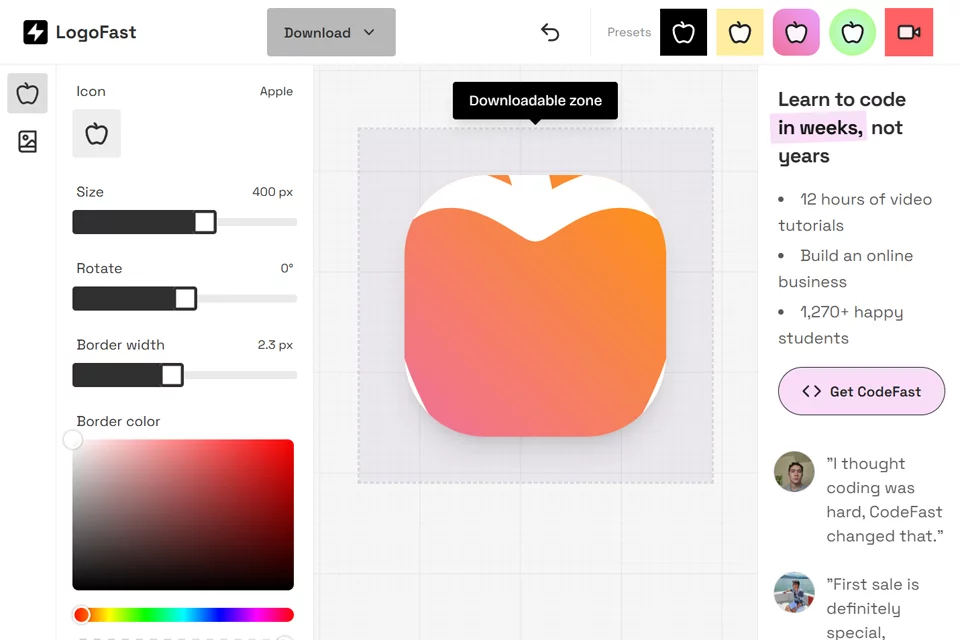
The tool can generate different types of logo concepts based on keywords, including combinations of text and graphics, badges, and text-only designs. During editing, users can replace built-in icons and adjust icon size, rotation angle, border thickness, and color.
Background settings include rounded corners, gradients, shadows, opacity, and fill intensity. The text area allows users to add a brand name and adjust the font and layout. Users can also apply preset styles such as black and white, gradient circles, and minimalist squares, preview results in real time, and export PNG or SVG files with an optional transparent background.
03Use Cases
Startups and small businesses can use it to create basic logos for websites, stores, business cards, and other applications. Sole proprietors can create an initial concept themselves when design resources are limited.
Independent developers can create project logos for blogs, social media, or open-source projects. Freelancers can also use the generation and editing features to prepare preliminary logo concepts or proposal directions for clients.
04Usage Considerations
LogoFast provides basic free features as well as paid options. The specific availability should be determined by the product page. Although the generation process is brief, result quality is affected by the keyword descriptions and manual adjustments.
PNG is suitable for common image-based uses, while SVG helps preserve vector format. Before downloading, users should still check the dimensions, transparent background, text layout, and overall recognizability based on the intended use, such as websites, printing, or merchandise production.
© Disclaimer: domains and linked content may change over time. AIEZZ does not control third-party websites. Review external content and risks independently.
User reviews0