

- Monthly visits
- 0
- Pricing
- Paid
- Listed
- 2026-04-19
- Updated
- 2026-04-20
01Product Positioning
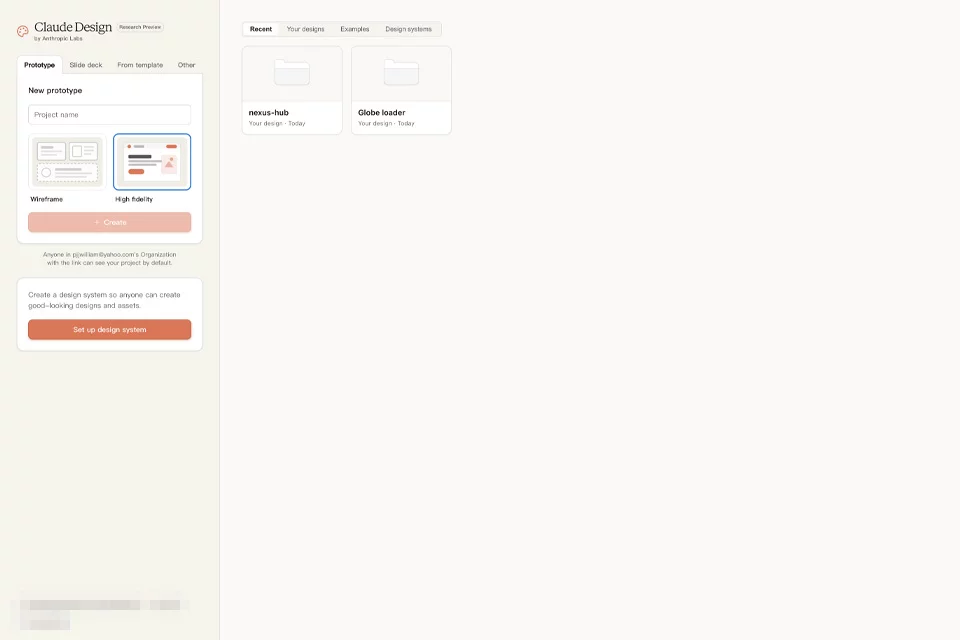
Claude Design turns requirements into designs, interactive prototypes, and presentation content through conversation and a directly editable canvas. It is intended for individuals and teams that need to explore options quickly, maintain brand standards, and connect design work with engineering implementation.
It is currently labeled as a beta by Anthropic and is available for Pro, Max, Team, and Enterprise plans. Enterprise organizations must enable it through an administrator.
02Key Features
The workspace has chat on the left and a canvas on the right. Users can import an organizational design system and attach screenshots, images, documents, slides, existing design files, or codebases. After generation, they can make structural changes through chat, modify components with inline annotations, or drag, resize, and align elements on the canvas.
It supports syncing and handoff with Claude Code and can export to ZIP, PDF, PPTX, Canva, standalone HTML, or connected tools.
03Use Cases
It is suitable for dashboards, mobile app flows, landing pages, internal tools, forms, and stakeholder presentations. Teams with an existing design system can have prototypes use their brand colors, fonts, and components directly, then hand them off to Claude Code for continued implementation.
Designers can compare multiple options, product managers can turn written requirements into reviewable prototypes, and engineers can reduce the repetitive work of rebuilding interfaces from screenshots.
04Considerations
Claude Design is currently available only on the web and desktop, and design activity shares plan usage limits with chat, Claude Code, and Cowork. Large codebases may cause delays, and the quality of design system imports depends on the completeness of the source files.
Other known limitations listed by Anthropic include occasional delays in syncing inline annotations and basic support for simultaneous editing. Accessibility, responsiveness, brand consistency, and exported code still require human review.
© Disclaimer: domains and linked content may change over time. AIEZZ does not control third-party websites. Review external content and risks independently.
User reviews0