

- Monthly visits
- 0
- Pricing
- Free & Paid
- Listed
- 2026-06-30
- Updated
- 2026-08-25
01Product Positioning
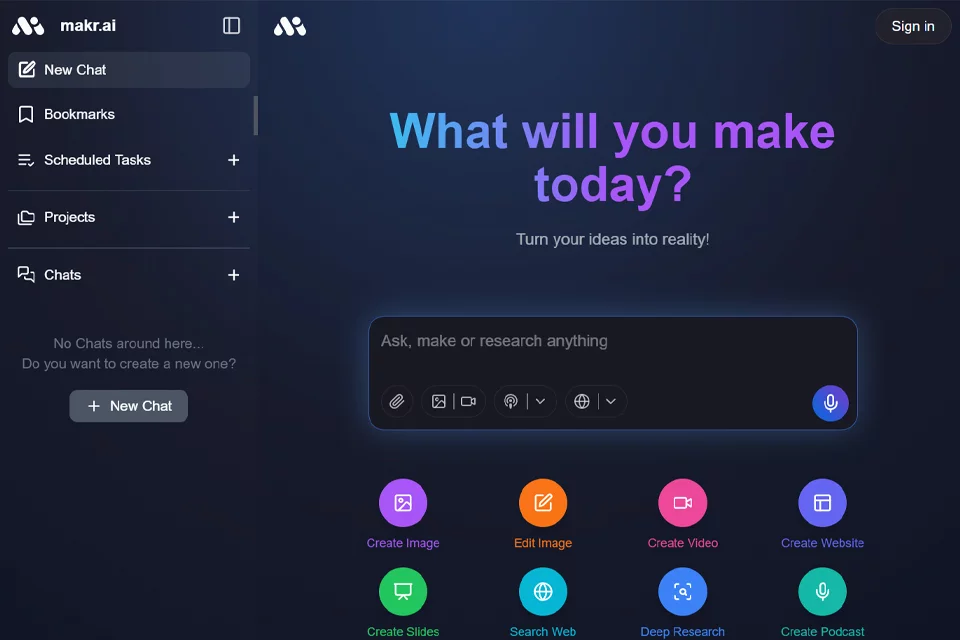
Built on AI chats, Makr extends conversations into an organized personal workspace. Through chat, bookmark, project, and task views, it helps users retain key replies and establish context for ideas they are developing over time.
The product is geared more toward lightweight information capture and project support than a full-featured large-scale automation platform. Public information provides limited details about its team background, user base, and specific service offerings.
02Key Features
New Chat: Start a new AI conversation for brainstorming, breaking down problems, and organizing drafts.
Bookmarks: Save important replies for later discovery and reuse.
Projects: Archive chat context around the same topic into a project, making it suitable for developing an idea over time.
Scheduled Tasks: Provides an entry point for managing recurring items, but public information has not confirmed how automatic execution works.
Chats: Review conversation history and continue working on previous solutions or leads.
03Use Cases
Independent developers can use it to organize product concepts, feature breakdowns, coding ideas, and task leads. Makers and small teams can centralize project discussions and follow-up actions.
Content planners can place topics, outlines, and script drafts into the conversation workflow and bookmark reusable replies. Operations and growth teams can use it to capture campaign plans, user feedback, competitor observations, and items requiring periodic follow-up.
04Usage Considerations
Users should actively distinguish between temporary chats, reusable replies, and long-term project content. Move important information into Bookmarks or Projects promptly to avoid losing context when revisiting it later.
At present, Scheduled Tasks can only be confirmed as a management entry point; this does not establish that tasks will be completed automatically. The product includes free and paid pricing, while the specific plans, feature boundaries, and service details should be verified on the actual page.
© Disclaimer: domains and linked content may change over time. AIEZZ does not control third-party websites. Review external content and risks independently.
User reviews0