

- Monthly visits
- 0
- Pricing
- Free & Paid
- Listed
- 2026-06-28
- Updated
- 2026-08-25
01Introduction to Figma
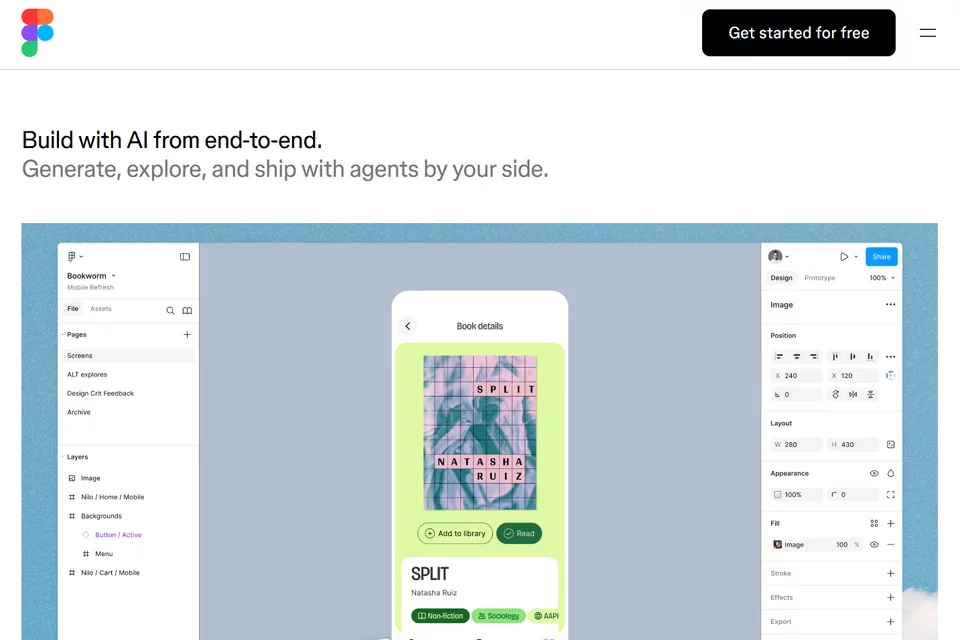
Figma brings interface design, prototyping, whiteboard collaboration, developer inspection, and product publishing into a single workflow. Teams can co-edit designs on a canvas, collect feedback, create interactive prototypes, and use Dev Mode, code connections, and the MCP server to provide design context to developers and AI tools.
02Who Is Figma For?
Product Managers
Create product roadmaps, organize research insights, build wireframes and prototypes, collect team feedback, and drive solution validation.
UX/UI Designers
Design interfaces, maintain components and design systems, explore multiple design directions, and co-edit and review canvas content with the team.
Developers and Engineering Teams
Inspect design details through Dev Mode, access properties and code information, and connect design context to external tools with the MCP server.
Cross-Functional Product Teams
Use FigJam, Figma Slides, comments, and other collaboration tools for brainstorming, meetings, presentations, and product decisions.
03Key Figma Features
Interface Design and Prototyping
Create interfaces, components, and interactive prototypes in one workspace, with team co-editing and prototyping for validating potential product solutions.
FigJam Online Whiteboard
Use flowcharts, mind maps, and meeting templates for brainstorming, research discussions, and team alignment, as well as comments and audio chat for communication.
AI Design Workflows
Use Figma agent to generate and rewrite designs, search files, edit images, and automate design tasks; this capability is currently in Beta.
Figma Make
Turn ideas or existing Figma designs into prototypes and web apps with prompts, with support for editing based on local codebases; some capabilities are in Beta.
Dev Mode Inspection
View dimensions, properties, and asset information in design files, copy CSS, iOS, and Android code, and support developer handoff and design reviews.
Design-to-Code Connections
Bring production designs back into Figma for contextual review, or use the Figma MCP server to let external tools read, reference, and operate on design content.
Plugins and Extensions
Create reusable plugins and workflows on demand with Figma agent, and connect other tools through APIs, integrations, and the MCP catalog.
04What Makes Figma Stand Out
Connected Product Delivery Workflow
From roadmaps, whiteboards, and design exploration to prototypes, developer inspection, and production publishing, multiple product entry points connect around a shared collaboration workflow.
Two-Way Design and Code Connection
Generate code from designs to support prototyping and development, and bring production interfaces back to the canvas as editable design layers for review.
Shared Team AI Credits
AI features use a team-shared credit system. Administrators can review usage and, on some enterprise plans, allocate credits by team or cost center.
Extensible Creative Workflows
Beyond built-in AI capabilities, teams can create generative plugins, custom tools, and workflows shared across their organization.
05Sources
© Disclaimer: domains and linked content may change over time. AIEZZ does not control third-party websites. Review external content and risks independently.
User reviews0